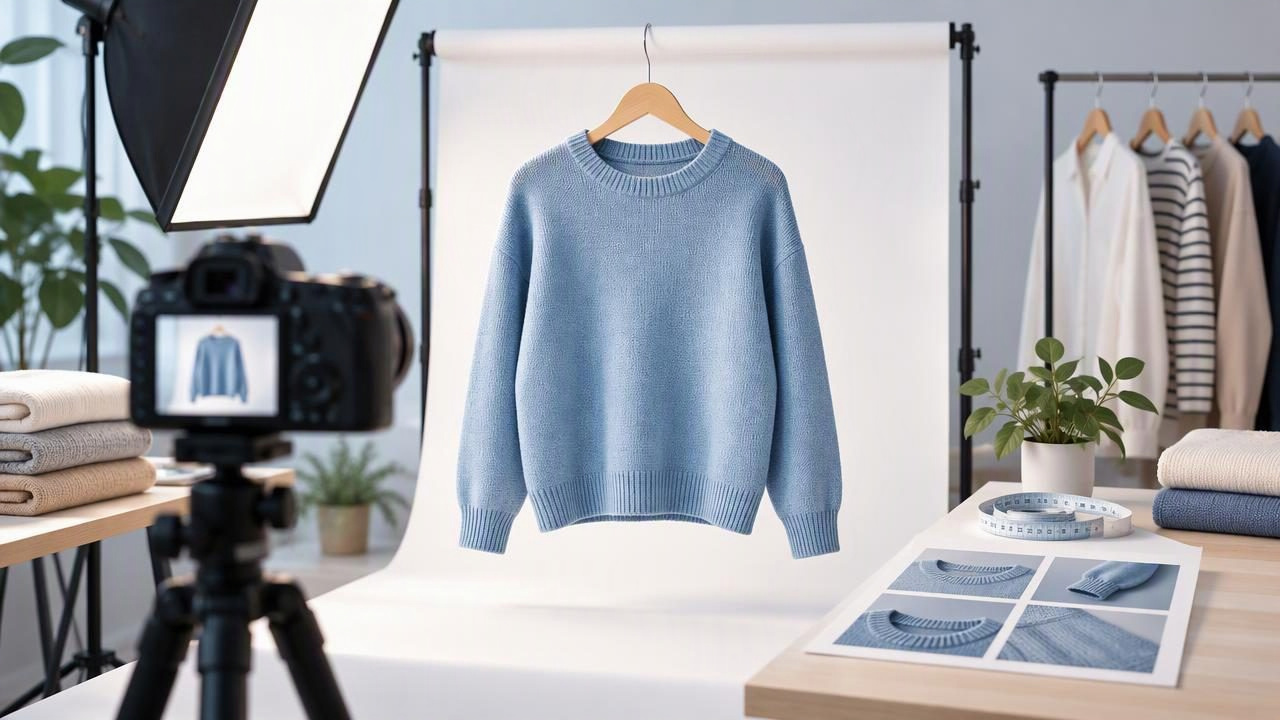
Professional product photos do more than make clothing look polished. They help a shopper understand a garment’s color, shape, condition, and details before deciding whether to buy. For fashion resellers and small brands, the goal is not to make every item look like it came from a studio campaign. It is to present the real garment clearly and consistently, without editing away information a buyer needs.
You can build a strong listing with a simple set of views: a clear full-garment image, close-ups of important details, and honest photographs of any wear or flaws. Careful lighting, a suitable presentation style, and restrained editing can make those images feel professional while keeping them useful.
What makes a clothing photo look professional?
A professional-looking clothing photo is easy to read. The item is in focus, fills an appropriate amount of the frame, and stands out from its background. Its color and details are visible, and the photo set feels consistent from one view to the next. Expensive equipment is not the deciding factor; clear choices and repeatable results matter more.
Think of the image as a visual answer to a shopper’s questions. What does the whole garment look like? How does the fabric appear? What are the neckline, closures, hem, and other construction details? Is there a mark, snag, or sign of wear? A good listing image helps answer these questions rather than relying on styling alone.
Start with a clear, honest source photo
Editing works best when the original image already shows the garment reasonably well. Use even light so one side of the item is not much brighter than the other. Keep the camera steady and make sure focus lands on the clothing, not the wall behind it. Avoid filters or colored lighting that could make a black sweater look navy or a cream blouse look bright white.
Before taking photos, arrange the garment so its shape is readable. Straighten the sleeves, align the shoulders, and let the hem sit naturally. This is not about making a worn item appear new; it is about avoiding accidental bunching that obscures its actual design. Capture the front and back, then add close views of labels, buttons, fabric, and any condition details relevant to the sale.
Use the original image as your reference throughout editing. If a change makes a seam, print, color, or fabric surface look different from what you can see on the physical item, reconsider it. The photo should improve visibility, not create a different version of the product.
Choose a presentation style that suits the garment
The best layout depends on what the item is and what shoppers need to understand. It is fine to use more than one style across a listing, as long as the images still represent the same garment accurately.
| Presentation style | Useful for | Watch for |
|---|---|---|
| On hanger | Quickly showing a garment’s length, sleeves, and overall outline | Twisting, uneven shoulders, and a hanger that hides the neckline |
| Flat lay | Showing the whole item and arranging accessories or detail views consistently | Distortion from an angled camera or sleeves that cover key features |
| Ghost mannequin | Showing the shape and interior neckline of some structured garments without a visible mannequin | Unexpected seams, altered-looking edges, or details that do not match the original |
| Folded | Presenting knitwear or compact items neatly when the full silhouette is not the priority | Folding over a label, graphic, closure, or condition issue |
| Model image | Giving shoppers a styled view of how a garment may be presented on a person | Implying an exact fit, body measurement, or drape that has not been verified |
For a structured blazer, a ghost mannequin image can make the shoulder and lapel shape easier to see. A flat lay may be more practical for a graphic T-shirt, especially when the print is the main selling point. A folded view can be useful as an additional image, but it should not replace a full view if shoppers need to judge the garment’s proportions.
A concrete example: editing a blue cotton shirt
Imagine listing a blue cotton shirt with natural creasing from storage and a small mark near one cuff. The first image is an on-hanger front view against a busy room background. A useful edit would remove the distracting background, straighten the shirt’s presentation, and reduce a few harsh-looking creases if the editing tool allows it. The shirt should remain recognizably the same blue, with its buttons, stitching, and cotton texture still represented as faithfully as the photo allows.
The cuff mark needs different treatment: it should not disappear from the listing. Take a close-up of the mark in the original garment and include it among the listing images. If you use a wrinkle-retouching tool, check that it has not softened or erased the mark, changed the cuff edge, or smoothed away visible fabric detail. Compare the edited result with the source and, when possible, with the shirt itself.
A second image could show the back, while a detail image shows the collar label or button placket. Together, these views tell a more complete story than a single heavily polished front photo. The example illustrates the central rule: make presentation clearer, but do not conceal condition information or imply a fit you have not confirmed.
Edit distractions without changing the garment
Photo editing can help when wrinkles, a cluttered setting, or an uneven crop distract from the product. Background removal can create a cleaner listing image, and modest wrinkle retouching can make a garment easier to inspect. These tools are best treated as presentation aids, not as a substitute for accurate photography.
After an edit, look closely at the areas where clothing details meet the background: sleeve edges, straps, lace, fur, fringe, and open collars. These areas can be difficult to separate cleanly. Also inspect printed patterns, fine knit textures, and seams. Automated edits may produce artifacts or alter small details, so review the result rather than assuming the change is accurate.
- Keep color believable: Avoid adjustments that shift the garment away from its real color.
- Keep texture visible: Do not smooth fabric until it looks plastic or unlike the original.
- Keep condition honest: Photograph and disclose visible wear, stains, or damage.
- Keep shape plausible: Check that hems, sleeves, and openings have not been reshaped by an edit.
AI photo editing can save time, but it cannot reliably repair hidden defects or prove how an item fits. Nor should an edited model image be treated as an exact simulation of the garment on a particular body. If a shopper could mistake an artistic presentation for a factual view, add a straightforward photo of the actual item.
Build consistency across a product catalog
Consistency makes it easier to browse a shop. Choose a small number of repeatable backgrounds and views, then apply them across similar products. For example, use the same plain background and front-facing hanger view for a run of tops, with detail images added when each item needs them. Keep framing and brightness reasonably similar without forcing every garment into an identical pose.
Consistency should not remove useful differences. A long coat may need more space in the frame than a cropped top. A patterned dress may benefit from a close-up that a plain sweatshirt does not need. Let the garment determine which extra angles help, and avoid adding decorative props that compete with it.
Use a simple image order that supports scanning: lead with the clearest full view, follow with other sides or presentations, then show details and condition. A strong first photo invites inspection; supporting photos help a buyer evaluate the listing.
Review the final image set before listing
Before publishing, compare the edited images with the original photos and the physical garment. Check that the color, pattern, closures, and silhouette still look credible. Zoom in on edges and fabric detail, and confirm that disclosed flaws remain visible in at least one useful image.
- Can a shopper identify the item and see its overall shape?
- Are color and fabric details shown as accurately as the photos allow?
- Do the images include the views needed to assess the garment?
- Is any visible damage represented rather than edited away?
- Could a generated or retouched image suggest an unverified fit or condition?
If an image fails one of these checks, use a less-edited version or take another photograph. A clean image is valuable, but clarity and trust are more important than a perfectly uniform catalog.
Make polish serve accuracy
Professional product photos for clothing listings come from a balance: clear presentation, consistent choices, and editing that respects the source. Choose a format that suits the item, show details shoppers are likely to inspect, and keep condition information visible. Whether you use a hanger, flat lay, folded view, ghost mannequin, or model presentation, compare the result with the original garment before publishing.
For sellers exploring a mannequin-free presentation, Clothing Studio’s ghost mannequin photo guide covers the format and points to consider when reviewing the result. The app offers AI photo editing for clothing, with full features available by subscription.
