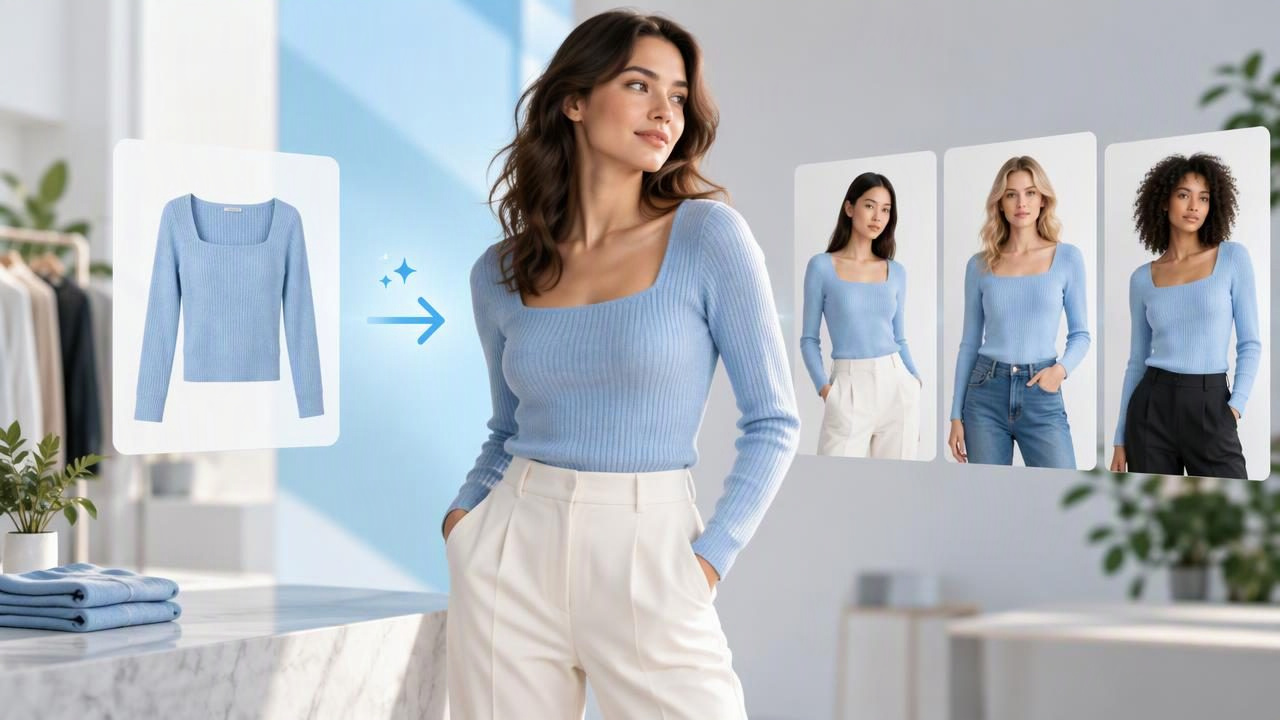
A model photo generator can help fashion sellers show a garment on a person without arranging a traditional model shoot. For an online listing, that can make it easier to suggest how a top, dress, or jacket looks when worn. But a generated image is not a fitting-room photo: it may not show the garment’s true drape, measurements, or every detail accurately.
The best approach is to treat generated model imagery as a presentation option, not a replacement for clear photos of the actual item. This guide explains what these tools do, where they can be useful, what to check, and how to avoid giving shoppers a misleading impression.
What is a model photo generator?
A model photo generator uses AI to create an image of a person wearing, or appearing to wear, a garment based on an input image. Depending on the tool, you may be able to choose a model appearance, pose, or visual style. The source might be a photo of clothing on a hanger, in a flatlay, or on a mannequin.
The resulting image is a generated interpretation of the input, not a photograph of the garment on that specific person. AI may infer details that are hidden in the source, such as the back of a shirt or how fabric falls at the waist. That distinction matters when shoppers are deciding whether an item’s cut, color, or condition meets their expectations.
When generated model photos can help
A model image can provide a quick sense of a garment’s general style and make a listing feel more visually engaging. It may be useful when the original item photo is clear but does not show the clothing being worn. For example, a flatlay of a simple blouse can communicate its color and broad shape, while a model-style image can offer another view of how that style might look as an outfit.
Generated images may also help sellers create a consistent visual presentation across a catalog. A brand or reseller with many items might want product pages to share a similar background or framing. Still, consistency should not come at the cost of accurately representing each individual garment. Keep real-item photos available, especially when a listing includes notable wear, unusual proportions, or distinctive construction.
- Useful as a secondary image: It can add a styled view alongside photographs of the actual item.
- Helpful for visual context: It can suggest a general outfit or presentation style.
- Less suitable as sole evidence: It cannot reliably document the item’s exact condition, fit, or unseen details.
Start with a source photo that shows the real garment
The source image influences what an AI tool can interpret. Before generating a model view, choose a photo where the clothing is visible, reasonably well lit, and not obscured by hands, tags, or other objects. A straight-on image can make the basic shape easier to read. Include separate photographs of important details rather than expecting the generator to recreate them.
Wrinkles and shadows can affect the source, but editing them should not erase real signs of wear. If you smooth a crease, compare the edited image with the original and check that seams, fabric texture, and garment edges still look believable. Avoid using a generated result to conceal a stain, snag, repair, or other flaw. Those details should be photographed and described honestly.
A concrete example: listing a vintage blazer
Imagine listing a navy vintage blazer with a notched lapel, two front buttons, and a small worn spot near one cuff. You have a clear hanger photo, a close-up of the cuff, and a photo of the inside label. A model photo generator might create a styled image showing a person in a navy blazer. That image could help shoppers picture the general look, but it should not stand in for the original item photographs.
Inspect the generated image against the real blazer. Does it appear to have the same lapel shape and button arrangement? Is the color close to the source under neutral lighting? Does the image add pockets, alter the hem, or make the sleeves appear longer? If the cuff looks pristine in the generated version, that does not mean the worn spot has been repaired. Keep the close-up visible and describe the wear in the listing.
If a generated image changes a defining feature, omit it or use a more accurate presentation image instead. A ghost mannequin image, hanger view, or flatlay may be a better choice when the item’s construction matters more than a styled look. The goal is not to make every image identical; it is to make sure each one gives the shopper a truthful view of the item.
What a model photo generator may get wrong
AI generation can introduce differences that are easy to miss at first glance. It may change garment proportions, shift a color, simplify a print, or produce buttons and seams that do not match the original. Fabric texture can look smoother or more uniform than it really is. A generated pose may also hide a feature that shoppers need to see.
Fit is especially difficult to establish from a generated image. The pictured body and pose do not prove how the item will fit a particular buyer, and an image should not be treated as an exact simulation of measurements or drape. Provide the garment’s actual measurements when relevant, and explain any fit notes based on what you can verify. Do not imply that AI has fixed a defect or confirmed a size.
Lighting and color are another consideration. A navy garment may appear nearly black in one image and brighter blue in another. Use your original photos to communicate the item’s real appearance, and be cautious about relying on generated color alone. When an exact shade is important, a well-lit photo of the actual item is more useful than a stylized interpretation.
How to review a generated image before using it
Review the output at full size, not only as a small thumbnail. Compare it side by side with the original garment photo and check details that are important to identification, condition, and purchase decisions.
- Check the silhouette: Look at sleeve length, hem shape, neckline, and overall proportions.
- Compare construction: Verify buttons, seams, pockets, collars, closures, and visible trim.
- Check color and pattern: Look for shifts in shade, missing stripes, altered motifs, or simplified prints.
- Look for invented details: Notice whether the image adds, removes, or changes parts of the garment.
- Recheck condition: Make sure flaws shown in the original are still disclosed with clear photos and text.
If the result is ambiguous, do not ask shoppers to infer which details are real. Use a different image style or leave the generated picture out. A polished image is not useful if it creates uncertainty about what is actually for sale.
Choosing between model, ghost mannequin, hanger, and flatlay
No single layout is right for every garment. Choose based on what the shopper needs to understand, then use additional views to fill in gaps. A model-style image emphasizes presentation; other layouts can make the item itself easier to inspect.
| Image style | Useful for | Keep in mind |
|---|---|---|
| Generated model | Showing a styled, worn look | It may not represent exact fit or construction |
| Ghost mannequin | Showing shape without a visible hanger or person | Hidden areas and true fit still need other views |
| Hanger | Quick, direct views of an item | Background and garment shape should remain clear |
| Flatlay | Showing the full garment and details from above | Perspective and folds can affect how proportions appear |
For many listings, a useful set includes a straightforward photo of the actual item, a back view, and close-ups of labels, fabric, or wear. A generated model image can be an additional presentation choice, but it does not replace those views.
Make the listing clear to shoppers
Think about how a generated image will be understood when it appears in a search grid or among listing photos. If it could be mistaken for a photograph of the actual garment being worn, label it clearly as AI-generated or illustrative where appropriate. Follow the marketplace’s current image and disclosure rules; policies can differ and may change.
Keep descriptions grounded in facts you can verify: the brand, tagged size, measurements, materials if known, and condition. Avoid claims such as “fits exactly like the image” based only on an AI result. Pair presentation images with real photographs so shoppers can assess the item rather than relying on a generated interpretation.
Use AI as a presentation aid, not a condition fix
A model photo generator can add visual context to a clothing listing, but the output has limits. It may change details, soften texture, or suggest a fit that the source photo cannot prove. Compare each result with the original, retain clear photos of the actual garment, and disclose flaws accurately. When the generated view does not match the item, choose a hanger, flatlay, or ghost mannequin presentation instead.
For sellers weighing a model-style image against an invisible-form presentation, Clothing Studio offers clothing-photo editing tools; its guide to ghost mannequin photos explains that alternative. Full features require a subscription, so review the available options before choosing a tool.
