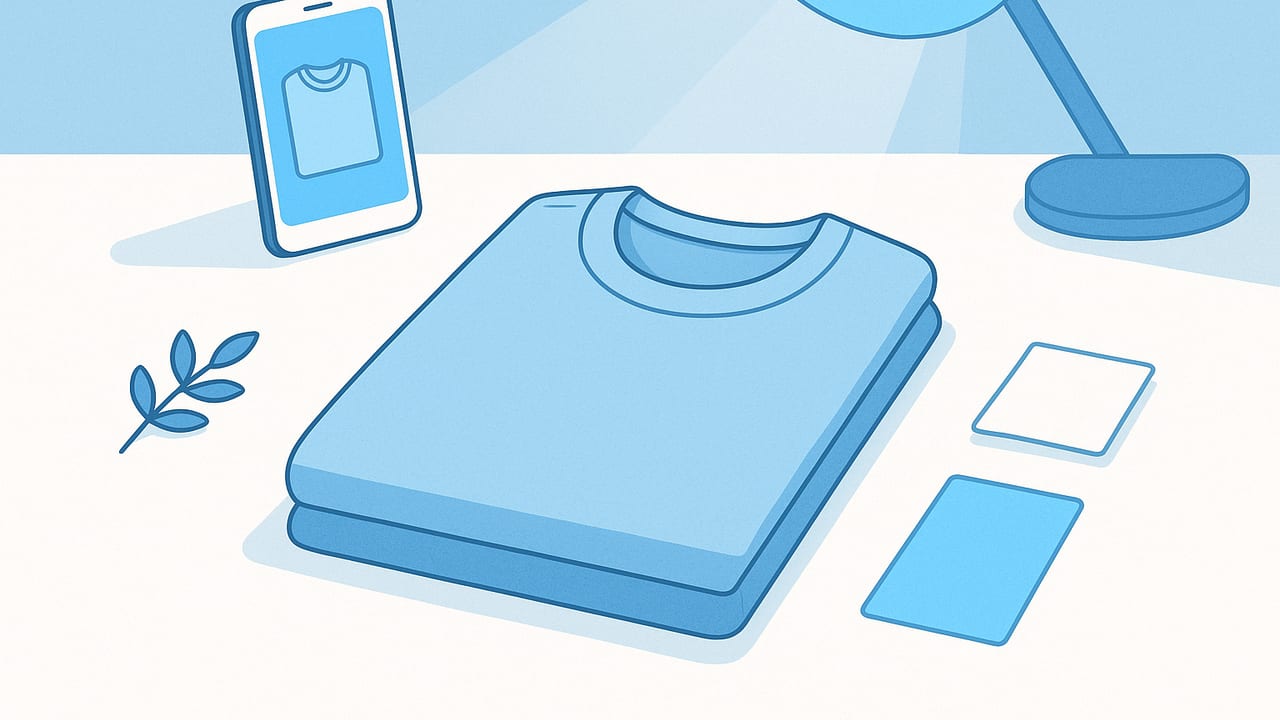
Neat, folded apparel shots do more than look tidy. They communicate quality, help shoppers understand fit and fabric, and make your store or listing feel credible. Whether you sell on Poshmark, eBay, Shopify, or social channels, the same fundamentals apply. This guide shows simple, repeatable steps to make folded clothes look professional in photos with nothing more than a phone, window light, and a few low-cost props.
The Goal: Clean, Crisp, True-to-Life Folds
Professional folded shots share three things: clean fabric, even light, and intentional composition. You are aiming for a flat, symmetric silhouette, minimal texture distractions (lint, wrinkles), and consistent lighting that preserves color accuracy. Keep this vision in mind as you prep, style, shoot, and edit.
Step 1: Prep the Garment the Right Way
- De-wrinkle fast: Use a handheld steamer. If you do not have one, lightly mist with water and pass a hairdryer on low, holding fabric taut. Avoid over-wetting.
- De-lint thoroughly: A lint roller or a strip of packing tape around your hand removes fuzz, hair, and dust. Pay attention to dark knits and fleece.
- Shape the fabric: Slide a thin board of cardboard or foam sheet inside shirts and sweaters before folding. It creates crisp edges and prevents collapse.
- Close fastenings: Zip zippers, button the top and middle buttons, and tuck drawstrings. This keeps lines clean and reduces visual clutter.
- Hide tags and size stickers: Tuck them under folds or remove temporary stickers to avoid reflections and distractions.
Step 2: Fold Styles That Photograph Well
Retail-style folds are simple and camera-friendly. Choose a fold that emphasizes shape and key design features.
Classic Retail Shirt Fold
- Lay the shirt face down, smooth sleeves flat.
- Fold each side inward so the shoulder seam aligns with the center back, creating straight sides.
- Fold sleeves diagonally back toward the hem to form a tidy rectangle.
- Flip the shirt face up, smooth the front, then fold the hem up once or twice to form a compact stack.
Why it works: straight vertical edges read as tidy lines on camera, and a compact shape keeps attention on the fabric and logo or placket.
Knit and Sweater Fold
- Lay the sweater face down and insert a thin board if needed.
- Fold arms across the back in a soft diagonal to avoid bulky corners.
- Fold sides inward to create a rectangle; flip face up.
- Fold bottom up once; compress gently to reduce puffing.
Tip: For chunky knits, let the fold breathe. Over-pressing can create dents that read as defects in photos.
Bottoms (Jeans or Trousers)
- Button/zip, align seams, and fold leg over leg.
- Fold in half or thirds, keeping back-pocket detail visible on top.
- Use a thin insert at the waistband if it caves in.
Showing a back pocket or label on top communicates brand and style immediately.
Step 3: Build a Simple, Clean Set
You do not need a studio. A bright window, a neutral surface, and a reflector can deliver magazine-worthy results.
- Surface: A large white foam board, matte poster board, or wood tabletop works. Avoid glossy surfaces that cause specular reflections.
- Backdrop: For consistent catalog looks, use a white paper sweep taped to a wall and curved onto your surface to create a seamless background.
- Color cast: Watch for colored surfaces or walls that can tint your fabric. Neutral backgrounds keep colors true.
- Keep it dust-free: Wipe surfaces before every session. Dust pops on high-contrast garments.
Step 4: Light It Like a Pro (No Studio Required)
- Window light: Shoot near a large window, garment parallel to the window. Bright but indirect light is ideal.
- Diffuse: Hang a sheer curtain or tape baking parchment to the window to soften harsh sunlight and reduce shadows.
- Reflect: Place a white foam board opposite the window to fill in shadows. Adjust distance to match the garment’s tone; closer for dark items, farther for light items.
- Avoid mixed light: Turn off ceiling lights to prevent warm-yellow contamination. Stick to a single light source for accurate color.
- Mind the angle: Overhead window light at roughly 45 degrees to the surface is flattering for texture without creating deep, distracting shadows.
Pro tip: If your fabric looks flat, move the reflector slightly away to bring back gentle shadow depth that shows texture.
Step 5: Camera Setup and Shooting Angles
Phones can deliver excellent results when used with intention.
- Lens choice: If your phone has multiple lenses, use the 1x or 2x camera rather than ultra-wide, which distorts edges.
- Keep it parallel: Hold the phone parallel to the surface for a squared, catalog look. Use grid lines and align edges to the grid.
- Lock exposure: Tap and hold on the garment to lock focus/exposure, then slide exposure slightly down to preserve highlights in whites.
- Distance over zoom: Step back and crop later instead of pinching to zoom, which can degrade quality.
- Stabilize: Rest elbows on the table edge or use a small tripod overhead for consistency between shots.
Step 6: Compose for Marketplaces and Social
Composition is less about artfulness and more about clarity for shopping context.
- Framing: Leave a comfortable margin around the garment. This preserves edges and simplifies background cleanup.
- Orientation: Shoot both 1:1 and 4:5 frames if you sell on multiple channels. Square is marketplace-friendly; 4:5 fills phone screens on social.
- Detail shots: Capture fabric texture, buttons, embroidery, cuffs, and labels. These close-ups reduce returns by setting accurate expectations.
- Styling: Add a subtle prop only if it clarifies use (e.g., a belt next to pants). Avoid busy layouts that distract from the garment.
Step 7: Post-Processing That Preserves Reality
Light edits refine the photo; heavy edits misrepresent the product. Aim for tidy, true-to-life results.
- Straighten and crop: Square the frame, align edges, and apply a consistent margin.
- Clean background: Remove dust specks and even out shadows for a uniform look. White backgrounds should remain soft, not blown-out.
- Color correction: Adjust white balance so whites are neutral. Compare fabric in hand to the screen and nudge temperature/tint slightly as needed.
- Contrast and clarity: Gently increase contrast to define folds. Avoid over-sharpening which can make knits look scratchy.
- Wrinkle cleanup: Touch up micro-creases that slipped through steaming, but keep natural fabric texture intact.
Common Mistakes and Quick Fixes
- Problem: Fabric looks dull and gray. Fix: Increase exposure slightly and add a white reflector to bounce light.
- Problem: Edges look warped. Fix: Step back and shoot with 1x or 2x lens; hold the phone parallel to the surface.
- Problem: Colors look off. Fix: Turn off mixed lighting, shoot near one window, and correct white balance during edit.
- Problem: Folds collapse or puff. Fix: Insert a thin board to support the shape and compress gently with your palm.
- Problem: Background looks messy. Fix: Use a larger matte board and leave more margin; crop tighter during edit.
Background Options Compared
| Material | Look | Pros | Cons | Best For |
|---|---|---|---|---|
| White foam board | Crisp, neutral | Cheap, lightweight, doubles as reflector | Scuffs over time, size limits | Everyday catalog shots |
| Seamless paper | Clean sweep | Seamless, easy to replace | Wrinkles/tears if mishandled | High-volume sessions |
| Vinyl backdrop | Matte, wipeable | Durable, easy to clean | Can glare if glossy, storage tube needed | Food/spill-prone environments |
| Wood tabletop | Warm, natural | Textured character | Color cast risk, busy grain | Lifestyle shots for knits/denim |
Consistency Checklist for a Pro Catalog Look
- Same background for each category (e.g., tops on white, denim on pale gray)
- Same light angle and diffuser every session
- Same fold template for each garment type
- Repeatable framing (use phone grid and a measured distance)
- Standard edits: preset for exposure, white balance, and contrast
A Fast, Repeatable 15-Minute Workflow
- Minute 0–3: Steam, lint-roll, insert a thin board; button/zip.
- Minute 3–5: Fold with a template (retail fold for shirts; pocket-forward for jeans).
- Minute 5–7: Place on a clean foam board near a diffused window; set reflector opposite the light.
- Minute 7–9: Shoot a hero shot from overhead, then 2–3 detail shots (fabric texture, label, unique features).
- Minute 9–12: Edit batch: straighten, crop, clean background dust, correct white balance, light contrast.
- Minute 12–15: Export at consistent size and aspect ratio appropriate to your platform; name files clearly.
Aspect Ratio and Sizing Tips
- Square (1:1): Dependable for most marketplaces; easy to compare thumbnails.
- Portrait (4:5): Fills vertical screen space on social while showcasing detail.
- Resolution: Aim for the longest side around 1600–3000 px for crisp detail without heavy file sizes.
- File hygiene: Keep filenames descriptive (e.g., brand_item_color_view01) to speed listing and retrieval.
Detail Shots That Increase Conversions
Even when the hero image is folded, detail shots tell the rest of the story for buyers. Prioritize:
- Fabric close-up at a slight angle to show weave and drape.
- Labels and care tags for fabric content and size.
- Closures: buttons, zippers, and hooks to convey quality.
- Unique features: embroidery, patches, cuffs, hem treatments.
- Flaws: photograph any small defect clearly; transparency builds trust and reduces returns.
Styling Finishes That Signal Quality
- Edge alignment: Ensure sides are parallel and corners crisp.
- Logo visibility: If brand marks matter, keep them centered and unobstructed.
- Color groupings: When listing multiple items, shoot in coordinating sets for a cohesive storefront.
- Negative space: Allow breathing room; crowded frames feel amateurish and are harder to edit.
FAQ
Do I need a lightbox?
No. A window, diffuser, and foam board reflector can match or beat many lightboxes. Lightboxes can be helpful for very small items, but they are not essential for garments.
How do I keep whites from blowing out?
Lock exposure on the garment and dial it slightly down. Add a reflector to lift shadows rather than cranking exposure up.
My dark knits look noisy. What now?
Increase light, not ISO. Move closer to the window, open the diffuser slightly, or slow down and stabilize the phone for cleaner files.
How many photos per item?
At minimum: one folded hero, one fabric close-up, one label, and one unique detail. Three to five images generally balance clarity with listing speed.
Putting It All Together
To make folded clothes look professional in photos, think in systems: a consistent fold, a reliable lighting setup, and a repeatable edit. Prep reduces time editing. A neutral background amplifies color accuracy. A stable overhead angle removes distortion. And a light editorial touch preserves reality while keeping frames clean.
If you prefer to streamline edits with an iOS app that handles tasks like background cleanup, unwrinkling, ghost mannequin effects, and AI model shots, consider trying Clothing Studio; it is built for fashion resellers who want polished results without a complicated process.
