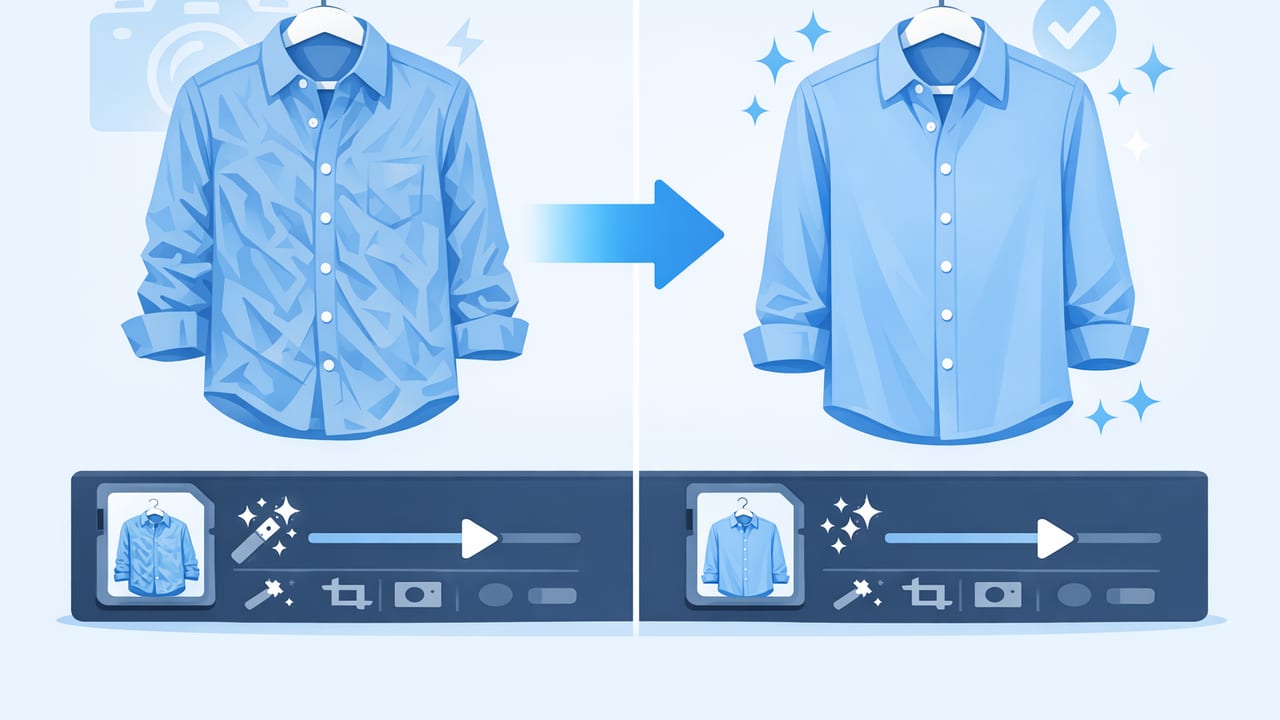
Wrinkles are normal in real life—but in product photos, they can read as “worn,” “cheap,” or “poorly stored.” The good news is you don’t need a full studio setup to unwrinkle clothes photos and make your listings look clean and consistent. With a few capture habits and a simple editing workflow (including AI tools), you can reduce creases while keeping the fabric texture believable.
This guide walks through when to fix wrinkles during shooting, when to fix them in editing, and how to avoid the most common “over-smoothed” look that makes clothing appear plastic. Whether you sell on Poshmark, eBay, Depop, Shopify, or your own site, these steps help you create sharper, more trustworthy images.
Why wrinkles matter in e-commerce photos
Shoppers can’t touch your item, so they judge condition and quality through visual cues. Deep wrinkles can signal:
- Poor fit or drape (even when the garment fits fine)
- Inaccurate size perception (creases can make items look shrunken or misshapen)
- Lower perceived value (especially for structured pieces like blazers, trousers, and button-downs)
- Less trust in the seller’s care and presentation
A good product photo doesn’t just show the item—it reduces doubt.
Start with capture: the easiest way to unwrinkle clothes photos
The fastest edit is the one you don’t have to do. Before you rely on software to unwrinkle clothes photos, set up a quick capture routine that minimizes creases from the start.
1) Use gravity to your advantage
Wrinkles often look worse when garments are folded or slumped. For most categories, these options reduce creasing and improve shape:
- On-hanger for tops, dresses, outerwear
- Flat lay for tees, knits, casual pieces
- Filled form / mannequin (or a simple torso form) for structured items
2) Smooth with hands and clips (no iron required)
Before shooting, do a 20-second “surface check.” Pull fabric gently at the seams and use small clips behind the garment (out of view) to reduce bunching. This is especially helpful around:
- Underarms
- Waistline
- Placket/button area
- Hem corners
3) Light direction can exaggerate wrinkles
Hard side lighting makes creases look deeper because it increases shadow contrast. For smoother-looking fabric:
- Use soft, diffused light (a sheer curtain over a window works)
- Avoid a single harsh lamp from the side
- Add a white foam board opposite the light as a simple reflector
4) Shoot at a consistent distance and angle
Wrinkles become more obvious when the camera is too close (wide-angle distortion) or tilted. A consistent setup helps your edits work better and makes your shop look cohesive:
- Keep the camera level with the garment center
- Step back and zoom slightly (reduces distortion)
- Use the same angle for the front/back shots
When to fix wrinkles physically vs. digitally
Not every crease should be edited out. Some wrinkles are part of the fabric’s nature (linen, crinkle cotton) and removing them can misrepresent the item. Use this quick rule:
- Fix physically if the wrinkle changes the silhouette (big folds, shipping creases, crushed collars).
- Fix digitally if the wrinkle is a distraction but not a defining fabric feature (random creases on otherwise smooth cotton).
- Leave it if it’s characteristic of the textile (linen texture, intentional pleats, ribbing, ruching).
| Approach | Best for | Pros | Watch-outs |
|---|---|---|---|
| Steam / hang overnight | Shipping creases, collars, hems | Natural results; improves drape | Takes time; not always available |
| Clips / smoothing by hand | Flat lay or on-hanger bunching | Fast; no tools | Can distort seams if over-pulled |
| AI unwrinkle edit | Minor-to-medium wrinkles across panels | Fast; consistent; great for batches | Over-smoothing can remove texture |
| Manual retouch (healing/dodge-burn) | Precise fixes near logos, stitching | High control | Slow; requires practice |
A practical workflow to unwrinkle clothes photos (without over-editing)
The goal is clean, believable fabric. Here’s a repeatable workflow that works well for most listings.
Step 1: Choose the “hero” photo and match the rest to it
Pick one image (usually the front view) as your reference for brightness and texture. If that photo looks natural, you can keep the rest consistent and avoid editing each image differently.
Step 2: Correct exposure first (wrinkles can be lighting, not fabric)
Before you unwrinkle, adjust:
- Brightness/exposure so shadows aren’t crushing detail
- Highlights so shiny fabrics (satin, performance wear) don’t look blown out
- White balance so whites aren’t yellow/blue (this affects how “clean” fabric looks)
Often, reducing harsh contrast makes wrinkles less prominent without any retouching.
Step 3: Remove distractions (lint, stray threads) before unwrinkling
If you unwrinkle first and then remove lint, you may have to redo parts. Do a quick cleanup pass around:
- Chest area and shoulders
- Dark fabrics (lint shows more)
- Cuffs and collars
Step 4: Apply wrinkle reduction with a “texture-safe” mindset
Whether you use an AI tool or a manual retouch brush, aim for less shadow contrast rather than a perfectly flat surface. A realistic result usually keeps:
- Stitching definition
- Weave texture (especially denim, wool, linen)
- Natural folds at joints (elbows, waist seam, underarm area)
If the garment suddenly looks like it’s made of rubber or painted on, you removed too much texture.
Step 5: Zoom out and check the silhouette
Wrinkle edits can accidentally change the shape of the garment. After editing, zoom out until the full item fits on your screen and confirm:
- Both sides still look symmetrical
- Hems aren’t warped
- Seams look straight
Step 6: Background cleanup (optional but powerful)
A clean background makes fabric look cleaner. Even if you don’t use a pure white backdrop, removing clutter helps the eye focus on the garment—not the wrinkles. Background removal is especially useful when you want consistent listing thumbnails across different shoots.
What “good” wrinkle removal looks like (and what to avoid)
When you unwrinkle clothes photos well, the garment looks pressed and ready to wear, but still real. Here are quick checks you can use.
Signs you did it right
- Fabric still has a visible weave or knit structure
- Edges and seams remain sharp
- Branding, prints, and embroidery look untouched
- The item’s drape looks natural (not “flattened”)
Common mistakes
- Over-blurring: removes texture and makes the garment look fake
- Patchy smoothing: some areas look crisp while others look airbrushed
- Distorted patterns: stripes or checks bend unnaturally after retouching
- Ignoring lighting: wrinkles persist because shadows are still too harsh
Category-specific tips
Denim and twill
Denim should keep its grain and whiskering. Focus on reducing large shipping creases along the thigh panels while preserving texture. If you remove all contrast, denim can look like painted blue cotton.
Knitwear
Knits stretch and ripple naturally. Remove harsh folds created by bad hanging, but keep subtle undulation so the sweater looks soft and dimensional.
Silk, satin, and performance fabrics
These show “micro-wrinkles” under directional light. Instead of heavy wrinkle removal, soften highlights and raise shadows slightly. This keeps shine realistic and avoids a smeared look.
Linen
Linen is supposed to look lived-in. Fix obvious shipping creases, but don’t chase every line. Buyers expect some wrinkling and may distrust an unrealistically smooth linen photo.
A batch workflow for resellers: fast and consistent
If you list often, speed matters. Here’s a simple batch process you can repeat every time:
- Sort photos into folders by item (front/back/detail/label/flaws).
- Edit one hero image until it looks right (exposure, color, basic cleanup).
- Apply the same look to the remaining images (match brightness and white balance).
- Unwrinkle clothes photos only where it improves the read (front panel, sleeves, collar).
- Export consistently (same size, same crop style, same background approach).
If you want a simple naming pattern that keeps listings organized, here’s a lightweight template you can copy:
brand_item_color_size_view.jpg

example:
madewell_denim-jacket_blue_m_front.jpg
madewell_denim-jacket_blue_m_back.jpg
madewell_denim-jacket_blue_m_label.jpg
Mini checklist: before you publish
- Zoom test: Does the fabric still look like fabric at 100%?
- Thumbnail test: Does the garment read clearly when small?
- Honesty test: Did you preserve texture that defines the material?
- Consistency test: Do all images in the listing match in color and brightness?
Final thoughts
Learning to unwrinkle clothes photos is less about chasing perfection and more about creating a clean, trustworthy presentation. Combine smart capture (soft light, good hanging/laying, quick smoothing) with careful wrinkle reduction that protects texture, and your listings will look more premium without feeling over-edited.
If you prefer editing on iPhone, an AI photo editor such as Clothing Studio can help streamline wrinkle reduction, background cleanup, and other clothing-ready enhancements in a consistent workflow.
