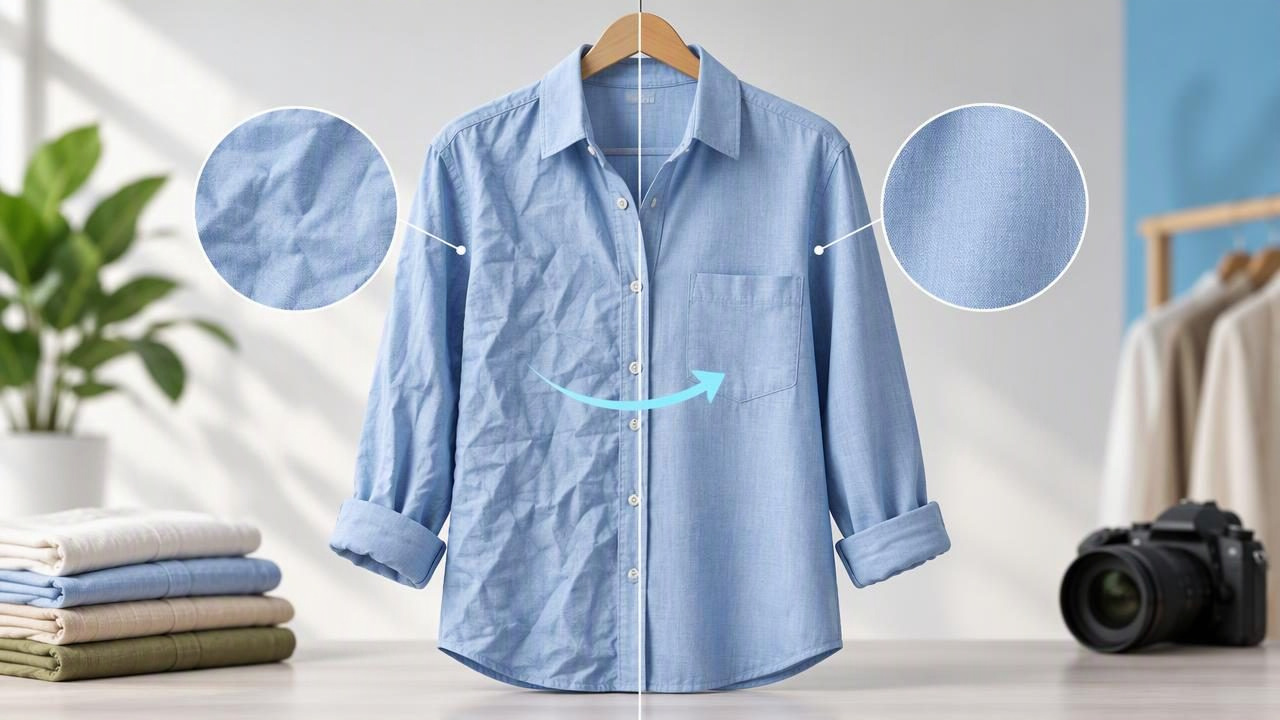
Wrinkles can make a clean garment look as though it has been stored carelessly, especially in a small listing thumbnail. But removing every fold from a clothing photo can create a different problem: the fabric may look unnaturally smooth, and real features can become harder to judge. When you unwrinkle clothes photos, the aim is not to make a garment look brand-new. It is to reduce distracting creases while leaving its material, shape, and condition legible.
This balance matters for fashion resellers and brands. Buyers use photos to assess texture, seams, fit cues, and signs of wear before they purchase. A thoughtful edit can make a listing easier to understand, but it should not disguise damage or suggest a fit that the image cannot reliably show. The best result is one that still looks like the item you are actually selling.
Why wrinkles look different in a listing photo
A wrinkle is not always just a mark on the fabric. It can be a shadow, a fold caused by the way the garment is arranged, or a genuine feature of the material. Harsh light can make a shallow crease look deep. A soft jersey shirt may show temporary storage folds, while pleats or intentional gathers are part of the design. Before editing, work out what you are seeing.
Think about the garment’s construction and how it is presented. A crease running across a sleeve might come from the sleeve being bent for a flatlay. A crisp line down trousers could be an intentional press. A puckered seam or worn patch, on the other hand, may be a condition detail. Those distinctions affect whether a mark should be softened, left visible, or shown clearly in a separate close-up.
Choose a presentation that suits the garment
The layout influences which folds appear and how easy they are to edit. A flatlay can show the whole garment and its proportions, but fabric may bunch where sleeves or legs meet the body. A hanger photo gives the item a natural vertical drape, though it can introduce shoulder creases. Folded presentation is useful for items commonly sold folded, but it naturally hides some areas. A ghost mannequin view can make a garment’s shape easier to read, but it cannot reveal every fit detail or replace a real try-on.
Choose the layout for clarity, not simply because it looks polished. For example, a knit sweater may be easier to assess on a hanger, while a graphic T-shirt can be shown flat to make its print visible. If you use a ghost mannequin, keep a separate view of any area that the presentation conceals. The aim is to help shoppers understand the item, not to imply that one image answers every question.
A careful way to unwrinkle clothes photos
- Start with the original image. Check focus, lighting, and framing before retouching. If the whole garment is soft or poorly lit, wrinkle editing may not make its details clearer.
- Identify distracting creases. Look for temporary folds that interrupt the garment’s outline or pull attention away from its main features. Note intentional pleats, gathers, ribbing, and seam lines that should remain.
- Make the smallest useful correction. Soften prominent creases rather than flattening every change in the fabric. Work particularly carefully around collars, cuffs, hems, seams, buttons, and printed designs.
- Inspect the fabric at normal viewing size. A close zoom can help you spot editing artifacts, but shoppers usually see the listing image smaller. Check both views so you do not overwork texture in pursuit of a tiny imperfection.
- Compare the edited photo with the original. Confirm that the garment still looks like the same item and that its color, construction, and visible condition remain understandable.
This is a judgment-led process, not a rule that every image needs retouching. If a crease is minor and does not confuse the presentation, leaving it alone may be the more accurate choice. If the item is wrinkled because it was packed away, consider whether a fresh photo after careful steaming or arranging would show it better than a heavy edit.
Example: smoothing a wrinkled cotton shirt
Imagine photographing a secondhand cotton button-down on a hanger. There are shallow storage creases across the lower front, but the collar, placket, and cuffs are in good condition. First, make sure the shirt hangs straight and that the lighting does not cast a hard shadow across the creases. If practical, gently steam the shirt according to its care label and retake the picture; this can produce a more natural result than trying to remove deep folds digitally.
If a few distracting lines remain, edit only those areas. Keep the collar’s shape, the seams beside the placket, and natural fabric variation intact. Then compare the result with the source photo. If the cotton now looks smooth in a way that changes its apparent texture, or if a seam appears blurred, reduce the correction or use the original. Include a close-up of any stain, thinning, or other condition issue in the listing rather than smoothing it away.
What photo editing can—and cannot—do
Editing tools can help reduce the visual impact of wrinkles, but results vary with the image, garment, and fabric. Fine textures, patterned fabric, dark shadows, and creases crossing seams can be difficult to retouch cleanly. A correction may soften nearby detail or leave an area looking different from the rest of the garment. Always inspect the result instead of assuming an automated edit has handled every spot accurately.
Wrinkle retouching also cannot repair the garment itself. It does not mend a hole, remove a stain from the physical item, restore worn fibers, or prove how a garment fits on a person. Nor should a retouched photo be treated as an exact simulation of how the item will drape when worn. If a defect is present, show and describe it. If the item has an unusual shape or fabric behavior, use additional views and clear listing notes.
Match the editing approach to the fabric
| Garment or material | What to watch for | Useful presentation choice |
|---|---|---|
| Cotton shirt | Storage folds can cross the front, while seams and placket lines need definition. | Hanger or flatlay, with a clear front view and detail shots. |
| Knit sweater | Texture and natural drape can be lost if the surface is smoothed too aggressively. | Hanger or carefully arranged flatlay that shows the knit. |
| Pleated skirt | Regular folds are part of the design, not unwanted wrinkles. | Flatlay or hanger view that keeps the pleats easy to see. |
| Printed garment | Editing across a graphic can soften edges or alter the look of the print. | Front-facing view plus a close-up of the design. |
| Folded item | The fold is part of the presentation and may conceal sections of the garment. | Folded main image with additional photos showing hidden areas. |
Common mistakes to avoid
- Removing intentional design features: Pressed creases, pleats, gathers, and ruching can be mistaken for wrinkles. Check how the garment is constructed before retouching.
- Smoothing over condition issues: Do not use wrinkle removal to hide a stain, tear, snag, or worn area. Show those details honestly and describe them in the listing.
- Making the fabric look unlike itself: A uniform, plastic-looking surface can make shoppers less confident about what they will receive. Keep visible texture where possible.
- Relying on one polished angle: A clean front image is useful, but it may not show the back, label, closures, or areas concealed by a hanger or ghost mannequin.
- Forgetting the source photo: Keep the original available and compare it with the edited version. The comparison can reveal softened seams, altered outlines, or details that have disappeared.
A quick quality check before listing
Before posting, view the image as a shopper would: first as a small thumbnail, then at a larger size. Ask whether the garment is easy to identify, whether its fabric and construction still look plausible, and whether the edit changes what a buyer might infer about its condition. Check that the edges have not become blurry and that the lighting and color still make the item easy to assess.
Review the rest of the listing too. If the main image is a flatlay, consider whether a hanger, back, label, or detail view would answer a likely buyer question. If you have used a ghost mannequin or a folded layout, add photos that show areas it leaves out. Accurate supporting photos help balance a polished lead image.
Keep the edit subtle and the listing transparent
Good wrinkle retouching supports the garment rather than taking attention away from it. Use it to reduce distracting folds, not to rewrite the item’s texture, condition, or apparent shape. When a fresh photograph, careful arrangement, or softer light can solve the problem, those options may be preferable to stronger digital changes.
For a focused walkthrough of wrinkle retouching and the details to check afterward, see this guide to removing clothing wrinkles from photos. Clothing Studio offers AI photo editing for garment images, with full features available by subscription; compare any edited result with the original before using it in a listing.
