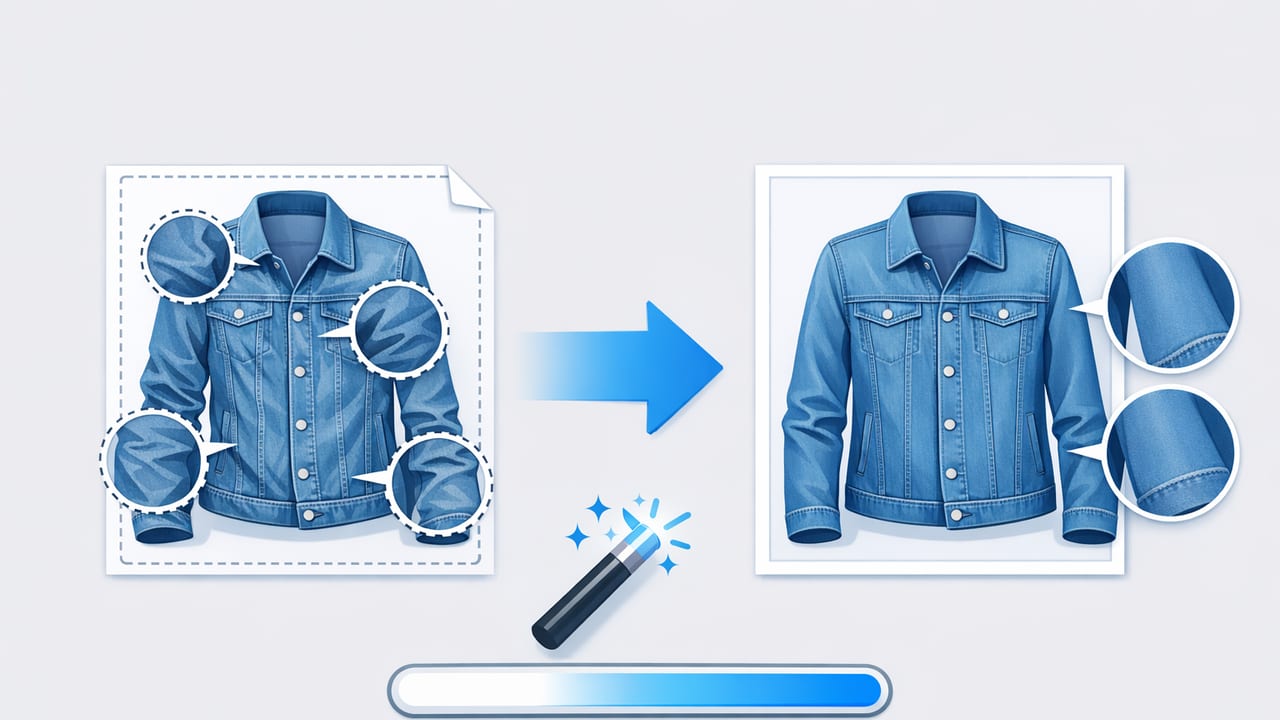
Denim is supposed to have character—fading, whiskering, and texture are part of the appeal. But random creases from shipping, storage, or hurried styling can make a denim jacket look sloppy, smaller than it is, or even “worn out” in a way buyers don’t want. If you list online (Poshmark, eBay, Depop, Etsy, Shopify, and more), your photos do a lot of heavy lifting: they communicate fit, condition, and value in a split second.
This guide shows you exactly how to remove creases from denim jacket photos while keeping the fabric’s natural grain. You’ll learn what to fix before you shoot, how to light denim so wrinkles don’t shout, and how to edit creases without making the jacket look plastic or blurry.
Why creases look worse in denim jacket photos
Denim creases often appear harsher on camera than in real life because:
- Directional light creates hard shadow lines along folds.
- Phone sharpening boosts contrast and edge detail, making wrinkles pop.
- Texture + seams add visual “noise,” so a small crease can look like a defect.
- Flat styling (flat lay or hanger) compresses fabric and exaggerates bends.
Start with a quick pre-shoot routine (faster than heavy editing)
The cleanest edits start with fewer problems. You don’t need a full studio—just a repeatable setup and 3–5 minutes of prep.
1) Relax the denim (choose one)
- Steam for 30–60 seconds from a short distance, then smooth with your hands.
- Hang it for 30 minutes in a steamy bathroom (hot shower trick).
- Tumble on low heat for 5–10 minutes with a damp cloth, then hang immediately.
Avoid heavy ironing unless you’re experienced—too much pressure can create shiny patches or flatten the denim texture.
2) Shape the jacket so it looks “alive”
Many creases happen because the garment has no structure. Try:
- Stuff sleeves lightly with tissue paper to reduce collapse lines.
- Button or zip halfway to keep the front panels aligned.
- For hanger shots, use a wider hanger (or padded) to reduce shoulder dents.
3) Lint roll and dust check
Denim attracts lint and hair, which can be mistaken for fabric defects. A 10-second lint roll saves editing time later—especially on dark washes.
Rule of thumb: If a crease changes the perceived size or condition of the jacket in the photo, fix it. If it’s a natural fold near seams, keep it—buyers often prefer authenticity over “too perfect.”
Lighting that reduces creases (without hiding details)
Lighting is the biggest “free” wrinkle reducer. The goal is soft, even light that keeps denim texture but minimizes harsh shadow lines.
Best setup for most sellers
- Near a window with indirect light (no direct sun beam).
- Sheer curtain to diffuse and soften.
- White foam board or a white wall opposite the window to bounce light back into shadows.
Camera angle tips
- Keep your phone parallel to the jacket to avoid distortion.
- Shoot slightly higher than the center point for hanger shots to reduce under-chin shadows around the collar.
- Take one “texture proof” close-up so buyers can see grain, fading, and stitching clearly.
A practical editing workflow to remove creases from denim jacket photos
Once your photo is well-lit, crease removal becomes subtle refinement instead of heavy repair. Here’s a workflow that works in most editors (mobile or desktop), with denim-specific guidance.
Step 1: Duplicate the image (non-destructive habit)
Always work on a copy so you can compare before/after and avoid over-editing. If you’re editing multiple listings, save a clean “master” version and export platform-sized copies.
Step 2: Correct exposure first (creases often fade naturally)
Before you touch any retouch tools:
- Raise shadows slightly to soften crease darkness.
- Lower highlights a touch if bright crease edges look harsh.
- Keep contrast moderate—too much contrast makes wrinkles look carved in.
Step 3: Use selective adjustments for crease lines
Creases are mostly a light-and-shadow problem. The most natural fix is selective brightening of crease shadows and gentle smoothing of the transition—without erasing texture.
Look for tools labeled like:
- Brush / Selective / Mask (to target only the crease)
- Healing / Repair (to blend small sharp lines)
- Smoothing (use lightly and locally)
Denim-friendly technique: Instead of “smearing” the crease away, lighten the dark side of the crease and slightly reduce clarity/structure only on that line. This preserves stitching and grain.
Step 4: Keep seams and stitching crisp
Seams are supposed to be high-contrast. If your edit softens seams, the jacket looks fake. When masking/painting adjustments, stay a few pixels away from:
- Topstitching
- Pocket edges
- Button plackets
- Collar edges
Step 5: Reduce “crunchy denim” sharpening
Phones often add sharpening automatically. If your editor has sharpness or clarity, lower it slightly. Then add a tiny amount back globally if the whole image feels soft. The goal is: texture visible, creases not dominant.
Step 6: Check color accuracy (important for denim wash)
When you lift shadows, denim can shift color. Quickly verify:
- Blues still look true (not purple/gray)
- Black denim doesn’t turn greenish
- White stitching stays neutral
Common crease problems (and how to fix them)
“X” creases across the torso (from folding)
- Best prevention: steam + hang for 30 minutes
- Edit approach: selective shadow lift along the darkest lines, light smoothing only on the crease intersection
Shoulder dents from a thin hanger
- Best prevention: wide/padded hanger or tissue under shoulders
- Edit approach: crop slightly tighter; if needed, gentle reshaping tools (use sparingly) plus shadow lift
Sleeve accordion wrinkles
- Best prevention: stuff sleeves lightly
- Edit approach: target only the deepest crease shadows; don’t erase all sleeve folds (it will look unnatural)
Collar and placket creasing (high attention zones)
- Best prevention: fast steam and finger-press into shape
- Edit approach: tiny healing passes on sharp lines; keep edges crisp
Comparison table: what to use and when
| Method | Best for | Time | Watch out for |
|---|---|---|---|
| Steaming | Shipping folds, torso creases | 2–5 min | Over-wetting; don’t press hard |
| Hanging in humid room | Light wrinkling, quick refresh | 20–40 min | Not strong enough for deep folds |
| Better lighting (diffused) | Crease shadows that look dramatic | 0–5 min | Direct sun will exaggerate lines |
| Selective editing (shadow lift + mild smoothing) | Deep crease lines still visible | 3–10 min | Over-smoothing removes denim grain |
Batch workflow for resellers (save time across listings)
If you shoot many jackets (or many items per day), consistency matters more than perfection. Try this repeatable system:
- Shoot in the same spot near the same light source.
- Use one styling standard (hanger or flat lay) per category.
- Edit one “reference” photo, then apply similar settings to the rest.
- Do crease retouch last and only on hero images (front/back).
Simple file naming (helps you stay organized)
Keeping files consistent speeds up listing and reduces mistakes.
brand_style_wash_front.jpg
brand_style_wash_back.jpg
brand_style_wash_detail1.jpg
How to tell if you’ve over-edited denim
Denim should look textured and real. You’ve likely gone too far if:
- The jacket looks blurry in the edited areas.
- Faded areas look like a painted gradient instead of natural wear.
- Stitching edges look melted or wavy.
- Creases are gone but the fabric looks flat and “synthetic.”
A good checkpoint is to zoom out to listing thumbnail size: if the jacket looks clean and structured without losing texture, you’re done.
FAQ: crease removal for denim jacket listings
Should I remove every crease?
No. Remove creases that distract, suggest poor condition, or change the perceived shape. Keep natural folds that make the garment look realistic—especially around elbows and seams.
Will crease removal mislead buyers?
Editing should represent the item accurately. Think of it like good lighting in a store: you’re presenting the jacket clearly, not changing its construction or condition. If there’s a true flaw (tear, stain, heavy abrasion), disclose it and photograph it.
What’s the fastest way to remove creases from denim jacket photos?
The fastest path is: diffused window light + quick steam + light shadow lift. When your lighting is soft, many harsh crease lines fade with minimal editing.
Wrap-up: clean photos that still look like denim
To remove creases from denim jacket photos without making the fabric look fake, focus on three things: soft light, simple shaping, and targeted edits that lift crease shadows while preserving grain and stitching. With a repeatable routine, your jackets will look more structured, higher value, and easier for buyers to trust—without spending all day retouching.
If you prefer doing this on iPhone with a streamlined workflow, some resellers use tools like Clothing Studio for quick garment-focused photo cleanup at the end of their editing process.
