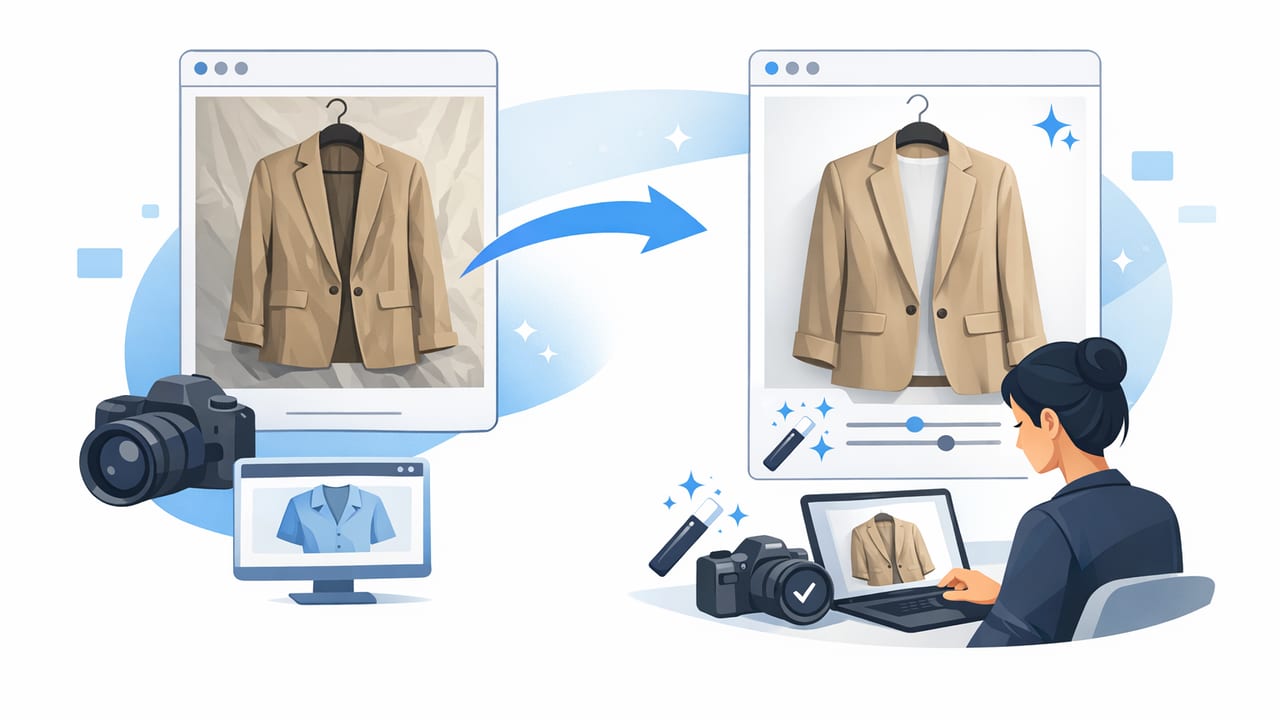
Professional-looking clothing photos don’t require a studio, expensive cameras, or hours of editing. What they do require is consistency: the same lighting, the same framing, and the same clean presentation across every listing. When shoppers can easily judge fit, fabric, and condition, they trust your listing more—and they’re more likely to buy.
This guide breaks down a simple, repeatable system to make clothing photos look professional for resale and e-commerce: how to prep garments, choose a setup, capture reliable angles, and apply quick edits that keep colors and details accurate.
1) Start with garment prep (it matters more than your camera)
The fastest way to improve your photos is to improve what’s in the frame. Cameras exaggerate wrinkles, lint, and uneven hems—so handle those before you shoot.
- Steam or smooth wrinkles (especially around collars, plackets, pockets, and hems).
- Lint-roll and spot-clean dust, pet hair, deodorant marks, and stray threads.
- Shape the garment: button or zip it, align seams, straighten straps, and smooth the waistband.
- Check tags and details: size tag, brand label, fabric/care tag—photograph them clearly.
Rule of thumb: if you wouldn’t send it to a buyer looking like that, don’t photograph it like that.
2) Pick one presentation style—and stick to it
Shoppers love predictable visuals. Choose a style that fits your inventory and repeat it across all listings.
On-hanger
Best for: tops, dresses, lightweight jackets. It’s quick, space-efficient, and consistent.
- Use the same hanger type (ideally thin, neutral, and non-distracting).
- Center the neckline and make sure shoulders look even.
Flat lay
Best for: tees, knits, jeans, accessories. It shows shape and details without a mannequin.
- Shoot perfectly overhead to avoid distortion.
- Use a foam board or plain surface to keep edges crisp.
Mannequin / “ghost mannequin” look
Best for: structured items (blazers, dresses, outerwear) where buyers want a clear silhouette and interior neckline/label area.
- Keep the torso centered and vertical.
- Prioritize clean edges around armholes, necklines, and hems.
Model photos (real or AI-generated)
Best for: showing fit and styling. Keep it brand-safe and consistent (same crop, background, and vibe).
3) Use simple lighting that keeps color honest
Lighting is where “amateur” photos usually go wrong—either too yellow, too dark, or full of harsh shadows. Your goal is even, soft light that matches the garment’s true color.
- Natural light: stand near a bright window with indirect light. Avoid sunbeams hitting the garment.
- Consistent time of day: shoot at the same time when possible to reduce color shifts.
- Turn off mixed lighting: overhead warm bulbs + window light creates weird color casts.
- Use a simple reflector: a white poster board opposite the window can soften shadows.
If you must use artificial light, aim for a soft, diffused source and keep it consistent across sessions. The main point is not “fancy,” it’s repeatable.
4) Nail your background and framing (clean beats creative)
For most marketplaces, a clean background helps the item stand out and makes your shop look cohesive.
- Background: plain white or light neutral works best for clarity.
- Distance: step back a bit so you’re not using wide-angle distortion up close.
- Level lines: keep verticals vertical (door frames, wall edges) for a tidy look.
- Consistent crop: leave similar headroom/side margins across listings.
Before you press the shutter, scan the edges of the frame. The most common “unprofessional” issue is random clutter: cords, bins, chair legs, and busy textures competing with the garment.
5) Capture a standard set of shots shoppers expect
A professional listing feels complete. Create a shot list and follow it every time. You’ll move faster and your catalog will look more trustworthy.
- Front full (straight-on, centered)
- Back full
- Close-up of fabric texture (especially for knits, denim, wool)
- Brand + size tag
- Care/material tag (if available)
- Key features: pockets, embroidery, buttons, lining, stretch panels
- Flaws: clear, well-lit, close-up (small stain, snag, scuff)
Keep the camera position consistent for front/back shots. Consistency makes comparison easy—buyers can quickly scan your listings and feel confident.
6) A practical editing workflow (fast, not fussy)
Editing should polish, not reinvent. The goal is to correct distractions (wrinkles, uneven exposure, messy backgrounds) while keeping the item accurate. Here’s a simple workflow that works for most clothing categories:
- Crop + straighten first for consistent framing.
- Correct exposure so whites look clean but details aren’t blown out.
- Adjust white balance to remove yellow/blue casts and keep color true.
- Background cleanup/removal for a crisp, store-like look.
- Light sharpening to restore fabric detail (don’t overdo it).
What to avoid (to keep trust high)
- Over-smoothing: it can erase fabric texture and make items look fake.
- Heavy filters: they often shift color and disappoint buyers.
- Over-brightening: it can hide flaws and trigger returns when items arrive.
7) Build “store consistency” with a mini style guide
If you want your shop to look professional across hundreds of items, create a tiny style guide and follow it every session. This also makes batching much easier.
| Element | Choose a Standard | Why It Helps |
|---|---|---|
| Background | White or light neutral | Cleaner catalog, easier browsing |
| Framing | Same margins and angle | Looks like a brand, not random uploads |
| Lighting | Same window / same lamp setup | More accurate color across listings |
| Shot list | Front/back + tags + details | Fewer buyer questions |
| Editing | Same steps and intensity | Consistent “finish” and faster workflow |
8) Batch your process to save time
Professional results come faster when you group tasks:
- Batch prep: steam, lint-roll, and stage 10–20 items at once.
- Batch shooting: shoot all fronts, then all backs, then all tags/details.
- Batch editing: apply the same crop and adjustments repeatedly.
Even simple organizational habits make a big difference. For example, name photos so you can upload and find them quickly:
brand_item_color_size_view.jpg
example:
madewell_cardigan_cream_m_front.jpg
madewell_cardigan_cream_m_tag.jpg
9) Quick fixes for common “unprofessional” photo problems
Problem: Colors look different from real life
- Stop mixing warm indoor lights with window light.
- Adjust white balance during editing to neutralize yellow/blue casts.
- Photograph a plain white sheet of paper in the same light as a reference.
Problem: The garment looks crooked or oddly shaped
- Center the collar/waistband and align seams before shooting.
- Keep your camera level and straight-on.
- Use a consistent hanger and avoid stretching shoulders.
Problem: Background looks gray or messy
- Increase exposure slightly (without losing garment detail).
- Move the item farther from the background to reduce shadows.
- Use background cleanup/removal for a crisp edge.
Problem: Wrinkles steal attention
- Steam first, then smooth with your hands right before the shot.
- For quick touch-ups, use editing tools that reduce wrinkle appearance without blurring texture.
10) A simple checklist you can follow every time
- Prep: steam, lint-roll, align, fast inspection
- Setup: consistent light, clean background, level camera
- Shots: front, back, fabric, tags, features, flaws
- Edit: crop/straighten, exposure, white balance, background cleanup
- Quality check: zoom in for fuzz/threads, confirm color looks right
When you follow a repeatable system like this, you’ll spend less time “fixing” photos and more time listing—while still delivering the clean, consistent look shoppers associate with professional sellers.
Optional help: if you prefer doing these cleanup steps on your phone, an AI photo editor such as Clothing Studio can streamline tasks like background removal, unwrinkling, and polished presentation in a repeatable workflow.
