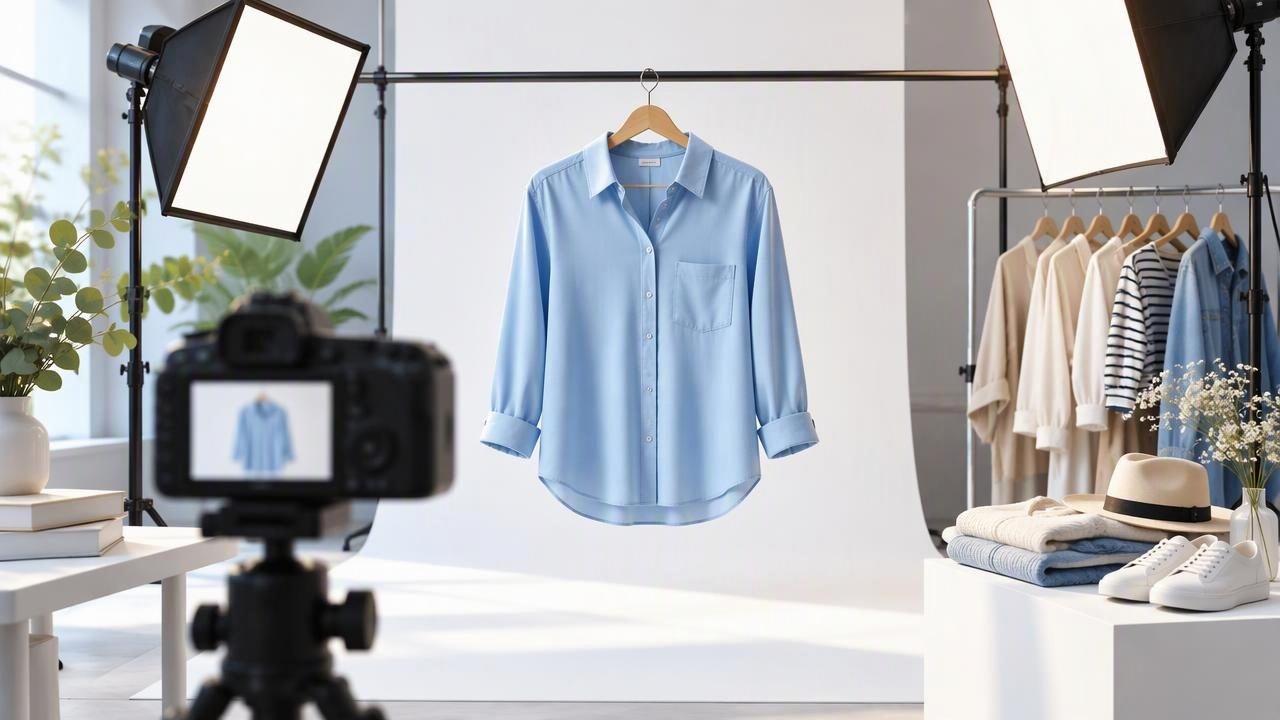
To make clothing photos look professional, focus first on showing the garment clearly and consistently—not on adding dramatic effects. Buyers need to understand a piece’s color, shape, fabric, condition, and details. A tidy setup and careful editing can help, but the finished image should still represent the item a customer will receive.
You do not need a complicated studio to improve a listing. A clean background, soft light, thoughtful garment styling, and a quick check against the original can make a noticeable difference. This guide explains how to choose a presentation style, correct common distractions, and decide when an edit has gone too far.
Start with what the buyer needs to see
Before taking or editing a photo, consider the questions a buyer might have. Is the garment full length? What does the neckline look like? Are the sleeves, hem, fastenings, and fabric texture visible? Does the item have a flaw that should be shown? A professional-looking image answers these questions without making the clothing seem different from the actual item.
Plan a small set of useful views rather than relying on one heavily edited image. A main image can show the complete garment, while additional views reveal the back, label, close-up details, and any notable wear. The goal is a clear listing, not a portfolio of decorative pictures.
Choose a presentation style that suits the garment
The best layout depends on the garment’s shape, the available space, and the details you need to communicate. Pick a style that makes the item easy to understand, then use it consistently across similar listings.
| Presentation | Useful for | Watch for |
|---|---|---|
| On hanger | Quick, straightforward views of shirts, dresses, and jackets | Twisted straps, uneven shoulders, and distracting hanger or wall details |
| Flat lay | Showing the overall shape, matching pieces, or smaller garments | Uneven sleeves, bunching, and perspective that changes proportions |
| Folded | Compact items or listings where a neat presentation matters | Folding that hides important features, labels, or wear |
| Ghost mannequin | Showing how a garment is shaped without a visible model or mannequin | Necklines and inner areas that may look unnatural or be difficult to represent |
No style works equally well for every piece. A structured blazer may read clearly on a hanger or in a ghost mannequin presentation, while a soft knit may be easier to judge in a flat lay. If a layout makes an item’s shape look misleading, choose another view or add a straightforward detail photo.
Use even light to show color and texture
Light has a major effect on whether a clothing photo feels polished. Place the item in bright, indirect daylight when possible, such as near a window rather than in direct sun. Strong directional light can create hard shadows; a mix of daylight and indoor bulbs can introduce color casts. Both may make the garment harder to assess.
Check the image on screen for bright areas that lose detail and shadows that hide the fabric. If you use a lamp, keep the light consistent across the garment and background. Avoid changing the lighting between front and back views: a consistent appearance helps buyers compare the photos and makes a collection of listings feel more orderly.
Color accuracy matters more than a fashionable filter. If an edit makes a navy top look black or turns an ivory item bright white, correct it before publishing. Compare the image with the garment under the same light, and treat your screen as a helpful reference rather than a guarantee of how every buyer’s display will look.
Style the garment without changing its shape
Small adjustments can make clothing look more considered. Straighten the hem, align the shoulders, smooth out a twisted sleeve, and arrange the garment so its edges are easy to see. For a flat lay, spread the piece evenly and position sleeves naturally. For a hanger photo, check that the item hangs level and that the hanger does not pull the neckline out of shape.
Do not stretch or pin an item into a silhouette it does not naturally have. A photo can show the garment neatly without implying a fit, length, or drape that the item cannot provide. If the clothing is designed to be oversized or relaxed, preserve that appearance instead of shaping it into a closer fit.
Consider what the composition leaves out, too. A crop that cuts off the bottom of a dress or a folded sleeve that hides a cuff can make the listing less useful. Keep enough space around the piece to show its outline, while avoiding so much empty background that the garment becomes difficult to inspect.
Keep the background simple and consistent
A plain, uncluttered background helps the eye stay on the clothing. A clear wall or simple surface is often enough. Remove nearby objects that compete with the item, and check for visible clutter at the edges of the frame. If you use a background-removal tool, inspect the outline around sleeves, lace, fringe, and other fine details. Jagged edges or missing fabric can look less professional than a simple original background.
Consistency is useful when buyers browse multiple items from one seller. Similar framing, light, and background can make a closet or shop feel organized. Consistency does not mean every item needs the exact same crop: leave room for differences in garment length and shape, and make sure each piece remains fully visible.
Edit distractions, not the garment’s identity
Editing can help with minor presentation issues, such as a distracting background or visible wrinkles. The important question is whether the image still shows the item truthfully. Keep the original photo available and compare it with the edited version before using the result.
- Wrinkles: Reduce distracting creases when appropriate, but check that fabric grain, seams, and natural folds still look believable.
- Background: Remove clutter carefully and inspect edges for cut-off fabric or unnatural outlines.
- Brightness and color: Make the garment easier to see without shifting its apparent color or washing out details.
- Marks and wear: Do not edit out stains, holes, pilling, fading, or other condition details a buyer should know about.
- Shape: Avoid edits that alter the neckline, proportions, fit, or drape of the actual piece.
Editing tools cannot reliably reveal what is hidden beneath a fold or restore a garment’s real condition. A wrinkle edit may change how a texture appears, and a generated presentation may not reproduce an exact fit. Inspect details closely and use unedited close-ups when condition or construction could be unclear.
A practical example: photographing a linen shirt
Imagine listing a pale blue linen shirt with natural creasing and a small mark near one cuff. Begin with a full front photo in soft, even light, making sure the collar, buttons, sleeves, and hem are visible. Take a back view and a close-up of the cuff mark. These pictures give shoppers a useful reference before any cleanup.
Next, straighten the shirt and reduce only the creases that distract from its outline. Linen naturally has texture, so do not smooth the image until the fabric looks flat or synthetic. Compare the edited image with the original at the collar, button placket, and cuff. If the color has shifted or the fabric grain has become unclear, revise the edit or use the original. Keep the mark visible in the detail photo and describe it in the listing.
This approach can look cleaner while preserving information buyers need. It also gives you a repeatable standard for other shirts: show the full shape, keep texture recognizable, disclose condition, and review the final image against the actual item.
Review the final image before publishing
A last check catches issues that are easy to miss while editing. View the photo at a useful size, not only as a small thumbnail. Check all four edges, the garment’s color, and the most important construction details. Then compare the result with the original photo and the item itself.
- Can a buyer see the complete garment and understand its shape?
- Are the color and fabric details still recognizable?
- Are defects and signs of wear shown or described rather than concealed?
- Do the images for this listing have consistent lighting and framing?
- Does any background cleanup or wrinkle retouching leave strange edges or textures?
If you answer no to one of these, make a modest correction or choose a clearer original view. A professional listing photo does not need to look flawless; it needs to look intentional, legible, and dependable.
Build a repeatable photo routine
Set up a simple spot where you can photograph items under similar lighting, and decide which views you usually need for each category. Take a clear original before editing, then make only changes that improve presentation without changing the item’s identity. This routine saves time and helps photos feel consistent as your inventory grows.
For more guidance on wrinkle retouching, see Clothing Studio’s guide to removing clothing wrinkles. Clothing Studio also offers an iOS photo editor for clothing images; full features require a subscription, and you can learn more at Clothing Studio.
