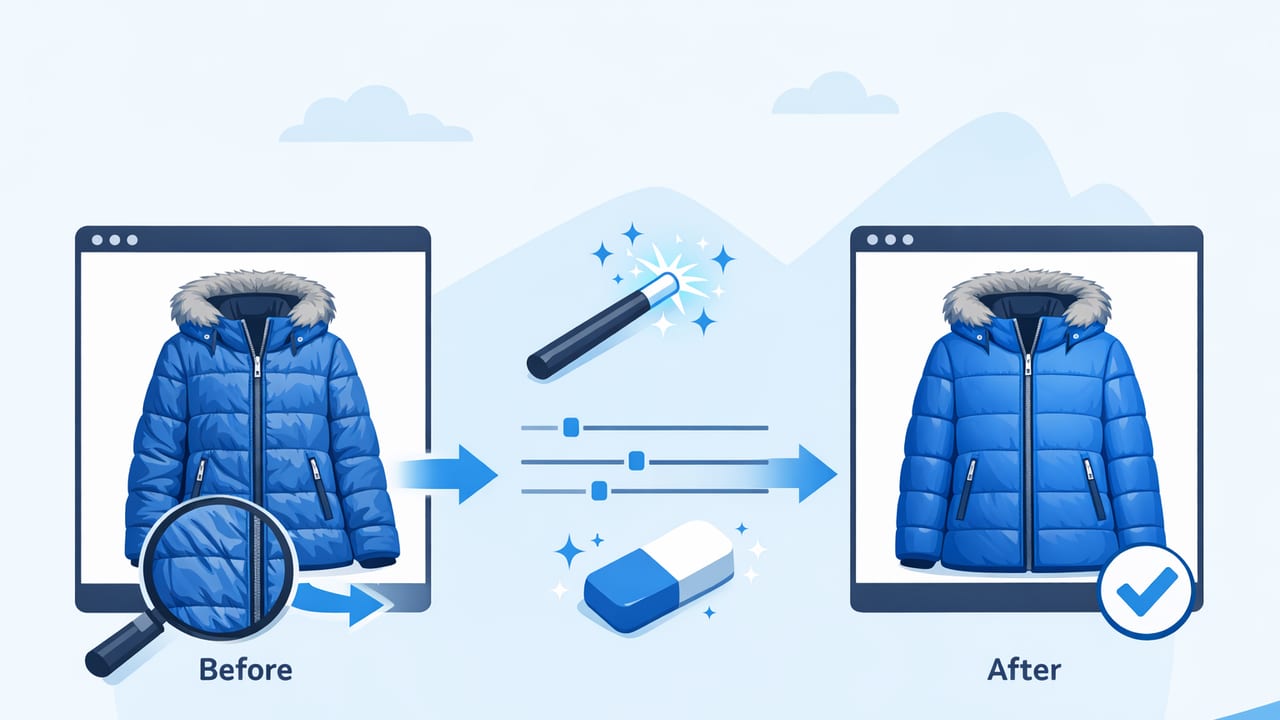
Winter coats are some of the hardest items to photograph for resale and e-commerce. They’re bulky, textured, and often stored folded or compressed—so they show stubborn creases in sleeves, panels, and around zippers. The good news: you can get clean, professional listing images without turning coat prep into an all-day project.
This guide focuses on winter coat photo editing to reduce creases while keeping the fabric texture believable (puffer shine, wool nap, faux fur, quilting, etc.). You’ll learn a simple capture setup, an editing workflow, and what to avoid so the coat still looks accurate to buyers.
Why creases are so visible in coat photos
Creases jump out in photos because of how light behaves on thick materials:
- Directional lighting creates harsh shadows in wrinkled areas (especially sleeves and underarms).
- Coated fabrics (nylon, polyester shells) show shiny “crease highlights.”
- Bulk and weight make folds deeper than in lightweight tops.
- Storage lines from folding can look like damage or wear if not handled well.
Before you edit: quick prep that saves time later
You don’t need a full studio routine, but 3–5 minutes of prep can dramatically reduce editing effort.
1) Shape the coat for clean structure
- Zip or button it halfway to maintain the front shape (unless you’re selling it styled open).
- Stuff sleeves lightly with tissue paper or a small towel to lift creases without changing fit.
- Smooth seams with your hands: cuffs, hem, collar, and pocket flaps.
2) Use fast de-wrinkle options when it’s worth it
Editing is great, but sometimes one quick physical step reduces the work by half.
- Steamer: fastest for wool blends, cotton, and many linings.
- Shower steam method: hang it in a steamy bathroom for 10–15 minutes.
- Low-heat iron with cloth barrier: only if the care label allows it and the fabric is safe.
| Method | Best for | Time | Risk level |
|---|---|---|---|
| Hand-smoothing + shaping | Light folds, sleeve bends | 2–5 min | Low |
| Steaming | Wool blends, cotton, linings | 5–10 min | Low–Medium |
| Ironing (care-label safe) | Stubborn crease lines | 10–20 min | Medium–High |
| Photo editing / AI wrinkle reduction | Final cleanup for listings | 1–3 min | Low (if subtle) |
Capture tips that make crease reduction easier
Wrinkle editing works best when your original photo has even lighting and accurate color. Here’s a simple setup that’s reseller-friendly.
Lighting: choose soft, even light
- Best: indirect daylight near a window (no direct sun hitting the coat).
- Good alternative: two lamps with diffusers (softboxes or a thin white sheet).
- Avoid: overhead lighting only—it deepens crease shadows and can add yellow casts.
Angles: shoot straight-on first
For e-commerce, a straight-on front and back photo reduces distortion and makes creases look less dramatic than sharp diagonal angles. Then add detail shots (tag, cuffs, any flaws) after you’ve captured your main images.
Background: keep it plain
A clean background helps the coat edges read clearly and keeps buyers focused on the item. If your space is busy, don’t overthink it—just capture a sharp photo and remove the background during editing.
A practical editing workflow (natural, not “plastic”)
The goal is not to erase every fold. Coats have structure, quilting, and natural drape. Your goal is to reduce distracting creases that look like poor storage or damage—while preserving texture and realism.
- Pick the best base photo (sharp, even light, minimal glare).
- Correct exposure and white balance so the fabric color matches reality.
- Remove distractions (background, lint, small specks).
- Reduce creases selectively (target the worst zones, not the whole coat).
- Re-check texture and seams so the coat still looks true-to-life.
- Export consistently for your platform (Poshmark, eBay, Shopify, etc.).
Step 1: Basic adjustments (do these before crease work)
Small changes here can make creases less visible without any dedicated wrinkle tool.
- Exposure: raise slightly to soften harsh crease shadows.
- Highlights: reduce if shiny shells (puffers) show bright crease streaks.
- Shadows: lift gently to reduce “deep fold” appearance.
- White balance: fix yellow/blue casts so the coat color looks accurate.
Step 2: Background cleanup (optional but helpful)
Background removal improves perceived quality and makes wrinkles feel less chaotic because edges look crisp. It also helps platforms that reward consistent, catalog-like images.
Step 3: Crease reduction—focus on common coat problem areas
When doing winter coat photo editing to reduce creases, the most noticeable areas are:
- Sleeves: especially mid-sleeve bend lines from storage.
- Front placket: around zippers, snaps, and storm flaps.
- Pocket area: puffed pockets can create harsh folds.
- Lower back panel: deep compression lines from folding.
How to keep it natural:
- Edit in small passes instead of one heavy pass.
- Zoom out frequently. If the coat starts looking airbrushed, undo a step.
- Preserve quilting lines, stitching, and seam definition.
- Leave some micro-texture (especially on wool). Buyers expect it.
“The best wrinkle reduction is the kind no one notices—your coat should look well-presented, not digitally melted.”
Step 4: Lint, pilling, and scuffs (don’t skip this for winter items)
Coats often show lint on dark fabric and pilling on cuffs/collars. Quick spot-clean editing can raise buyer confidence more than aggressive crease removal.
- Remove lint specks that look like dust or dandruff on wool.
- Reduce small scuffs only if they’re clearly removable marks—not actual wear you must disclose.
- Keep any real defects visible in separate close-ups for transparency.
Step 5: Maintain truthful presentation (important for returns)
Editing should improve clarity, not change the product. A few guardrails:
- Don’t reshape the coat silhouette dramatically (waist, shoulders, hem).
- Don’t remove real fabric damage, pulled threads, or permanent creasing.
- Don’t over-whiten a white coat—buyers will notice when it arrives.
On-hanger, laid flat, or ghost mannequin: which reduces creases best?
Your presentation choice affects how visible creases are.
On-hanger
- Pros: natural drape; fewer fold lines than flat-lay.
- Cons: shoulder “hanger bumps” can look like fit issues.
Laid flat
- Pros: easy setup, consistent angle.
- Cons: can exaggerate sleeve and body creases if not carefully smoothed.
Ghost mannequin / invisible mannequin effect
- Pros: premium look; good for structured coats; helps show interior and shape.
- Cons: needs cleaner capture and more editing steps.
Consistency for marketplaces: a simple export checklist
Even great editing can look messy if your listings vary from item to item. Aim for repeatable settings.
- Square crop if your platform favors it (many do).
- Center the coat with similar margins around edges.
- Match brightness across front/back shots.
- Keep color stable (don’t let one photo drift warmer/cooler).
Optional: file naming that keeps you organized
If you photograph many coats, clean filenames prevent mix-ups when uploading.
brand_style_color_size_view.jpg
example:
patagonia_downparka_black_m_front.jpg
patagonia_downparka_black_m_back.jpg
patagonia_downparka_black_m_tag.jpg
Common mistakes that make crease editing look fake
- Over-smoothing shiny shells: puffers can turn into flat plastic if highlights are erased.
- Blurring edges: if seams soften, the coat loses structure.
- Ignoring lighting problems: harsh shadows are not “wrinkles,” and smoothing won’t fix them cleanly.
- Fixing everything equally: focus on the worst crease zones and leave normal drape alone.
Mini workflow example: editing a puffer coat with sleeve creases
- Shoot in soft daylight, straight-on, with sleeves lightly stuffed for shape.
- Lift shadows slightly; reduce highlights a touch to control shine.
- Remove background for a clean outline.
- Reduce creases only on the mid-sleeve bend and lower front panel where folds look deep.
- Check quilting: keep stitch lines crisp and consistent.
- Export front/back at the same crop and brightness.
Frequently asked questions
Should I remove all wrinkles from a winter coat photo?
No. Remove the distracting, storage-looking creases, but keep natural drape and fabric character. Over-editing can reduce trust and increase returns.
What if the coat still has fold lines after editing?
Try a quick re-shoot with softer light and better shaping (stuff sleeves, hang longer). Editing works best as “final polish,” not a replacement for basic prep.
Can I do this on iPhone?
Yes. A modern phone camera plus a simple editing workflow (background cleanup + selective crease reduction) is enough for professional-looking listings.
Wrap-up: clean, believable coat photos sell better
When you approach winter coat photos with a repeatable process—soft light, simple shaping, and selective editing—you get images that look premium while staying honest. The key is restraint: reduce creases that distract, preserve texture that signals quality, and keep your presentation consistent across listings.
If you prefer an app-based workflow for quick edits like background removal, ghost mannequin styling, and wrinkle reduction on iOS, Clothing Studio is one option to explore.
