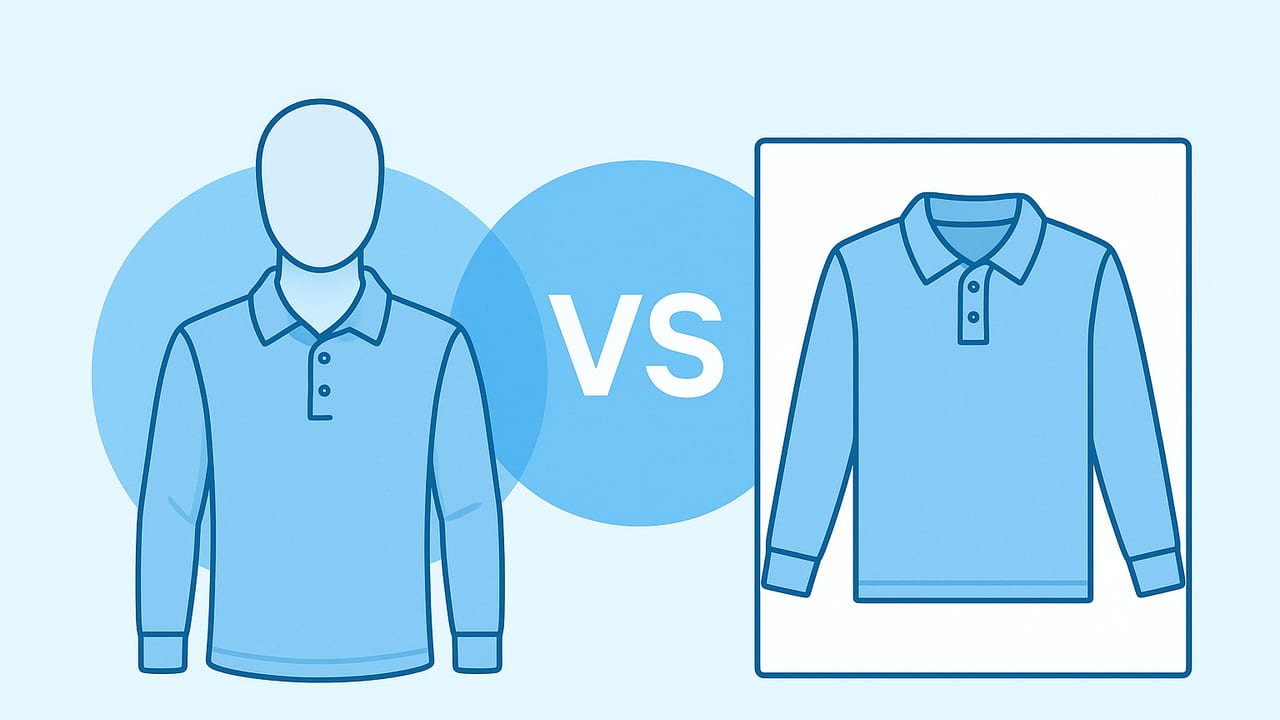
Choosing the right product photo style can make or break your apparel listing. Two of the most popular options are the ghost mannequin (also called the invisible mannequin effect) and the flat lay. If you’re comparing ghost mannequin vs flat lay images, this guide breaks down what each style does best, when to use them, and how to execute clean, conversion-ready photos without overcomplicating your workflow.
What Is a Ghost Mannequin Image?
A ghost mannequin image presents the garment as if worn by an invisible body. Photographers typically shoot the item on a mannequin, then edit out the mannequin so the clothing retains its natural 3D shape. For collared shirts, blazers, and dresses, editors often composite interior shots (like the neckline or cuffs) to complete the effect.
Why it works: It shows silhouette, drape, and structure clearly—almost like a model shot, but without a model. This helps shoppers imagine fit more accurately, especially for tailored or structured pieces.
Tradeoffs: You’ll need a mannequin (or an AI/retouch workflow that emulates one), careful styling, and more post-production than a simple top-down shot.
What Is a Flat Lay Image?
Flat lay images are taken from above, with garments styled on a clean surface. Think neatly folded sweaters, a T-shirt arranged with sleeves slightly tucked in, or an outfit layout with accessories.
Why it works: It’s fast and flexible. Flat lays are perfect for soft knits, daily basics, and capsule outfits. They highlight texture and details while enabling creative styling.
Tradeoffs: Because the garment lies flat, shoppers get less information about how it hangs on the body. It can also distort shape if the camera isn’t perfectly overhead.
Ghost Mannequin vs Flat Lay: Quick Comparison
| Criteria | Ghost Mannequin | Flat Lay | Ideal Use |
|---|---|---|---|
| Fit & silhouette clarity | Excellent for structured pieces | Moderate; can appear 2D | Blazers, coats, dresses vs. tees, knits |
| Texture & material detail | Good, especially with soft light | Very good with overhead lighting | Knits, denim, textured fabrics |
| Speed at scale | Slower (styling + editing) | Faster (simple styling) | Bulk listings or restocks |
| Equipment needs | Mannequin, pins, consistent lighting | Flat surface, overhead setup | Small studios or mobile setups |
| Post-production complexity | Higher (compositing, cleanup) | Lower (basic cleanup) | Teams with limited editing time |
| Brand vibe | Premium, tailored, editorial | Casual, lifestyle, trend-driven | Match brand positioning |
| Best for | Jackets, collared shirts, dresses, denim | Tees, knits, loungewear, accessories | Category-specific strategy |
When to Choose Ghost Mannequin Images
- Structured garments: Blazers, coats, button-downs, and dresses benefit from a 3D form that shows lapels, waists, and hemlines.
- Mid-to-premium price points: The polished look aligns with higher perceived value.
- Detailed tailoring: Seams, darting, and construction details read clearly on a form.
- When models aren’t feasible: You need shape without hiring or coordinating models.
- Silhouette clarity reduces uncertainty: Shoppers can better visualize drape and fit, aiding decision-making.
Tip: For sheer or reflective fabrics, ghost mannequin still works, but expect more retouching to handle transparency and reflections cleanly.
When to Choose Flat Lay Images
- Soft knits and basics: Tees, sweaters, and loungewear look inviting when styled neatly on a surface.
- Speed and scale: Great for bulk listings, seasonal drops, and daily uploads.
- Outfit stories: Pair items with accessories to suggest styling ideas in one frame.
- Small items: Hats, scarves, belts, baby clothes, and sets are easier to arrange overhead.
- Creative brand aesthetics: Use textures (paper, linen), subtle props, or color backdrops for lifestyle feel (check marketplace rules first).
Pro insight: In product photography, consistency beats perfection. A consistent style across your catalog builds trust and speeds up shopper decisions.
Styling and Lighting Tips That Make Either Style Work
Ghost Mannequin Setup Tips
- Right mannequin size: Avoid excessive clipping. The garment should sit naturally with minimal pinning.
- Steam before shooting: Remove wrinkles to reduce retouch time and preserve fabric integrity.
- Symmetry matters: Align shoulder seams, hems, and center front. Uneven styling reads as poor quality.
- Light softly: Two soft sources at 45° plus fill helps avoid harsh shadows inside collars and sleeves.
- Capture interior details: Shoot inside necklines, cuffs, and hoods for compositing.
- Camera height: Keep the lens roughly chest-level with the mannequin for natural perspective.
Flat Lay Setup Tips
- True overhead angle: Use a tripod arm or overhead rig to keep the sensor parallel to the surface and avoid keystoning.
- Focal length discipline: On cameras, 50mm equivalent reduces distortion; on phones, avoid ultra-wide lenses for flat lays.
- Clean surface & grid: Work on white or light gray foam board; use tape guides to keep items square and consistent.
- Natural, diffused light: Window light with diffusion (sheer curtain) is flattering; add reflectors to lift shadows.
- Shape the garment: Tuck sleeves, add tissue to suggest volume, and arrange folds purposefully.
Editing Workflows and Time Considerations
Ghost Mannequin Workflow (Simple)
- Steam and lint-roll the garment.
- Style on mannequin; pin discreetly at back for tension.
- Shoot front, back, close-ups, and interior details (neckline, cuffs).
- Remove background; mask out mannequin; composite interior pieces.
- Even out shape; correct color; add a soft, realistic shadow if needed.
- Export to required dimensions and format.
Flat Lay Workflow (Simple)
- Prep the surface and garment; steam and de-lint.
- Arrange symmetrically; use guides to keep consistent spacing.
- Shoot straight down; capture alternates (folded, detail shots).
- Remove dust specks; correct perspective and white balance.
- Remove or clean background; add subtle shadow for depth.
- Export to consistent crop and aspect ratio.
Time and cost: Ghost mannequin images usually take longer per SKU due to compositing and cleanup. Flat lays can move quickly, especially with repeatable templates. If you’re a solo seller or small brand, optimizing for repeatability—pre-set lighting, saved crops, and batch edits—often saves more time than switching styles mid-shoot.
Marketplace and Brand Considerations
- Check image policies: Marketplaces often require neutral or white backgrounds, no heavy props on main images, and consistent framing. Always confirm current guidelines for your category.
- Keep aspect ratios consistent: Square or 4:5 is common; choose one and stick to it across listings.
- Color accuracy: Calibrate white balance and maintain consistent exposure so returns aren’t driven by color mismatch.
- Catalog consistency: You can mix styles across categories (e.g., ghost for blazers, flat lay for knits), but keep each category visually consistent.
A Simple Decision Checklist
- If the garment has structure or tailoring (blazers, coats, formal dresses) → choose ghost mannequin.
- If the garment is casual or soft (tees, hoodies, sweaters) or you need speed → choose flat lay.
- If you want a premium, editorial feel and can invest in styling/editing → choose ghost mannequin.
- If you want a lifestyle or social-first vibe with accessories → choose flat lay.
- If you’re unsure, test both on 10 SKUs and track CTR and conversion; keep the winner.
File Naming for Better Organization and SEO
Descriptive file names help with search and internal organization. Include product, style, color, and view.
womens-linen-blazer-ghost-ivory-front.jpg
mens-oxford-shirt-ghost-blue-detail-collar.jpg
cashmere-crewneck-flatlay-heather-gray-square.jpg
yoga-set-flatlay-black-outfit-grid.jpg
Common Mistakes to Avoid
- Over-retouching: Plastic-looking fabric or erased texture reduces trust. Preserve natural grain and stitching.
- Perspective issues (flat lay): Shooting at an angle warps shape. Keep the camera perfectly overhead.
- Harsh shadows: Diffuse your light source. Strong shadows inside collars or under sleeves can look messy.
- Inconsistent cropping: Varying scale makes your grid look chaotic. Use templates for margins and alignment.
- Wrinkles and lint: Prep is cheaper than retouch. Quick steaming and lint-rolling save editing time.
- Color drift: Mixed lighting (window + tungsten) shifts color. Stick to one light type or correct white balance in post.
FAQ
Can I mix ghost mannequin and flat lay in one product listing?
Yes. Many sellers use one dominant style for the main image (e.g., ghost mannequin for shape clarity) and add flat lay or detail shots to show texture, labels, and close-ups. Keep the main image style consistent across similar products for a cohesive storefront.
Do I need a mannequin to get the ghost effect?
No. A mannequin plus editing is the traditional approach, but some tools simulate the shape from a well-styled on-hanger shot. The key is clean edges, realistic shadows, and believable garment volume.
What background color is best?
White is the safest choice and often required for main images on marketplaces. Light gray can reduce glare for reflective fabrics and still look clean. Always check category rules where you sell.
How many images per listing?
Use as many as the platform allows, prioritizing: main image (ghost or flat lay), back view, key detail close-ups (fabric, labels, hardware), and any fit-critical angles (waistband, cuffs, hem).
Putting It All Together
If your goal is to communicate fit and structure, ghost mannequin typically wins. If you need speed, texture, and styling flexibility, flat lay is often the better option. What matters most is consistency, accurate color, and clean presentation. Test both for a small batch, measure performance, and standardize the style that converts best for your audience and price point.
Editing on iPhone? A lightweight workflow helps. An app like Clothing Studio can remove backgrounds, unwrinkle garments, and generate ghost mannequin-style images alongside polished model shots—handy for resellers and small brands listing on marketplaces.
Whichever route you take, build a repeatable setup, save editing presets, and document your process. Your catalog will look cohesive, your listings will work harder, and your photo days will feel a lot shorter.
