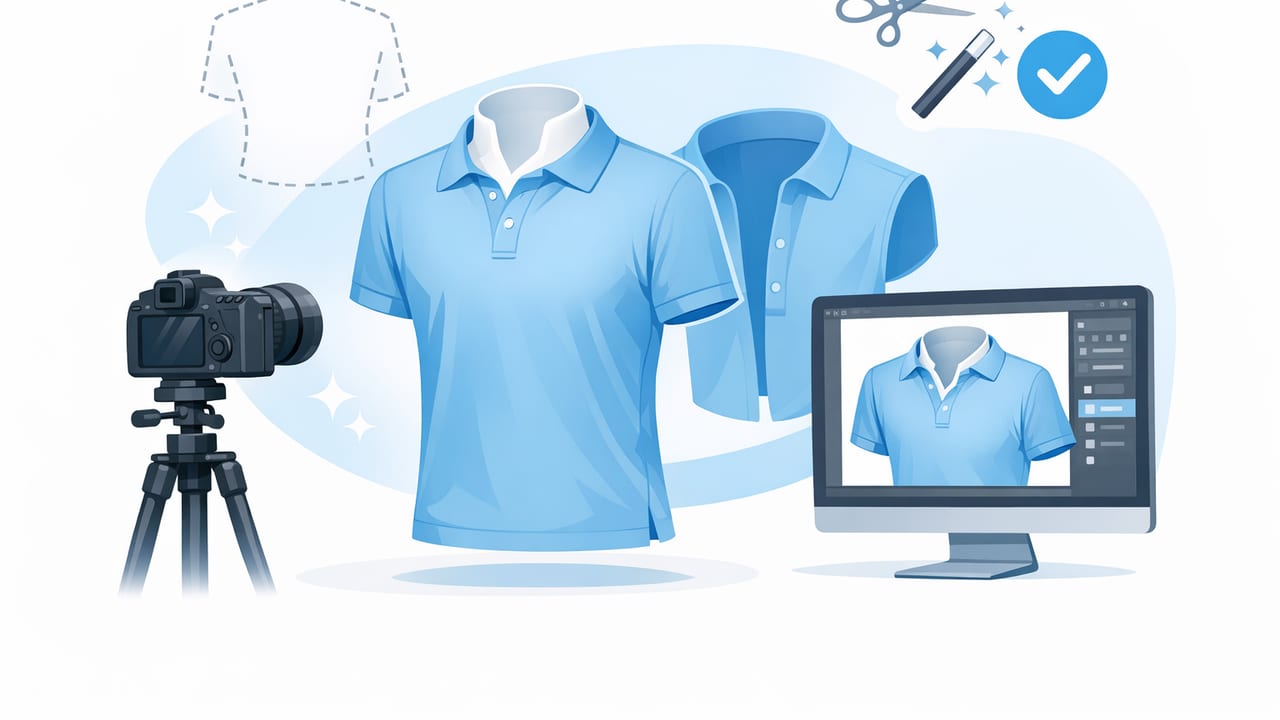
The ghost mannequin look is one of the most effective ways to present apparel online: the garment appears worn and three-dimensional, but the model or mannequin disappears. Shoppers can see shape, drape, and fit without distractions—making it a favorite for product pages, fashion resale listings, and brand lookbooks that prioritize clarity.
The good news: you don’t need a full studio or a professional retoucher to get a clean result. With a few repeatable photography habits and a consistent editing workflow (including AI photo editing when it helps), you can create ghost mannequin images that look polished and trustworthy across your whole catalog.
What the ghost mannequin effect is (and why it works)
A ghost mannequin image is a product photo where the clothing keeps a realistic, “on-body” shape, while the mannequin (or person) is removed. Often, this includes a clean interior neckline label area (especially for shirts, jackets, and dresses) so the garment doesn’t look hollow or awkward.
It works because it balances two competing needs:
- Fit visibility: Shoppers can see structure, shoulders, waist shaping, and sleeve volume.
- Product focus: No face, pose, or background noise—just the item.
- Listing consistency: A uniform style makes your shop or brand feel more professional.
Choose your setup: mannequin, hanger, or flat lay?
The ghost mannequin effect is easiest with a mannequin, but you can still get “floating” product images from other methods. Here’s a simple comparison to help you choose.
| Method | Best for | Pros | Watch-outs |
|---|---|---|---|
| Mannequin (classic ghost mannequin) | Tops, dresses, jackets, structured pieces | Most realistic shape; consistent fit view | Requires styling time; neckline interior takes planning |
| On-hanger | Casual tops, lightweight items, resale speed | Fast; minimal gear | Can look flat; shoulders may collapse |
| Flat lay | Knitwear, tees, accessories, bundles | Simple; great for detail shots | Less “fit” information; wrinkles show easily |
If your goal is a true ghost mannequin listing style, start with a basic torso mannequin or dress form. You don’t need an expensive one—what matters is consistency and clean edges.
Step 1: Prep the garment like a buyer would
Editing can’t fully rescue a garment that’s poorly prepped. Before you shoot, do a quick “buyer inspection” routine:
- Remove lint and dust (especially on dark fabrics).
- Steam or smooth wrinkles where possible. If you can’t steam, at least smooth seams and hems with your hands.
- Shape the garment: align shoulder seams, straighten plackets, zip zippers, and button key buttons.
- Tuck tags and hang loops so they don’t peek out.
Tip: For collars and necklines, use small clips or fashion tape behind the mannequin to keep lines crisp without visible pins.
Step 2: Lighting that makes ghost mannequin images look expensive
Lighting is where most ghost mannequin photos either look premium or “thrown together.” Aim for soft, even light with minimal harsh shadows.
A simple, repeatable lighting setup
- Use a bright window with indirect light, or two soft lights aimed at a wall for bounce.
- Keep the mannequin 3–6 feet from the background to reduce shadows.
- Match your white balance (don’t mix warm room bulbs with daylight).
If you see strong shadows inside sleeves or under collars, add a cheap reflector (a white foam board works) opposite your main light source.
Step 3: Camera angles that flatter the garment (without distortion)
For ecommerce photography, the goal is accuracy, not drama. Wide-angle distortion can make shoulders look too broad or hems look curved. Whether you shoot with a phone or camera:
- Keep the lens centered on the garment’s midsection (not from above).
- Step back and zoom slightly if your phone allows it—this reduces distortion.
- Use a tripod (or a stable surface) to keep framing consistent across items.
Must-have shots for a complete ghost mannequin listing
- Front (main image)
- Back
- Close-up of fabric texture
- Brand/size tag
- Any flaws (honest resale detail builds trust)
Step 4: Capture the “inner neck” shot (the detail that makes it believable)
The most convincing ghost mannequin images show a clean inside neckline/label area—especially for collared shirts, tees, hoodies, dresses, and blazers. To do that, you’ll typically shoot two photos:
- Main photo: garment on mannequin (front view).
- Inset photo: turn the garment partially inside out at the neckline and photograph the inner neck area (or remove the garment and shoot the inside neck on the mannequin, depending on your item).
This inset is later layered into the main image so the neck looks natural rather than empty. If you don’t want to do manual compositing, some AI photo editing tools can help simulate or generate that interior area—just make sure it still looks like the real item and doesn’t invent details.
Quality check: The neckline should look symmetrical, and the inside label area should not warp or blur. Shoppers notice necklines.
Step 5: Editing workflow for clean ghost mannequin results
A good workflow is less about heavy retouching and more about consistency. Here’s an approachable order of operations that works for most apparel.
1) Background removal (or background cleanup)
Clean backgrounds help the product stand out and make your shop grid look cohesive. You can remove the background entirely or replace it with a soft white/off-white.
- Keep edges natural: fuzzy sweaters and lace need softer edge handling.
- Avoid halos: a bright outline around dark clothing can look cut out.
2) Color and exposure correction
Try to match the item in hand. Adjust:
- Exposure to avoid gray whites or crushed blacks
- White balance so creams don’t turn neon or muddy
- Contrast carefully (too much hides fabric detail)
3) Subtle wrinkle reduction (don’t over-smooth)
Wrinkle cleanup can improve perceived quality, but too much smoothing makes fabric look fake. Aim to reduce distracting creases while preserving texture—especially for linen, denim, and knits where some natural variation is expected.
4) Create the ghost mannequin effect
This step depends on your approach:
- Manual compositing: layer the inner neck shot into the main image for maximum control.
- AI-assisted ghost mannequin: faster, often good for volume, but always review edges, symmetry, and realism.
5) Final consistency pass
Before exporting, compare your last 5–10 listings side-by-side. Check alignment, crop, brightness, and background tone. Consistency increases trust and can improve clicks because your thumbnails look intentional.
A simple naming + alt-text system (helps SEO and organization)
If you sell across marketplaces or manage a growing catalog, consistent file naming saves time. It also helps when uploading to your own site where image SEO matters.
brand-category-color-keyfeature-size-front.jpg
example:
madewell-denim-jacket-blue-cropped-m-front.jpg
For image alt text, keep it descriptive and natural (not spammy). Example:
- “Blue cropped denim jacket on ghost mannequin, front view”
- “Black ribbed knit midi dress ghost mannequin photo, back view”
Common ghost mannequin mistakes (and quick fixes)
- Shoulders look slumped: add padding under the garment or adjust the mannequin size; clip fabric behind.
- Neckline looks warped: reshoot the inner neck inset with better alignment; avoid extreme angles.
- Edges look jagged after background removal: refine edges, especially around lace/knit; export at higher resolution.
- Colors vary across listings: lock your shooting location and lighting; apply the same editing baseline preset.
- Over-retouching: keep texture; don’t erase natural seams, stitching, or fabric grain.
Checklist: a repeatable ghost mannequin workflow for resellers and brands
Use this quick checklist to move faster without sacrificing quality:
- Prep garment: lint, steam, straighten seams
- Set consistent lighting and background distance
- Shoot front/back + details + flaws
- Shoot inner neck inset when needed
- Edit: background removal → exposure/color → light wrinkle cleanup
- Create ghost mannequin composite (manual or AI-assisted)
- Export consistent crops and sizes
When AI photo editing helps (and when to slow down)
AI editing can be a huge advantage for high-volume workflows: fast background removal, quick wrinkle reduction, and assisted ghost mannequin creation. It’s especially helpful when you’re processing many similar items and want consistent outputs.
Slow down (or reshoot) when:
- The fabric is sheer, reflective, or heavily textured (AI can misread edges)
- The item has complex cutouts, lace, fringe, or fine straps
- The AI result changes the product details (pockets, seams, logos)
Your goal is always truthful enhancement: present the item clearly, not differently.
Final thoughts
A strong ghost mannequin photo style is less about perfection and more about a repeatable system: clean prep, soft lighting, accurate color, and consistent framing. Once you lock that in, you’ll spend less time fixing problems and more time listing (or launching) confidently.
If you prefer doing these steps on iPhone with minimal fuss, an AI-focused editor such as Clothing Studio can help speed up background removal, wrinkle cleanup, and ghost mannequin-style presentation—just remember to review results for accuracy before posting.
