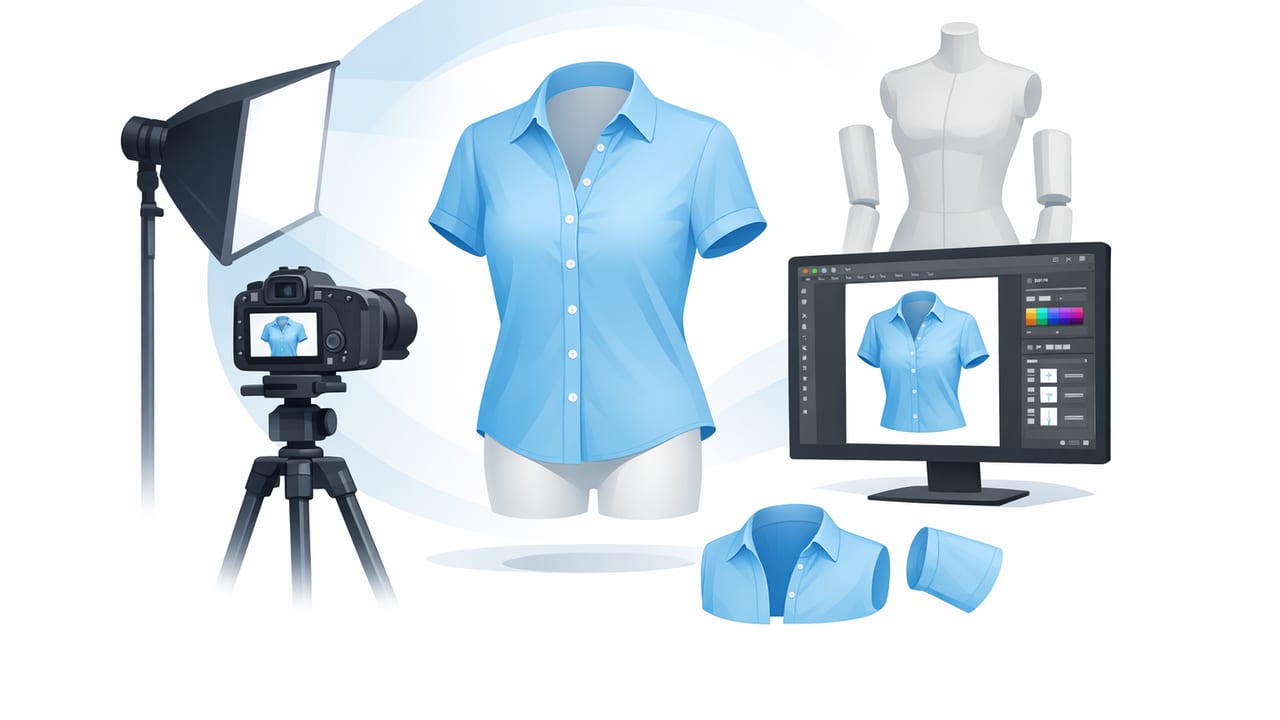
A clean ghost mannequin image makes clothing feel “real” online: shoppers can read the shape, see how fabric drapes, and understand key details like collars, waistlines, and sleeve volume—without the distraction of a visible model or mannequin. For fashion resellers and small brands, it’s one of the fastest ways to create high-trust listing photos that look consistent across platforms.
This guide walks through a practical, repeatable ghost mannequin workflow—from prepping garments to shooting and editing—so you can produce professional-looking results without a full studio buildout.
What is a ghost mannequin image (and why it works)?
A ghost mannequin image is a product photo where the garment looks worn and three-dimensional, but the mannequin/body is removed in editing. The result is a “floating” garment with a natural shape and (often) a visible interior label/neckline insert that makes the item feel premium and accurate.
Why ghost mannequin images convert well
- Shape clarity: Better than flat lays for structured pieces (blazers, dresses, coats).
- Consistency: Helps your shop look cohesive even when inventory varies.
- Fewer distractions: Focus stays on the garment, not on a person or styling noise.
- Scale cues: Shoppers “feel” proportions more naturally than with hanger shots.
Choose the right presentation for the item
Ghost mannequin isn’t always the best choice for every category. Use it where shape matters most, and use simpler setups where they’re faster and still accurate.
| Method | Best for | Pros | Watch-outs |
|---|---|---|---|
| Ghost mannequin | Dresses, jackets, tops, knitwear | 3D shape, premium look, consistent catalog | Requires clean styling + a little editing |
| On-hanger | Casual tees, light blouses, quick listings | Fast, minimal gear | Can look “slumpy” if not clipped/tensioned |
| Flat lay | Denim, tees, accessories, simple silhouettes | Easy, consistent lighting | Less true-to-life drape/volume |
| Model photo | Fit-driven categories (activewear, denim fits) | Best fit context | Harder to keep consistent; higher effort |
What you need (simple, reseller-friendly)
You don’t need a full production studio. Aim for consistency and clean edges.
- A mannequin or dress form: Neutral color helps (white/gray/black).
- Clips or pins: To shape the garment at the back and sides.
- Even lighting: Window light + a reflector, or two soft lights.
- A clean backdrop: Plain wall, paper roll, or tidy corner.
- Phone + tripod: Keeps angles consistent across sizes and categories.
Rule of thumb: The better you style the garment on the mannequin, the less “fixing” you’ll do later. Most ghost mannequin problems start as styling problems.
Step 1: Prep the garment for a crisp, believable shape
Ghost mannequin images look best when the garment reads as fresh, symmetrical, and true to life. Before you shoot:
- Remove lint and pet hair: Especially on dark knits and wool.
- Smooth wrinkles: Steam quickly; avoid harsh creases unless intentional.
- Button and zip consistently: Decide a “house standard” (e.g., button to the top for dress shirts, zip fully for jackets).
- Use clips to shape: Clip at the back to reduce excess fabric and define the waist—without changing the true silhouette.
- Check symmetry: Align shoulders, collar points, lapels, and hems.
Mini checklist: “Does it look wearable?”
- Collar sits flat and even
- Shoulder seams align left/right
- Sleeves have similar bend and length
- Hem is level (unless intentionally high-low)
- Key details are visible (placket, pockets, hardware)
Step 2: Set up lighting for easy background removal and clean edges
Good lighting is the secret to quick, clean editing—especially if you plan to remove the background or create a transparent cutout.
Best-practice lighting setup
- Even light from both sides: Reduces harsh shadows near sleeves and hems.
- Separate the subject from the backdrop: Place the mannequin 3–6 feet from the wall to avoid heavy shadow edges.
- Avoid mixed color temperatures: Don’t mix warm indoor bulbs with cool daylight if you can help it.
If you’re using window light, shoot when the light is consistent (late morning or early afternoon) and diffuse it with a sheer curtain if needed.
Step 3: Shoot the two key photos (front + “inner” insert)
Classic ghost mannequin relies on combining two images:
- Primary image: Garment on mannequin, front view (this is your main body).
- Secondary image: The garment’s interior area (typically the neck label area, back neckline, or inside collar) shot separately.
How to capture the secondary “inner” shot
After you take the main photo, remove the garment and flip it partially inside-out (or place it on the mannequin differently) so the inside neck/collar area is visible and well lit. This creates the realistic “hollow” look when composited.
Tip: Keep your camera position and focal length consistent. If you move closer for the inner shot, that’s fine—just make sure it’s sharp and evenly lit.
Step 4: Edit for ghost mannequin (clean, natural, not overdone)
The goal is realism: keep the garment’s texture and true color while removing distractions. A typical ghost mannequin edit includes four parts:
1) Background removal
Start by removing the background from the main image. Clean edges matter most around:
- Straps and thin sleeves
- Lace/mesh areas
- Fur, fringe, and loose knits
If edges look jagged or “bitten,” zoom in and refine—those imperfections are very noticeable in marketplaces with white backgrounds.
2) Mannequin removal (the “ghost” part)
Next, remove the visible mannequin areas while keeping the garment shape intact. Avoid hollowing out too much—customers still need a clear silhouette.
3) Insert the interior panel
Use the secondary “inner” photo to fill in the neckline or back label area. This is what makes the image look like a premium catalog shot rather than a cutout.
4) Finishing touches (fast but important)
- Color and white balance: Match the item to real life. Don’t chase a “perfect” white if it shifts the garment color.
- Exposure: Lift shadows slightly, but keep texture (especially denim and knits).
- Spot cleanup: Remove lint specks and minor dust on dark fabrics.
- Consistent crop: Keep similar headroom and scale across listings.
Common ghost mannequin mistakes (and quick fixes)
Problem: The garment looks pinched or oddly shaped
Fix: Re-clip from the back more gently; don’t pull side seams inward too far. Your styling should suggest fit, not alter it.
Problem: The neckline insert looks fake
Fix: Ensure the inner shot is lit similarly to the main shot. If the insert is darker, it will look pasted on. Also align the collar seam lines carefully.
Problem: Edges look crunchy after background removal
Fix: Improve lighting and separation from the backdrop, then refine the cutout edges. Thin areas (lace, straps) may need extra care.
Problem: Colors vary across listings
Fix: Lock a consistent lighting setup and edit style. If possible, shoot a quick “reference” neutral (like a gray card) occasionally to keep tones consistent.
Speed workflow for resellers: batch without losing quality
If you’re listing many items per week, the trick is to standardize decisions so you don’t reinvent your process every time.
A repeatable batch process
- Sort inventory by category and color: Darks together, lights together (helps exposure consistency).
- Prep in a queue: Lint-roll and steam 10–20 items at once.
- Shoot in sets: Main photo first for all items, then do the inner shots.
- Edit in the same order: Background removal → ghost mannequin → insert → color/exposure → crop.
- Export consistently: Same aspect ratio and file naming rules.
Example file naming (helps you stay organized)
brand_itemtype_color_size_view.jpg
madewell_denim-jacket_blue_M_front.jpg
madewell_denim-jacket_blue_M_inner.jpg
Platform-friendly tips: keep it clean and compliant
Most marketplaces reward clear, honest photos. A few safe guidelines:
- Don’t over-smooth fabric: Buyers want to see texture and wear.
- Show flaws separately: Keep your main ghost mannequin image clean, then add close-ups of any damage.
- Use a consistent background: White or light neutral tends to perform well and looks professional.
- Include detail shots: Tags, fabric content, care label, hardware, and any unique features.
When to skip ghost mannequin
Ghost mannequin is powerful, but not mandatory. Consider a simpler approach when:
- The item is very delicate (sheer lace that’s hard to cut out cleanly).
- The silhouette is meant to be flat (scarves, some accessories).
- You need ultra-fast listing speed and the category sells fine on hanger or flat lay.
Putting it all together: the “clean listing” standard
A strong ghost mannequin listing typically includes:
- Main image: Ghost mannequin front view on clean background
- Back view: Same styling and crop
- Detail shots: Label, fabric, notable features, and flaws
- Consistency: Similar lighting, scale, and color across your closet/store
If you want to streamline the editing side—especially background removal, wrinkle cleanup, and ghost mannequin compositing—an AI-powered iOS editor like Clothing Studio can help speed up the workflow while keeping results consistent.
