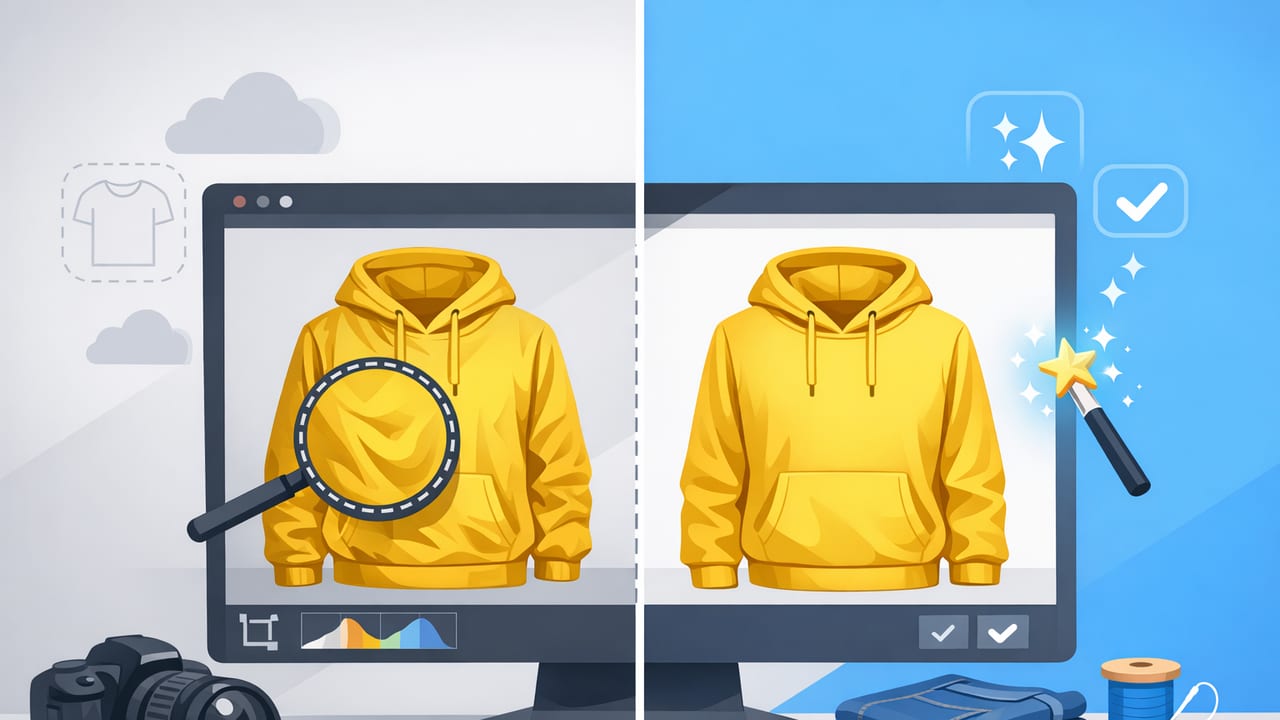
Garment photo retouching is the process of polishing clothing images so they look clean, consistent, and accurate across your listings—without changing what the item truly is. For fashion resellers and small brands, it’s often the difference between a photo that gets scrolled past and one that earns clicks, questions, and sales.
The goal isn’t to “over-edit.” The goal is to help shoppers see details clearly: fabric texture, seams, shape, true color, and condition. This guide breaks down a practical, repeatable workflow you can use for on-hanger shots, flat lays, folded items, and more polished looks like ghost mannequin or model-style images—while staying within common marketplace expectations.
Why garment photo retouching matters (even for casual sellers)
Online buyers can’t touch fabric, try on fit, or inspect stitching. Your photos do that job. Retouching helps you:
- Improve clarity: less distraction from clutter, harsh shadows, or wrinkles.
- Build consistency: similar brightness and background across your closet or catalog.
- Reduce returns: more accurate color and visible condition details.
- Increase perceived quality: shoppers often equate clean photos with careful sellers.
Think of retouching as “good lighting after the fact”—it supports what’s already there rather than inventing something new.
Before you edit: start with a retouch-friendly photo
Editing goes faster when the original photo is solid. You don’t need a studio—just a few habits:
- Use soft, even light (near a window or a diffused lamp) to avoid harsh shadows.
- Keep the camera stable (prop your phone or use a small tripod).
- Shoot slightly brighter than you think without blowing out highlights.
- Leave space around the garment so background removal is clean.
- Photograph key flaws separately (pilling, stains, worn hems) so you don’t “retouch away” important condition info.
The garment photo retouching workflow (simple and repeatable)
If you want consistent results, edit in the same order every time. Here’s a practical sequence that works for most clothing categories.
1) Crop and straighten for a consistent frame
Start by aligning the garment vertically (especially hanger shots) and cropping so the item fills a similar portion of the frame across listings. Consistency helps your shop look organized and makes browsing easier.
- Center the garment.
- Keep shoulders level (tops) and waistbands straight (bottoms).
- Don’t crop too tight—leave a small margin for a clean edge.
2) Correct exposure and white balance (true-to-life color)
Color accuracy is one of the biggest trust factors in apparel listings. Focus on these controls:
- Exposure/Brightness: lift the overall image if it feels dull.
- Highlights: pull down if whites lose texture (common on satin, activewear, or light denim).
- Shadows: raise slightly to show details in dark fabrics.
- White balance: remove yellow/blue color casts so whites look neutral.
Tip: If you sell across platforms, keep your edits “natural.” Over-warming or over-saturating can lead to disappointed buyers and returns.
3) Clean the background (remove distractions)
A clean background makes the garment the focus and improves consistency across your inventory. There are two common approaches:
- Pure white or light neutral: classic e-commerce look, easy to scan.
- Soft lifestyle neutral (light gray, beige): can feel warmer while staying minimal.
When removing backgrounds, watch edges around fuzzy knits, lace, fringe, and sheer fabrics. A good cutout should preserve fine details without looking jagged or “clipped.”
4) Reduce wrinkles and reshape gently (without misrepresenting)
Wrinkles can make an item look lower quality—even if it’s just been folded in storage. Garment retouching often includes smoothing creases and improving the drape.
- Remove storage wrinkles that distract from the garment’s silhouette.
- Keep intentional texture (linen slubs, ribbing, quilting).
- Don’t alter construction: avoid “slimming” seams, changing hemlines, or reshaping fit.
For structured pieces (blazers, coats), aim for a crisp, realistic look. For soft knits, keep some natural folds so it doesn’t look plasticky.
5) Spot cleanup: lint, dust, minor sensor specks
Small distractions add up. Zoom in and remove:
- Lint on dark fabrics
- Dust on shoes or accessories included in the shot
- Random hair strands
- Tiny background marks that survived cutout
Important: Don’t remove real flaws that affect condition (stains, pulls, holes). Instead, photograph and disclose them.
6) Sharpen details (lightly)
A touch of sharpening can help stitching, texture, and logos read clearly on mobile. Keep it subtle—too much creates halos around edges.
Choosing a presentation style: hanger, flat lay, folded, ghost mannequin, model
Retouching choices depend on how the garment is presented. Use this quick comparison to decide what to optimize for.
| Style | Best for | Retouching focus | Common pitfalls |
|---|---|---|---|
| On-hanger | Fast listing, most categories | Straighten, remove background, reduce wrinkles | Slanted shoulders, harsh shadows on wall |
| Flat lay | Tees, denim, casualwear | Clean edges, even lighting, remove floor texture | Distorted proportions from camera angle |
| Folded | Bulk listings, basics, knitwear | Background cleanup, color accuracy, tidy edges | Wrinkle patterns that look like damage |
| Ghost mannequin | Brands, higher-end presentation | Natural shape, clean neck/inside label area | Unrealistic “floating” look, messy inner edges |
| Model-style | Fit visualization, premium feel | Consistent lighting, true-to-life color, clean background | Over-smoothing fabric, changing garment fit |
Common garment photo problems (and the quickest fixes)
Use this as a troubleshooting checklist when an image looks “off.”
- Yellow indoor cast: adjust white balance cooler; ensure whites look neutral.
- Gray whites: increase exposure slightly and lift highlights carefully.
- Crushed blacks (no detail): raise shadows; avoid over-contrast.
- Background looks patchy: refine cutout edges; use a consistent solid background.
- Fabric looks plastic: reduce smoothing; bring back texture by lowering noise reduction/sharpening gently.
- Colors look too intense: reduce saturation; check against the real item in daylight.
A realistic batch-editing routine for resellers
If you’re listing frequently, speed matters. Here’s a practical way to keep quality high without spending forever per item:
- Group similar items (all dark jeans, all white blouses) so edits stay consistent.
- Pick a “reference image” you like, then match the next items to it.
- Do backgrounds in one pass, then do wrinkles/spot cleanup in a second pass.
- Export in platform-friendly sizes and keep the same aspect ratio across your storefront.
Simple file naming to stay organized
This isn’t required, but it saves time when you’re reusing photos for multiple platforms.
brand_item_color_size_view_01.jpg
brand_item_color_size_detail_02.jpg
brand_item_color_size_flaw_03.jpg
What not to do: retouching boundaries that protect trust
Good retouching improves clarity, not honesty. To keep buyer trust (and stay aligned with marketplace expectations), avoid:
- Changing the garment color beyond neutral correction.
- Removing stains, holes, pulls, or heavy pilling that affect condition.
- Reshaping fit (e.g., narrowing a waist or removing belly folds) in a way the item won’t wear.
- Over-blurring texture so fabric looks unlike the real material.
If you’re unsure, add a close-up photo and a clear note in the description. Clear photos plus clear disclosure is a strong combination.
Mini checklist: “ready to list” garment retouching
- Crop and straighten
- Neutral white balance and accurate exposure
- Background removed/cleaned consistently
- Wrinkles reduced (storage creases only)
- Lint/dust removed
- Texture preserved; sharpening kept subtle
- Flaws photographed and disclosed (not erased)
Putting it all together
Garment photo retouching doesn’t have to be complicated. When you follow a consistent order—frame, color, background, wrinkles, cleanup—you’ll get faster and your listings will start to look like a cohesive shop instead of a random camera roll.
If you want a more streamlined way to handle tasks like background removal, wrinkle reduction, and polished presentation styles (including ghost mannequin and model-like outputs) from an iPhone workflow, apps such as Clothing Studio are built specifically around those common apparel editing steps.
