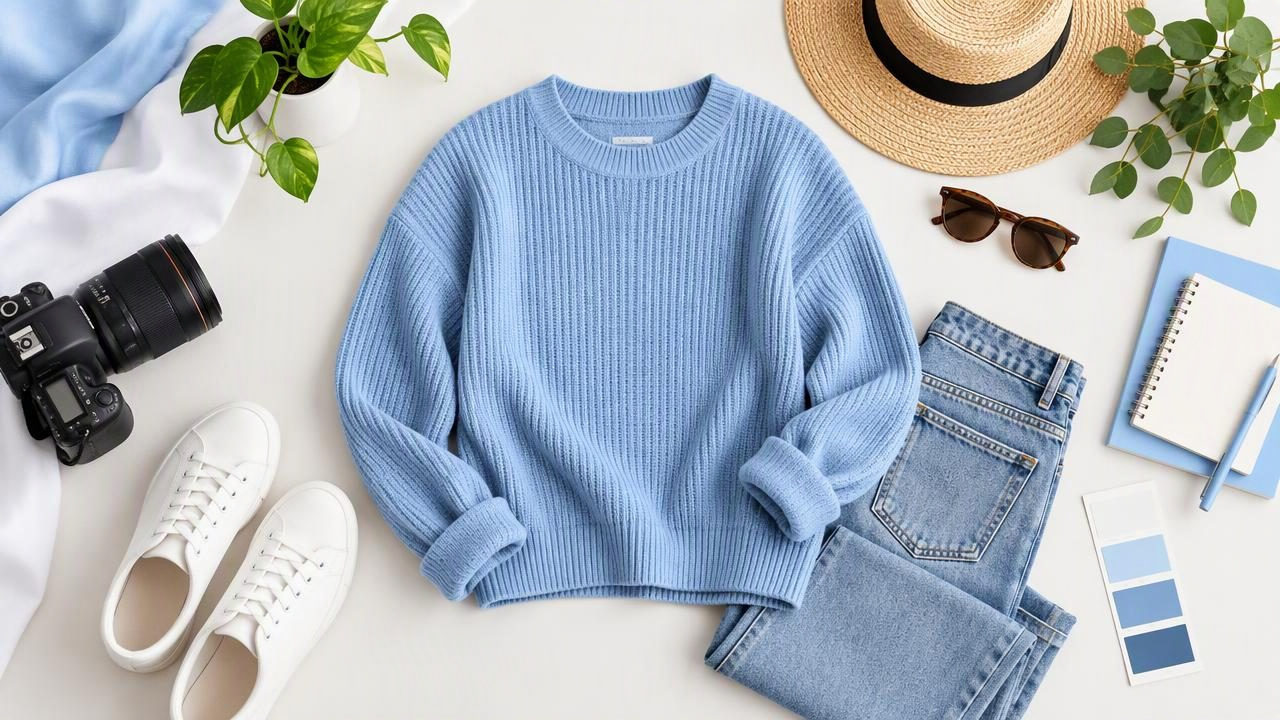
Flat lay photos show clothing arranged on a flat surface and photographed from above. For fashion resellers and small brands, they are a practical way to present a garment without a model, mannequin, or complicated setup. A carefully made flat lay can show the overall shape, color, and details of an item, helping shoppers decide whether it suits their needs.
The challenge is making the garment look tidy without making it look different from what a buyer will receive. Good flat lay photos rely on simple styling, even light, and honest editing—not on hiding wear or reshaping the item. Here’s how to create images that look polished while keeping the clothing’s real condition clear.
Why flat lay photos work for clothing listings
A top-down view gives shoppers a straightforward look at the front of a garment. It can make the cut, sleeves, neckline, waistband, and visible design details easy to scan. Flat lays are also useful when you want consistent images across a group of listings or need to photograph several items in a small space.
This presentation works especially well for shirts, sweaters, trousers, skirts, scarves, and other pieces that can be arranged neatly. It may be less suitable for showing how a structured jacket hangs, how a dress moves, or how a garment fits on a body. In those cases, add another truthful view, such as a back photo, a close-up, or an on-hanger image.
Think of a flat lay as one useful angle, not a complete substitute for every view a shopper may need. The aim is to make the garment easy to understand, not to make every item look identical.
Choose a simple surface and background
Use a clean, flat surface large enough to hold the garment without forcing it into an unnatural shape. A plain sheet, neutral paper, or uncluttered tabletop can work. A low-contrast background helps the garment stand out, while a contrasting surface can define the edges of pale or dark fabric.
Before arranging the item, check the frame for lint, loose threads, dust, and distracting objects. A small amount of negative space around the garment makes the composition easier to read. Leave enough room that the sleeves and hem are not nearly touching the image edges; tight cropping can make the item feel cramped and may cut off important details.
Keep the background consistent across a batch of listings if you want a cohesive shop appearance. Consistency should not come at the cost of visibility, though. For example, a cream sweater may disappear against an ivory background. Choose a surface that lets shoppers distinguish the outline and see the fabric clearly.
Arrange the garment without changing its shape
Lay the clothing naturally, then make small adjustments to its existing seams and edges. Straighten a collar, align the shoulders, and place sleeves so their shape is visible. Smooth obvious bunching with your hands, but avoid pulling the fabric so hard that the garment looks stretched or differs from its actual proportions.
- Show the full outline: Keep the neckline, sleeves, sides, and hem in view where possible.
- Keep left and right balanced: A roughly even arrangement is easy to scan, but don’t force an asymmetrical design into symmetry.
- Make closures visible: Decide whether buttons, zippers, or a waistband are best shown closed or open, and represent the item accurately.
- Keep styling minimal: Props can provide context, but they should not cover the garment or suggest that accessories are included when they are not.
A little natural character is fine. A soft fold may help show the fabric’s weight, while overly precise folding can hide the cut or make a used item seem unused. If the garment has a feature that matters to buyers, arrange it so that feature is visible rather than treating neatness as the only goal.
Use lighting that shows color and texture
Even, diffused light usually gives clothing a more useful appearance than harsh direct sunlight or a bright lamp close to the fabric. Set up near a window and avoid strong patches of sun that create bright highlights beside deep shadows. If the light falls more strongly on one side, reposition the garment or soften the light so the overall surface is easier to assess.
Check the image on your phone before taking a full batch. Dark fabric can lose detail in shadow, and pale fabric can look washed out when the exposure is too bright. Adjust the light or camera position until seams, texture, and the garment’s color are visible. A neutral-looking image is generally more helpful than one with a dramatic filter.
Color can shift because of mixed lighting, camera settings, or the surrounding surface. If a shade is difficult to judge in the main image, include another photo in consistent light or explain any uncertainty in the listing. Avoid changing color during editing just to make an item look more appealing.
Choose a flat lay layout that fits the item
There is no single arrangement that suits every garment. The best layout gives a clear view of the item’s shape and the details buyers are likely to check.
| Layout | Works well for | What to watch for |
|---|---|---|
| Full front view | Tops, dresses, trousers, and skirts | Keep the whole outline visible and avoid cropping the hem. |
| Neat folded view | Soft basics, knitwear, or compact items | Do not fold over labels, graphics, damage, or distinctive construction. |
| Detail arrangement | Items with pockets, embroidery, buttons, or special trim | Use a separate close-up if the detail cannot be shown clearly in the main frame. |
| Coordinated set | Matching pieces sold together | Show each included piece clearly and state what is part of the listing. |
For a single-item listing, the full front view is often a sensible starting point. Use additional photos for the back, label, fabric detail, or condition issues rather than squeezing every detail into one busy composition.
Example: photographing a linen shirt
Imagine listing a secondhand linen shirt with a button front and a small mark near one cuff. Start by placing it on a clean, matte surface that contrasts with its color. Align the shoulder seams, arrange both sleeves so their cuffs are visible, and keep the hem inside the frame. Do not pull the shirt taut: the goal is to show its natural cut, not create a perfectly flat silhouette it would not have when handled.
Use soft window light and take a straight-down photo. Check that the buttons and linen texture are visible and that the light has not made the shirt look noticeably paler than it is. The main image can show the full front. Then photograph the back and take a close-up of the cuff mark, making sure the location and size are easy to understand. Mention the mark in the listing description as well.
This combination gives shoppers both a clean overview and useful condition information. A tidier presentation does not replace disclosure: the mark should remain visible in a relevant photo and described accurately.
Edit lightly and compare with the original
Basic edits can help a flat lay photo look clearer. You may crop extra empty space, correct a slight tilt, or adjust brightness enough to make the garment easier to see. If the background is distracting, background removal may help create a simpler presentation, but inspect the edges carefully. Fine fabric, lace, fringe, and loose threads can be difficult to separate cleanly from a background.
Wrinkle retouching also needs restraint. Removing a distracting crease can make the image easier to read, but aggressive smoothing may erase real fabric texture or make a used garment appear different from its condition. Compare the edited photo with the original before publishing. Keep visible wear, stains, holes, pilling, and other condition details represented honestly; editing cannot repair them.
AI tools can assist with presentation tasks, but an edited image is not proof of exact color, fit, or texture. Check that seams and garment edges still look plausible, and do not rely on an edit to show how a piece fits on a person. For an additional presentation angle, a folded view or ghost mannequin image may help, provided it does not conceal relevant details.
Common flat lay mistakes to avoid
- Over-styling: Too many props compete with the clothing and can confuse what is included in the sale.
- Cutting off the item: Cropped sleeves, collars, or hems make it harder to assess the garment.
- Using dramatic filters: Strong color changes can create an inaccurate impression of the item.
- Hiding condition issues: A polished main image should be supported by clear photos and descriptions of flaws.
- Relying on one image: One angle may not show the back, label, construction, or an important defect.
Before uploading, ask whether a shopper can identify the garment, see its overall shape, judge its color reasonably well, and understand its condition from the full listing—not just the first photo.
A simple standard for listing-ready flat lays
A strong flat lay photo is clean, well lit, and easy to interpret. It shows the garment’s real outline and gives the buyer enough context to assess the item. Use extra angles for details that the main image cannot communicate, and keep edits limited to improving clarity rather than changing the garment’s appearance.
If you use an editing app to tidy clothing images, Clothing Studio offers AI photo editing for tasks such as wrinkle removal and background removal; its guide to removing clothing wrinkles in photos explains how to approach retouching while keeping garment details in view. Full app features require a subscription.
