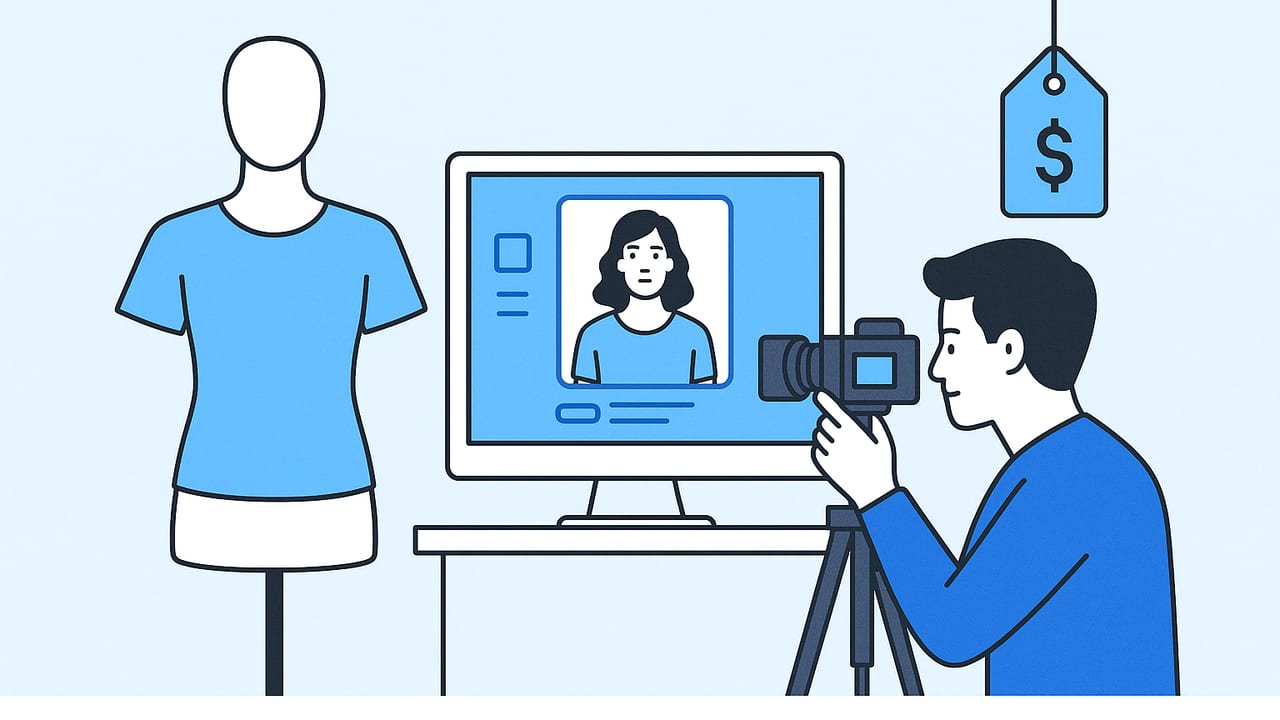
If you sell fashion online, you already know how powerful a great model photo can be. It gives shoppers an instant sense of fit, drape, and style—things a flat lay rarely communicates. But booking a model, stylist, photographer, studio time, and retouching adds up fast. The good news: you can create model shots without hiring models using smart styling, simple equipment, and today’s AI-powered editing tools. This guide walks you through workflows that work for solo resellers, small boutiques, and growing brands alike—no big budget required.
Why Model-Style Photos Matter (Even Without a Model)
Model photos do more than look nice. They answer shopper questions at a glance: How does it hang? Where does it hit on the body? Does it cling or flow? That clarity reduces hesitation and increases add-to-cart rates. In A/B tests across marketplaces, “on-body” imagery—real or simulated—consistently outperforms flat lays for conversion, especially for dresses, tailored pieces, and outerwear.
Even if you don’t hire talent, you can still simulate the benefits of on-body photography. Techniques like ghost mannequin, on-hanger styling, and AI-generated composites deliver shape and context, helping buyers visualize fit and scale. Used correctly, these options shorten the time from listing to sale and help your brand look cohesive across Poshmark, eBay, Shopify, and marketplaces with strict image standards.
Three Ways to Create Model Shots Without Hiring Models
1) Ghost Mannequin for Invisible-On-Body Looks
The ghost mannequin effect removes the mannequin (or parts of it) so garments look like they’re worn by an invisible person. You’ll shoot the front and back on a dress form, then merge the images and clean up the neckline and sleeves. The result is a professional, on-body silhouette without a human model. It’s ideal for tees, blouses, coats, and structured dresses. With automatic background removal and fill-in tools, you can produce crisp, e-commerce-ready images that spotlight construction and fit.
2) On-Hanger and Styled Still-Life for Flow and Drape
An elevated hanger shot can sell lifestyle and fabric movement. Choose a sturdy wooden hanger, steam the garment, and shoot against a clean background with soft, even light. Add subtle shape with clips on the back, fold cuffs neatly, and show details like pleats and stitching. This method is fast, scalable, and especially effective for lightweight fabrics and knitwear that benefit from visible drape.
3) AI-Generated Model Composites (Virtual Models)
AI tools now let you place your photographed garment onto a realistic model or generate a model wearing a garment that matches your product photos. The key is consistency: keep lighting, color, and fabric texture true to life. When used thoughtfully, AI-generated model shots provide the context of on-body presentation—pose, scale, styling—without coordinating a live shoot. This is particularly useful when launching many SKUs quickly or creating multiple looks (studio, street, editorial) for the same item.
Pro tip: If your goal is to create model shots without hiring models, combine ghost mannequin for your main image with an AI-styled model shot for secondary images. You’ll get technical clarity and lifestyle appeal in one set.
A Simple Workflow: From Phone Capture to Model-Style Images
- Prep the garment: Steam or press, lint-roll, and button/zip fully. Tuck in loose threads. Minor prep saves major retouching later.
- Choose the format: Decide if this SKU gets ghost mannequin, on-hanger, or AI model composite (or a mix). Keep it consistent across similar categories.
- Light it evenly: Natural window light plus a sheer curtain can be enough. Add one soft fill light if needed. Avoid harsh shadows and color casts.
- Shoot multiple angles: Front, back, 45-degree angle, detail macro, and a sleeve/hem shot. For AI composites, capture a clear front and back with neutral background.
- Remove the background: Use automated background removal to get clean white or light gray. Many marketplaces prefer pure white for the main image.
- Fix wrinkles and shape: Apply gentle unwrinkle tools, then refine edges. For ghost mannequin, merge front and back and fill internal areas (neckline, cuffs) cleanly.
- Create the model view: Generate a virtual model wearing your item or composite the garment onto a model base. Match the angle and lighting so it looks natural.
- Color and texture check: Ensure the final color matches the garment in real life. Keep fabric weave and print crisp—avoid over-smoothing.
- Export for platforms: Use consistent dimensions (e.g., 2000–3000 px square), JPG for listings, and a lightly compressed WebP for your site to speed load times.
- Document your preset: Save your crop, background, and color presets so you can repeat the look for every new drop.
Styling and Posing Principles That Sell
- Suggest shape: Use discreet clips on the back of the garment to mimic a tailored fit.
- Show movement: Slight twist or sway in AI poses makes skirts and coats feel dynamic, not flat.
- Highlight hero details: Style collars, cuffs, belts, and zips so they’re clean and intentional.
- Scale matters: Include a consistent cropping system (e.g., top of shoulder to mid-thigh) so shoppers can compare lengths across items.
- Keep it honest: Don’t over-sculpt silhouettes. If it’s oversized, let it read oversized—then show how to style it.
- Context sells: For secondary images, add a simple prop (a bag, a chair) or a subtle drop shadow to ground the shot.
Lighting and Background Setup
You don’t need a full studio. A bright window, a white wall or seamless paper, and a reflector (even a foam board) deliver consistent results. Position your garment perpendicular to the window for soft side light, then bounce light back with the reflector to reduce shadows. Keep background colors neutral—white, light gray, or pale beige—so fabric colors stay true. If you plan to replace backgrounds, shoot against a solid, uncluttered surface and avoid overlapping edges that make cutouts difficult.
For glossy or dark fabrics, add a second soft light from the opposite side to control specular highlights and maintain texture. Aim for even lighting across the chest, waist, and hem so AI composites and ghost mannequin merges look seamless.
Editing Checklist for Realistic, High-Conversion Images
- Crop consistently (square or 4:5) with breathing room around hems and sleeves.
- Set white balance using a neutral reference; avoid warm indoor casts.
- Apply gentle clarity to stitching and seams; keep skin or mannequin areas natural if visible.
- Remove distractions: lint, background scuffs, hanger shadows.
- Keep contrast moderate; too much crushes texture and reads as cheap.
- Check logo and label legibility without over-sharpening.
- Export at consistent DPI and file naming for speedy uploads (e.g., brand_style_color_view.jpg).
- Verify colors on mobile; most shoppers will browse on phones.
Cost, Time, and Use Case Comparison
| Method | What You Need | Typical Cost/SKU | Time/SKU | Best For | Look |
|---|---|---|---|---|---|
| Live Model Shoot | Model, stylist, photographer, studio | High | Slow (batch) | Campaigns, premium edits | Editorial, lifestyle |
| Ghost Mannequin | Dress form, camera/phone, editor | Low–Medium | Moderate | Core catalog, technical clarity | Clean, on-body silhouette |
| On-Hanger Styled | Quality hanger, even light, retouch | Low | Fast | Fast listings, knitwear, flowy items | Minimal, lifestyle-adjacent |
| AI Model Composite | Clear garment photos, AI editor | Low–Medium | Fast | Scaling SKUs, multiple looks | Realistic on-body context |
Common Mistakes (and Quick Fixes)
- Over-smoothing fabric: Preserve texture; reduce noise only where needed.
- Inconsistent backgrounds: Use one background color across your storefront.
- Color mismatch: Compare to the actual garment and adjust white balance/hue.
- Unnatural AI poses: Choose relaxed stances that match your brand vibe; avoid extreme angles.
- Crooked hemlines or buttons: Fix during styling; editing straightens only go so far.
- Ignoring platform specs: Size and background noncompliance can reduce search visibility.
Marketplace and SEO Considerations
Marketplaces like Poshmark and eBay prefer clean, well-lit images with minimal distractions. Main images should be background-neutral and show the full garment; secondary images can include styled or model-like views. Use descriptive alt text on your own site (e.g., “blue linen midi dress on model, A-line silhouette”) and file names that include category, color, and style. This supports search discoverability and accessibility, while keeping your catalog compliant.
Keep your first image consistent across listings to strengthen brand recognition. Then, add a second or third image with an AI-generated model shot or ghost mannequin view to provide context and styling ideas.
Legal and Ethical Best Practices
- Accuracy: Ensure AI composites reflect real garment fit, print scale, and color. Avoid misleading alterations.
- Disclosure: If required by your platform or region, note that images are AI-enhanced or simulated.
- Licensing: Use tools that grant commercial rights to export images and generated models.
- Diversity: Vary skin tones, body types, and ages in model images to reflect real customers and expand appeal.
- Privacy: If you use any real-person references, obtain proper consent and releases.
FAQ: Creating Model Shots Without Hiring Models
Do AI-generated model photos look realistic enough to boost sales?
Yes—when lighting, color, and pose are consistent with your product photo. Keep styling natural and avoid extreme retouching.
Will marketplaces accept AI or ghost mannequin images?
Most do, as long as images are clear, accurate, and follow specs (background, size, no watermarks). Check each platform’s latest rules.
What’s the fastest setup for a solo reseller?
On-hanger or ghost mannequin with an AI-generated secondary model shot. It balances speed, cost, and conversion.
How do I keep colors true?
Shoot near daylight, set white balance, and compare exports to the garment. Avoid heavy filters and strong saturation.
How many images per SKU?
Four to six: main image (clean), back view, detail macro, ghost mannequin or model shot, and an optional styled look.
Putting It All Together
If you want to create model shots without hiring models, combine strong capture fundamentals (prep, lighting, angles) with modern editing. Ghost mannequin for precision, on-hanger for speed, and AI composites for context—together, they deliver a premium storefront without production overhead. For a streamlined mobile workflow that covers unwrinkling, background removal, ghost mannequin, and realistic model generation, consider trying an AI-powered editor such as Clothing Studio—keep your process simple, consistent, and focused on selling the garment authentically.
