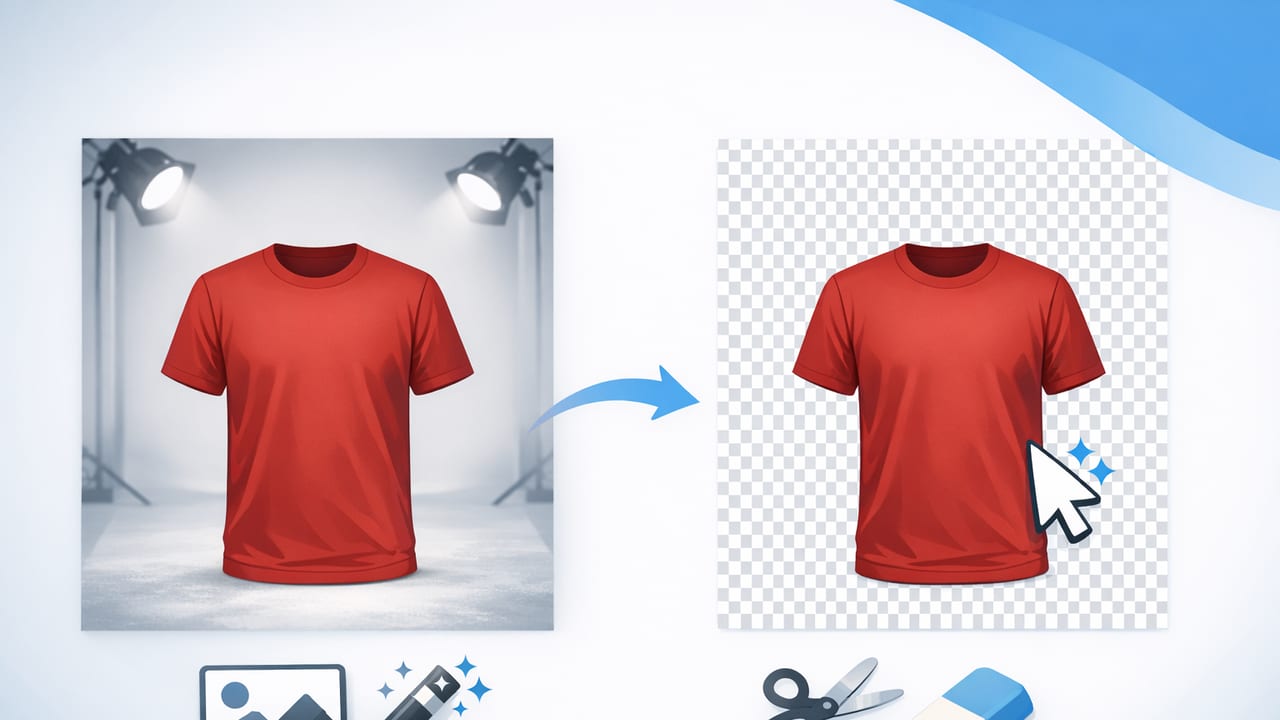
In fashion resale and e-commerce, the photo is often the first (and only) chance to earn a click. A strong listing image makes the item look clear, accurate, and easy to buy—not “over-edited,” not distracting, and not confusing. That’s why so many sellers rely on a clothing background remover: it helps you present garments with consistent, marketplace-friendly photos without needing a full studio setup.
This guide walks through when background removal helps most, how to prep your clothing for better cutouts, which background styles work for different categories, and how to build a repeatable workflow you can use across Poshmark, eBay, Depop, Shopify, and more.
Why clean backgrounds matter for clothing listings
Clothing is tricky to photograph because texture, drape, and details can disappear in messy lighting or busy rooms. Removing the background helps in three major ways:
- Focus: Buyers see the garment shape, color, and condition faster.
- Consistency: Your grid looks cohesive, which increases trust and makes your closet/store feel “real.”
- Speed: Once you have a repeatable setup, you can shoot a batch and edit quickly.
Clean images don’t just look better—they reduce buyer uncertainty. Lower uncertainty often means fewer questions, faster purchases, and fewer returns.
How a clothing background remover helps (and where it can struggle)
Most background removers use AI to separate the garment (foreground) from everything else (background). For clothing, this is especially useful for:
- Hanger shots with a cluttered room behind them
- Flat lays on patterned sheets or textured carpet
- Accessories with shadows you want to soften
- Quick “inventory-style” photos where speed matters
Common challenges are also predictable. The toughest details are usually:
- Fringes, lace, and crochet: fine holes and edges can look jagged if the cutout is too aggressive.
- Sheer fabrics: the app may treat transparency as “background.”
- Same-color backgrounds: a white tee on a white wall can confuse any tool.
- Harsh shadows: strong overhead lighting can make the garment edge look uneven.
Before you remove the background: shoot for easy cutouts
The fastest editing happens when your photo is set up for success. You don’t need expensive gear—just a few habits that make background removal cleaner.
1) Choose a simple backdrop (even if you plan to remove it)
A plain wall, a solid sheet, or a foam board behind the item gives the AI a clear edge to detect. If you can, avoid backgrounds with heavy patterns, bright window glare, or clutter touching the garment outline.
2) Light evenly
Soft, even light reduces harsh shadows that can be mistaken for part of the garment. A window with indirect daylight is great. If you use indoor lighting, try to keep it consistent across the batch.
3) Keep the garment flat and intentional
Smooth collars, straighten hems, and fix twisted straps. Background removal won’t correct a wrinkled neckline or a bunched sleeve. Quick prep here saves time later (and makes your listing look more “handled with care”).
4) Photograph details while you’re already set up
Don’t rely on one hero image. Capture care tags, fabric texture, close-ups of wear, and brand labels. You can remove backgrounds from some of these too, but often they work best as natural close-ups.
Background styles that work (and when to use them)
After you remove the background, you still need to decide what replaces it. The best choice depends on the platform and your brand vibe.
| Background choice | Best for | Watch out for |
|---|---|---|
| Pure white | Marketplace listings, “catalog” look, easy grid consistency | White items can blend in; add gentle shadow or edge contrast if needed |
| Light gray | White garments, sheer fabrics, soft premium feel | Too dark can feel gloomy; keep it subtle |
| Off-white / warm beige | Vintage, linen, earthy brands | Can shift perceived color temperature if over-warmed |
| Transparent (PNG) | Brands building ads, collages, or creative layouts | Some marketplaces don’t display transparency as expected |
A simple workflow: from photo to listing-ready images
Here’s a practical, repeatable system that keeps quality high while staying fast enough for real resale volume.
- Shoot in batches: Photograph 10–30 items in the same lighting and angle.
- Pick one “hero” frame per item: Choose the clearest front view.
- Run background removal: Use your clothing background remover on the hero frame (and optionally on the back view).
- Refine edges (quick pass): Zoom in on sleeves, straps, and hems; fix any obvious missing fabric or background leftovers.
- Correct color gently: Adjust exposure and white balance so the garment matches real life.
- Add light shadow (optional): A soft shadow can prevent “floating item” syndrome.
- Export consistently: Same size/aspect ratio for your primary images, and a predictable file name.
File naming and SEO-friendly organization
Even if marketplaces don’t use your file name directly, consistent naming helps you stay organized and reuse photos for your own site later. Keep it simple:
brand_itemtype_color_size_condition_01.jpg
zara_blazer_black_m_good_01.jpg
If you also upload to a website, write descriptive image alt text that matches what shoppers search for (without keyword stuffing). A good rule is: what it is + key attribute + color.
Getting a “ghost mannequin” look without a full studio
Ghost mannequin images (where the inside neck/label area looks clean and “3D”) are popular because they show shape without a visible model. Traditionally this required multiple photos and manual editing, but app-based tools can simplify the result.
To improve your ghost mannequin outcome:
- Keep the neckline structured: Use tissue paper or a small insert behind collars so they hold shape.
- Shoot straight-on: Skewed angles make the garment look warped and are harder to cut cleanly.
- Watch sleeves and straps: Lay them symmetrically so the item doesn’t look “pulled.”
- Don’t over-smooth: Buyers still want to see real seams and texture.
Common mistakes that make cutouts look “fake”
Background removal is meant to make photos cleaner—not artificial. These are the most common issues that lower trust:
- Halo edges: A light outline around dark clothing often comes from imperfect masking. Fix by refining edges or slightly darkening the edge line.
- Clipped fabric: The tool accidentally removes parts of lace, fringe, or fuzzy knits. Zoom in and restore missing areas if your editor allows it.
- Over-whitening: Pushing brightness too far can erase texture and make items look misrepresented.
- Inconsistent angles: Mixing flat lays, hanger shots, and mannequin looks randomly makes your shop feel less curated.
Quality checklist for resale-ready clothing photos
Use this quick checklist before you post. It keeps your editing efficient and your listings consistent.
- Color accuracy: Does it match what the buyer will receive?
- Edges clean: No missing straps, jagged hems, or background chunks.
- Details included: Tag, flaws, close-ups, measurements (where relevant).
- Consistent framing: Similar crop and scale across listings.
- Background consistent: Same white/gray tone across your primary images.
- Natural texture preserved: Fabric still looks like fabric, not plastic.
Choosing the right tool: what to look for
Not all editors handle clothing the same way. When you evaluate a background remover for garments, prioritize:
- Edge handling for fabric: Especially knits, lace, and hairline straps.
- Speed for batches: Time saved per item matters more than fancy filters.
- Consistent export options: Easy aspect ratio control and high-quality output.
- Extra clothing-focused features: Options like unwrinkling or a ghost mannequin style can reduce steps in your workflow.
Putting it all together
A clothing background remover is most valuable when it’s part of a simple system: shoot consistently, remove distractions, keep colors honest, and publish images that make the item easy to understand at a glance. Do that repeatedly and you’ll build a shop that looks trustworthy—without needing perfect walls, perfect daylight, or hours of editing per listing.
If you prefer editing on iPhone, an app such as Clothing Studio can be a convenient way to combine background removal with other clothing-specific touch-ups in one workflow.
