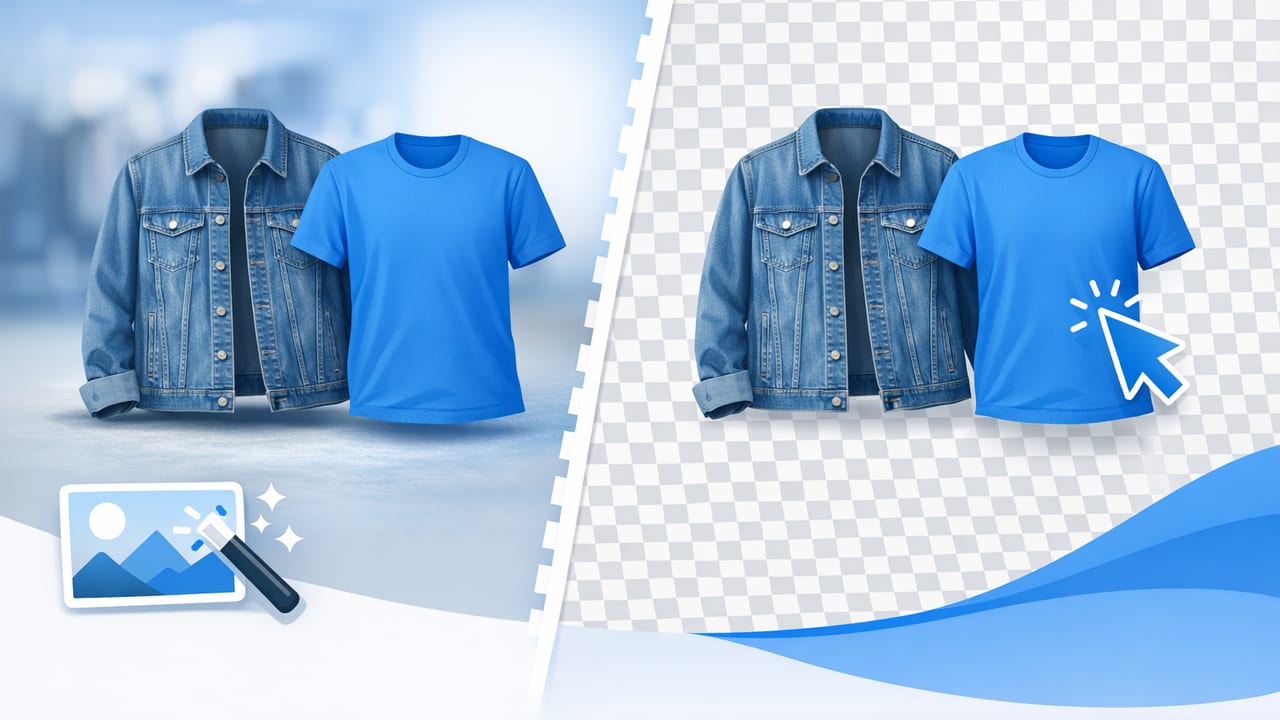
If you sell clothing online, your photos do a lot of heavy lifting. They need to show fit, texture, color, and condition—fast. One of the simplest ways to make listings look more professional (and more consistent across a closet or catalog) is clothing background removal.
Removing the background doesn’t have to mean “sterile” photos or hours of editing. Done well, it helps shoppers focus on the garment, reduces visual distractions, and makes it easier to reuse the same image across multiple marketplaces. This guide walks through practical, non-technical steps to get better results—whether you’re photographing one vintage jacket a week or uploading hundreds of SKUs.
Why clothing background removal matters for selling
Backgrounds influence trust. When buyers see consistent, clean images, they assume the seller is organized and the item is represented accurately. Clothing background removal helps you:
- Increase clarity: The garment stands out without competing objects, clutter, or odd shadows.
- Improve consistency: A unified look across your shop makes browsing easier.
- Save time long-term: Once you have a repeatable workflow, editing gets faster with every batch.
- Meet platform expectations: Many marketplaces favor simple, readable product imagery.
- Enable reuse: One clean cutout can be placed on white, light gray, or branded colors for different channels.
“The best product photo is the one that makes the buyer forget there’s a photo and focus on the item.”
Start with a better photo (so removal is easier)
Good editing begins with a good capture. Clothing background removal works best when the garment is separated clearly from its surroundings. Aim for these basics:
Lighting: soft and even
- Use a bright window or two lamps with diffusers (a white sheet works).
- Avoid harsh overhead light that creates deep shadows under sleeves and hems.
- Keep lighting consistent across a batch to reduce rework.
Background: simple and high-contrast (but not extreme)
- Choose a plain wall or backdrop in a color that contrasts with the garment.
- Avoid backgrounds that are the same color as the item (white shirt on white wall = headache).
- Skip busy patterns—automatic tools struggle with visual noise.
Styling: prepare the garment like it’s going on a rack
- Steam or smooth obvious wrinkles.
- Lint-roll dark fabrics (it matters more than you think).
- Shape shoulders and collars; align buttons and plackets.
White background vs. “cutout” vs. lifestyle: what’s best?
Clothing background removal isn’t one look—it’s a tool. The right output depends on where you’re selling and what you want the shopper to notice.
| Style | Best for | Pros | Watch-outs |
|---|---|---|---|
| Pure white background | Catalog feel, many marketplaces | Clean, consistent, easy to compare items | Over-bright whites can wash out light garments |
| Transparent cutout (PNG) | Reuse across channels, design templates | Most flexible; place on any background later | Edges must be clean or it looks “pasted on” |
| Light gray / off-white | Light-colored items, softer look | Preserves detail in white and beige clothing | Must stay consistent across listings |
| Lifestyle background | Branding, social posts, lookbooks | Emotion and context; can boost perceived value | Can distract; not ideal as a primary marketplace image |
Practical tip: Many sellers use a hybrid approach: lead image on white (or light neutral), plus one or two lifestyle shots for context.
A simple 6-step workflow for clothing background removal
This is a repeatable process you can use for shirts, dresses, pants, and outerwear. Adjust as needed for your style (flat lay, on-hanger, mannequin, or model).
- Pick the hero image: Choose the sharpest photo with the best shape and least distortion.
- Remove the background: Use an app or editor to isolate the garment.
- Inspect edges at 100%: Zoom in around sleeves, collars, hems, and straps.
- Fix problem areas: Refine fuzzy edges, holes, or gaps (more on this below).
- Add gentle grounding: A subtle shadow keeps the garment from floating.
- Export in the right format: JPEG for marketplaces, PNG for transparency, and keep a high-res copy.
Common edge problems (and how to fix them)
Most “bad cutouts” are not about the background—they’re about edges. Clothing has tricky details that need special attention.
1) Fraying, fuzzy knits, and шерpa-style textures
These fabrics can look jagged if the cutout is too aggressive. Choose softer edge settings (or refine manually), and avoid making the edge perfectly crisp if the fabric isn’t crisp in real life.
2) Straps, lace, and cutouts
Thin straps and lace holes can disappear. If your tool allows it, prioritize preserving small interior gaps. If not, consider using a light neutral background (instead of pure white) so thin details remain visible.
3) Dark garments on dark backgrounds
This is the hardest scenario. If you haven’t shot the photos yet, switch to a light backdrop. If you’re already editing, slightly increase exposure on the original image before removal so the outline becomes clearer.
4) Color halos and “glow” around the edges
Halos happen when the original background color bleeds into the garment edge. Fix by refining the edge, or placing the garment on a slightly off-white background to reduce contrast. Avoid over-sharpening after removal—it makes halos worse.
Background removal for different clothing presentations
How you photographed the garment affects how the cutout should look.
Flat lay
- Keep edges natural; don’t over-smooth wrinkles that show fabric quality.
- Use a subtle shadow that matches a flat surface (soft and wide).
On-hanger
- Decide whether you want to keep the hanger (consistent across listings) or remove it for a cleaner look.
- If you remove the hanger, make sure shoulders don’t look collapsed—shape matters.
Mannequin / dress form
- Remove background cleanly, then check the neckline/armholes where the form meets fabric.
- If the form color shows through lace or sheer fabric, keep it realistic—over-editing can look misleading.
Model shots
- For marketplaces, you may prefer the garment only; for branding, keep the model and clean the background instead.
- Watch hair, hands, and accessories near garment edges—they can confuse automatic tools.
Quality checklist before you upload
Use this quick checklist to avoid the most common issues buyers notice (even if they can’t name them).
- Edges: No jagged sleeves, missing straps, or clipped hems.
- Color: Whites aren’t gray; blacks aren’t washed out; skin tones (if present) look natural.
- Shape: Garment looks symmetrical and true to size (no warped shoulders).
- Grounding: Add a subtle shadow so it doesn’t float unnaturally.
- Consistency: Background color matches the rest of your listings.
- Crop: Leave breathing room; don’t cut off cuffs, hems, or collars.
Recommended export settings (simple and safe)
Different platforms compress images differently, but these general settings keep your photos sharp without huge file sizes.
- JPEG: Best for most listings. Use high quality (around 80–90%).
- PNG: Use when you need a transparent background (for templates or reuse).
- Resolution: Export at least 2000px on the long edge if possible, then let platforms resize down.
Naming and organizing files for faster listing
A small organization habit saves a surprising amount of time when you’re posting daily.
Here’s a simple naming pattern you can copy:
brand_itemtype_color_size_condition_01.jpg
brand_itemtype_color_size_condition_02.jpg
Example:
madewell_denimjacket_blue_M_excellent_01.jpg
This makes it easier to find matching images, reuse a cutout, and avoid uploading the wrong photo to the wrong listing.
When not to remove the background
Clothing background removal is powerful, but it isn’t always the best choice for every image.
- Defect disclosure photos: Keep them real and close-up (stains, snags, wear). Background doesn’t matter.
- Texture and fabric detail shots: A natural shadow can help buyers see weave and thickness.
- True-to-life color references: Sometimes a neutral wall plus consistent lighting is more honest than heavy editing.
Tools: what to look for in an easy editor
If you’re choosing a tool for clothing background removal, prioritize the results you can see, not fancy features. Look for:
- Reliable edge detection on sleeves, collars, and straps
- Fast batch workflow if you list often
- Natural-looking shadows so garments don’t look cut-and-paste
- Consistent outputs (same white, same crop, same “feel”)
Final thoughts
Great product photography isn’t about perfection—it’s about clarity. With a simple setup and a repeatable workflow, clothing background removal can make your listings easier to browse, easier to trust, and easier to scale as you add inventory.
If you want an iPhone-friendly workflow that combines background cleanup with apparel-focused edits (like smoothing wrinkles or creating a cleaner catalog look), an app like Clothing Studio can be one option to explore at the end of your process.
