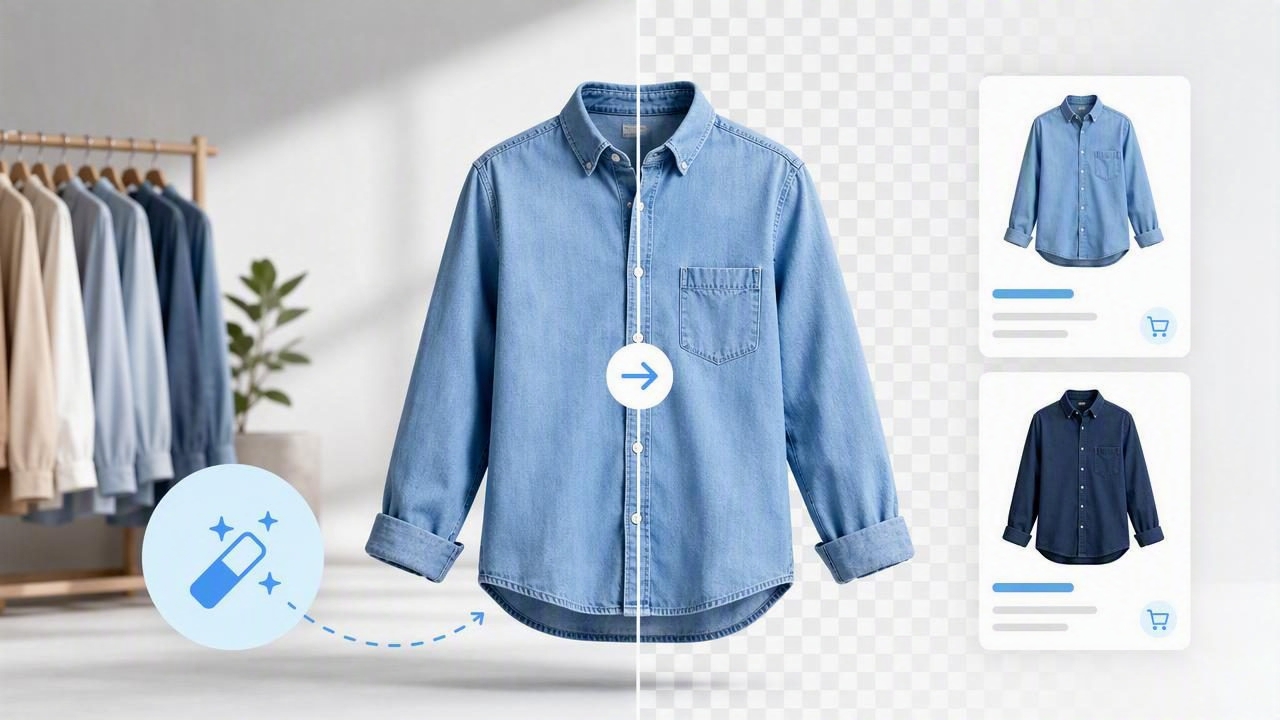
When shoppers browse clothing online, they make fast decisions. Before they read the measurements, check the fabric details, or compare prices, they see the photo. A cluttered bedroom, busy rack, uneven lighting, or distracting wall can take attention away from the garment itself.
That is why a background remover has become such a useful tool for fashion resellers, boutique owners, and e-commerce brands. Removing an unwanted background can make a listing look cleaner, more consistent, and easier to shop. It also helps sellers create a recognizable visual style without needing a professional studio for every item.
However, background removal is not simply about placing every shirt, dress, or jacket onto a plain white canvas. The best results come from starting with a good photo, choosing the right presentation style, checking the edges carefully, and using a consistent approach across your inventory.
This guide explains how to use a background remover for clothing photos in a way that supports stronger e-commerce photography and a more polished shopping experience.
Why Clean Backgrounds Matter for Clothing Listings
A clean background gives the product room to stand out. In fashion resale and online retail, shoppers need to quickly understand the item’s color, shape, condition, sleeves, neckline, hem, and overall fit. Distracting surroundings make that harder.
Background removal can improve clothing presentation in several practical ways:
- It keeps attention on the garment. Shoppers can focus on the item rather than furniture, floors, hangers, or other inventory.
- It creates consistency. A similar background across listings makes a shop look organized and professional.
- It supports marketplace requirements. Many e-commerce platforms favor bright, product-focused images that are easy to scan.
- It makes cropping easier. Once the background is removed, you can position items consistently for thumbnails and product grids.
- It helps resale items look more intentional. Pre-owned clothing can still have a premium presentation when photographed clearly.
For sellers with dozens or hundreds of listings, the value is not only visual. A reliable workflow can reduce the time spent retaking photos or manually editing around sleeves, straps, and loose fabric edges.
Start With a Better Original Photo
A background remover can save time, but it cannot fully repair a poor starting image. If the garment blends into the wall, has harsh shadows, or is photographed in very low light, the cutout may look less natural. Starting with a strong original photo gives the editing tool clearer information to work with.
Use Contrast Between the Clothing and Background
Try to photograph dark garments against a light or medium-toned surface, and light garments against something darker than the item. For example, a white blouse on a pale cream wall may have soft, missing-looking edges after background removal. A charcoal backdrop or darker neutral wall will make the blouse outline easier to identify.
You do not need an elaborate setup. A plain wall, foam board, clean sheet, or simple backdrop can work well. The goal is separation: the clothing should be visually distinct from what sits behind it.
Use Even, Natural Lighting
Soft daylight near a window is often enough for attractive clothing photos. Avoid direct sunlight that creates strong shadows, bright glare, or uneven color. If you use indoor lighting, try to keep it consistent across the garment.
Even lighting helps a background remover preserve important details such as:
- Thin straps and spaghetti straps
- Lace, fringe, and sheer layers
- Textured knits and ribbed fabrics
- Ruffles, pleats, and puff sleeves
- Hems and edges around darker garments
Prepare the Garment Before Photographing It
Background removal is most effective when the item itself looks ready to list. Smooth the fabric, straighten straps, button the buttons, zip zippers, and make sure the hanger or mannequin is centered. A quick steam or wrinkle-reduction edit can also help the garment look more structured.
Remember: a clean cutout cannot replace basic garment preparation. Shoppers may interpret visible wrinkles, twisted seams, or uneven sleeves as signs that an item is in worse condition than it really is.
Choose the Right Background for Your Selling Channel
After removing the original background, you have options. White is popular because it is simple and product-focused, but it is not the only useful choice. The right background depends on where the image will appear and the look you want for your store.
| Background Option | Best For | Key Consideration |
|---|---|---|
| Pure white | Marketplace listings, product grids, catalog-style stores | Keep white garments visible with a subtle natural shadow. |
| Light neutral | Vintage shops, curated boutiques, soft brand aesthetics | Use the same shade across listings for consistency. |
| Light gray | White, cream, and pastel clothing | Provides more edge contrast than a white background. |
| Transparent | Website banners, social graphics, custom design layouts | Check how the image appears against different page colors. |
For most resale and e-commerce photography, simple backgrounds are the safest choice. Decorative scenes can be useful for social media, but the primary product image should make the item easy to inspect.
How to Use a Background Remover for Clothing Photos
The exact buttons vary by app or editing platform, but the workflow is generally straightforward. The most important step is not pressing “remove background”; it is reviewing the result before publishing.
- Upload a well-lit clothing photo. Use the highest-quality image available rather than a blurry screenshot or compressed photo.
- Let the tool identify the garment. Automated tools separate the item from the original scene.
- Inspect the outline at full size. Zoom in around sleeves, hems, collars, straps, and areas with texture.
- Correct obvious edge issues. Restore missing details or erase leftover pieces of the original background when needed.
- Add a clean background. Choose white, gray, a light neutral, or transparent depending on your use case.
- Adjust positioning and crop. Keep the garment centered, leave a little breathing room, and use a consistent crop style.
- Export and review on the selling platform. Check the final image in a listing preview, especially the thumbnail view.
A practical rule is to check every edited image at two sizes: close up for edge quality and small for overall impact. An image may look fine when enlarged but appear too small, off-center, or low-contrast in a marketplace grid.
Common Background Removal Mistakes to Avoid
Automated editing is fast, but clothing has complex shapes. Loose sleeves, open jackets, sheer materials, and detailed textures can create mistakes that are easy to miss at first glance.
Over-Erased Fabric Edges
One of the most common issues is a garment that looks slightly “eaten away” around the edges. This often happens with white tees, fuzzy sweaters, lace, or light fabrics photographed against a similar background. If a sleeve edge looks too sharp, uneven, or incomplete, revise the mask before using the photo.
Background Halos
A halo is a thin outline of the old background left around the garment. It may appear white, gray, blue, or another color depending on the original scene. Halos are especially visible around dark clothing placed on a white background. Removing them creates a cleaner, more natural result.
Unnatural Floating Effects
Clothing cutouts can look as if they are floating when there is no shadow or visual grounding. A very subtle, soft shadow beneath a folded item or behind a hanging garment can add depth. Keep it restrained: dramatic shadows can make the image look artificial.
Inconsistent Cropping
Even excellent background removal will not create a unified store if one dress fills the frame while the next appears tiny. Decide on a standard: for example, full garments centered with similar margins around the edges. Consistency helps shoppers compare items more easily.
Match the Presentation Style to the Garment
Background removal works across several types of clothing presentation. The right approach depends on what will show the item most accurately.
- On-hanger images: Great for speed, easy inventory processing, and casual resale listings. Keep the hanger neat and centered.
- Flat lays: Useful for folded tees, jeans, accessories, and detail shots. Make sure the garment is smoothed before editing.
- Ghost mannequin images: Helpful for showing shape and structure without a visible model or mannequin.
- Model images: Best when fit, scale, styling, or movement helps explain the garment.
Use multiple images when possible. A clean background main image can attract clicks, while additional photos can show tags, texture, flaws, measurements, labels, and close-up details. Background removal should support transparency, not hide important information about the item.
Build a Repeatable Listing Workflow
The biggest advantage of a background remover is efficiency when it becomes part of a repeatable system. Instead of editing each item from scratch, create a simple routine that keeps your photos consistent.
Consistency is often more valuable than perfection. A clear, repeatable photo style makes an entire store easier to browse and trust.
Try this workflow for a batch of clothing:
- Sort and inspect garments before photography.
- Steam, lint-roll, and straighten each item.
- Photograph all front views using the same lighting and setup.
- Capture back views, labels, measurements, and any flaws.
- Remove backgrounds from primary product photos in batches.
- Apply the same background, crop, and image size.
- Review images before uploading them to your store or marketplace.
Keeping your original photos is also wise. If you later want a different background style, need to show the unedited condition of an item, or decide to create social content, you will have the source files available.
Final Thoughts
A background remover is a practical tool for making clothing listings cleaner, faster to process, and easier for shoppers to understand. The best results come from a combination of thoughtful photography, accurate edge checks, appropriate background choices, and consistent presentation across your catalog.
Whether you sell one-off vintage finds, pre-owned wardrobe pieces, or a growing apparel collection, clean product images can make every listing feel more considered. For sellers who want to streamline tasks like background removal, wrinkle cleanup, and clothing presentation from a phone, Clothing Studio offers a focused workflow designed for fashion images.
