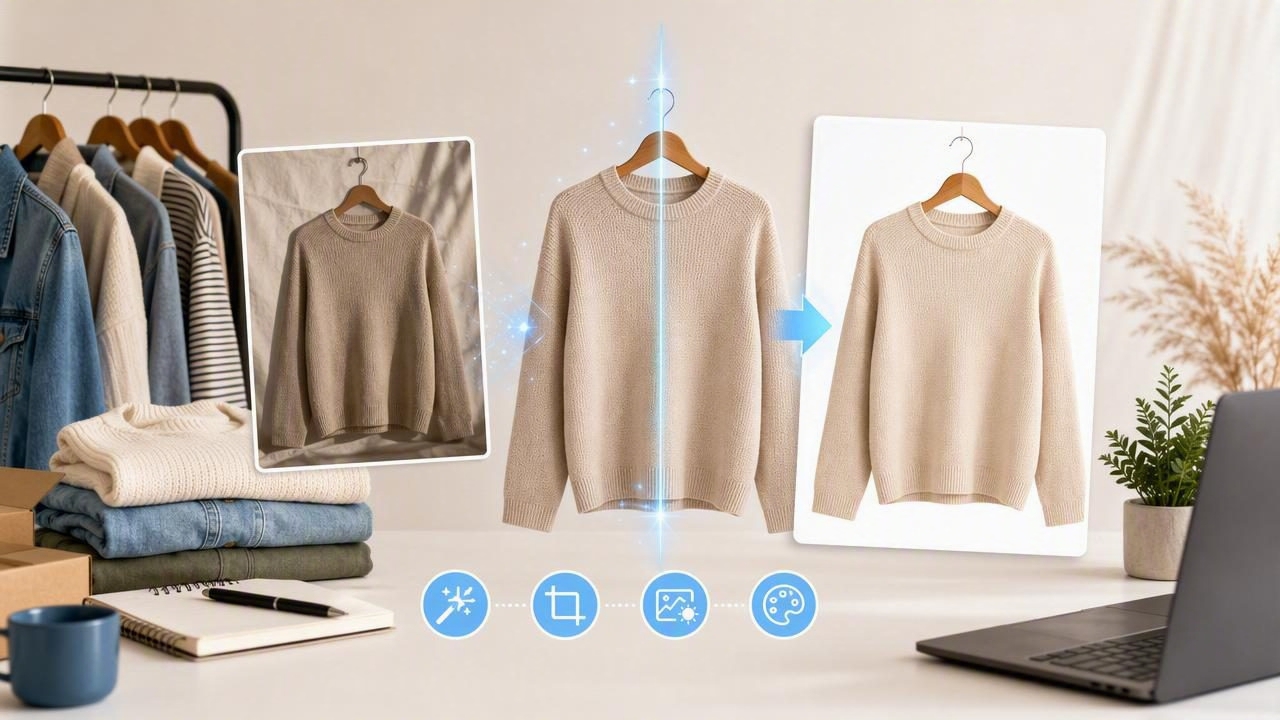
For fashion resellers and small apparel brands, product photos do more than show an item: they answer buyer questions before those questions are asked. Is the color accurate? Does the fabric look smooth? What is the shape of the garment? Does the listing feel trustworthy?
A good AI photo editor can help answer those questions with cleaner, more consistent images—without requiring a studio, expensive camera equipment, or hours of manual retouching. Used well, AI editing supports better clothing presentation while keeping the item itself honest and recognizable.
This guide explains what an AI photo editor can do for clothing listings, which edits are worth using, how to build a reliable workflow, and where sellers should be careful. Whether you list on eBay, Poshmark, Shopify, Depop, or another marketplace, the goal is the same: create images that make it easier for buyers to shop with confidence.
Why Clothing Photos Matter So Much in E-Commerce
Online shoppers cannot touch a fabric, inspect a seam, or try on a garment before buying. Your photos become their primary source of information. Clear presentation can reduce uncertainty, help your listings stand out in search results, and set realistic expectations after purchase.
For clothing, strong photos should communicate several details quickly:
- Color: The garment should look close to its real-life shade.
- Condition: Buyers need to see wear, flaws, texture, and fabric quality.
- Shape: A flat lay, hanger photo, ghost mannequin image, or model shot should make the silhouette understandable.
- Fit cues: Necklines, sleeve lengths, rises, hems, and drape should be visible.
- Consistency: A repeatable photo style helps buyers recognize your shop and compare items more easily.
The challenge is that real-world inventory is rarely photo-ready. Secondhand items may arrive wrinkled. Lighting may change throughout the day. A busy background can distract from the garment. Traditional editing software can solve some of these issues, but it often takes time to learn and even longer to use repeatedly.
That is where AI-assisted editing can be especially useful for high-volume fashion reselling.
What an AI Photo Editor Can Improve for Clothing Listings
An AI photo editor uses image recognition to identify garments, backgrounds, edges, and visual details. Instead of manually tracing around a sleeve or adjusting a complicated selection, sellers can often complete common edits in a few taps. The best results come from using AI to improve presentation—not to misrepresent the item.
1. Background Removal
Background removal is one of the most useful edits for e-commerce photography. It separates the garment from a room, floor, rack, or other visual clutter and places it against a clean background.
A white or light neutral background can make clothing easier to evaluate, especially in marketplace search grids where buyers scan many listings at once. It also creates a more consistent catalog when your inventory was photographed in different locations.
Before publishing, inspect the edges closely. Fine details such as straps, lace, fringe, sheer sleeves, and faux fur can sometimes need a quick review. The item should have clean edges without missing fabric or an unnatural halo around it.
2. Wrinkle Reduction
Wrinkles can make even a high-quality garment look neglected in a listing photo. An AI photo editor can soften distracting creases and help a piece look more presentable when steaming every item is impractical.
However, wrinkle reduction needs moderation. Some folds are part of the garment’s construction, drape, or material. For example, intentional pleats, ruching, ribbing, linen texture, and gathered waist details should remain visible. The goal is to reduce accidental shipping or storage wrinkles, not erase meaningful design features.
3. Ghost Mannequin Images
A ghost mannequin image presents a garment as though it is being worn, while removing the mannequin or body from view. This style is especially useful for tops, dresses, jackets, and structured pieces because it gives shoppers a clearer sense of volume and silhouette than a flat lay alone.
Traditionally, ghost mannequin photography requires carefully staged front and interior shots, followed by detailed editing. AI tools can streamline the process, making this polished presentation more accessible for smaller sellers. Still, source photos matter. Photographing the item straight, evenly lit, and fully visible gives the editor a better foundation.
4. Model Shot Generation
Model imagery can help shoppers understand scale, styling, and the way a garment may sit on a person. AI-generated model shots can be a useful supplementary image when you do not have access to a photographer or live model.
Use this feature thoughtfully. The generated image should accurately preserve the garment’s color, length, neckline, sleeve style, and important details. It should not replace close-up photos of the actual item, especially for vintage pieces, luxury goods, or garments with visible wear. A buyer should always be able to see what they will receive.
5. Light, Crop, and Color Adjustments
AI editing can also simplify basic polish: brightening underexposed photos, balancing white backgrounds, straightening an image, or cropping it for marketplace requirements. These are small changes, but they contribute to a catalog that feels intentional.
Color is the area where restraint matters most. Avoid filters that make colors overly warm, cool, saturated, or dramatic. If a garment is described as burgundy, it should not look bright red in the listing image. When a color is difficult to capture, include a close-up in natural light and mention the variation in your description.
AI Editing vs. Traditional Photo Editing
Traditional editors remain powerful tools, particularly for complex retouching and detailed brand campaigns. But an AI photo editor is often better suited to routine listing tasks that need to be completed quickly and consistently.
| Task | Traditional Editing | AI-Assisted Editing |
|---|---|---|
| Removing a simple background | May require manual selections | Often completed automatically |
| Editing large inventory batches | Can be repetitive and time-intensive | Faster for common adjustments |
| Fine control over tiny details | Very strong with skilled editing | May need manual review |
| Learning curve | Often higher | Usually more beginner-friendly |
| Best use case | Complex, highly customized work | Fast, repeatable e-commerce workflows |
The most practical approach is not necessarily choosing one over the other. Many sellers use AI for the first pass, then make minor adjustments only where needed. This keeps the process efficient while maintaining quality control.
A Simple AI Photo Editing Workflow for Resellers
AI tools work best when paired with a consistent photo process. Start with the strongest possible original image, then use editing to refine it. Trying to rescue a dark, blurry, poorly framed photo will usually produce weaker results than editing a clean original.
- Inspect and prepare the garment. Remove lint, check closures, straighten straps, and steam when possible. Photograph flaws separately.
- Choose a presentation style. Decide whether the item is best shown folded, on a hanger, as a flat lay, on a mannequin, or in a ghost mannequin format.
- Use even lighting. Diffused window light or simple soft lighting helps preserve color and texture. Avoid harsh shadows whenever possible.
- Capture multiple useful angles. Take front, back, tag, fabric, detail, and flaw photos. Do not rely on one polished hero image alone.
- Run the primary AI edit. Remove the background, reduce distracting wrinkles, or create the preferred clothing presentation.
- Review the output at full size. Check hems, collars, edges, prints, buttons, and logos for errors.
- Export for the platform. Use the correct image orientation and avoid overly compressed files that hide texture or condition details.
This workflow is particularly helpful when listing in batches. Photograph ten to twenty similar items in one session, then edit them using the same settings. Consistency becomes much easier when you avoid changing your process for every individual listing.
How to Keep AI-Edited Clothing Photos Honest
Professional-looking product images should increase clarity, not create confusion. This is especially important for resale, where each item may have unique condition notes, fading, alterations, or signs of wear.
Follow these guidelines to maintain buyer trust:
- Do not remove stains, holes, pilling, discoloration, or other flaws from the actual item.
- Do not alter a garment’s print, branding, proportions, or color.
- Include unedited or lightly edited detail photos when condition is important.
- Use generated model images as supporting visuals, not the only proof of the item.
- Match your listing description to what is visible in the images.
The best e-commerce photos do not make an item look like something else. They make the real item easier to understand.
Honest presentation can also reduce returns. Buyers who clearly understand the fit, condition, and color of an item are more likely to be satisfied when it arrives.
Common AI Photo Editing Mistakes to Avoid
Fast editing can create new problems when there is no final quality check. Watch for these common issues before publishing:
- Over-smoothing: Fabric looks plastic-like and loses its natural texture.
- Incorrect edges: Parts of sleeves, straps, or hems disappear during background removal.
- Inconsistent shadows: One image looks realistic while another appears to float unnaturally.
- Color drift: Automatic enhancements change the true garment color.
- Misleading styling: A generated model image changes the garment’s shape or length.
A quick review checklist can prevent most of these mistakes: compare the final image with the original, zoom in around the garment edges, and make sure every meaningful feature remains accurate.
Choosing the Right AI Photo Editor for Clothing
Not every image editor is designed with apparel in mind. When choosing an AI photo editor for your resale or brand workflow, look for features that support the way clothing is actually photographed and sold.
- Reliable automatic background removal for garments
- Natural-looking wrinkle reduction
- Options for folded, hanger, mannequin, and flat-lay photos
- Ghost mannequin and model image tools when appropriate
- Easy exports for mobile-first selling platforms
- A simple process that lets you review edits before saving
For sellers who edit primarily from an iPhone, a clothing-focused tool can make the workflow feel far more manageable. Apps such as Clothing Studio bring practical features like background cleanup, wrinkle reduction, and apparel presentation tools into one streamlined process.
Final Thoughts
An AI photo editor is not a substitute for good sourcing, careful condition notes, or thoughtful listing descriptions. It is a practical tool for presenting clothing more clearly and consistently. When used with accurate photography and an honest review process, AI editing can save time, improve your storefront’s visual quality, and help buyers make decisions with greater confidence.
Start with clean source photos, use AI for repetitive improvements, and always check the final result. That balance gives your clothing listings a professional look while keeping the focus where it belongs: on the real item you are selling.
