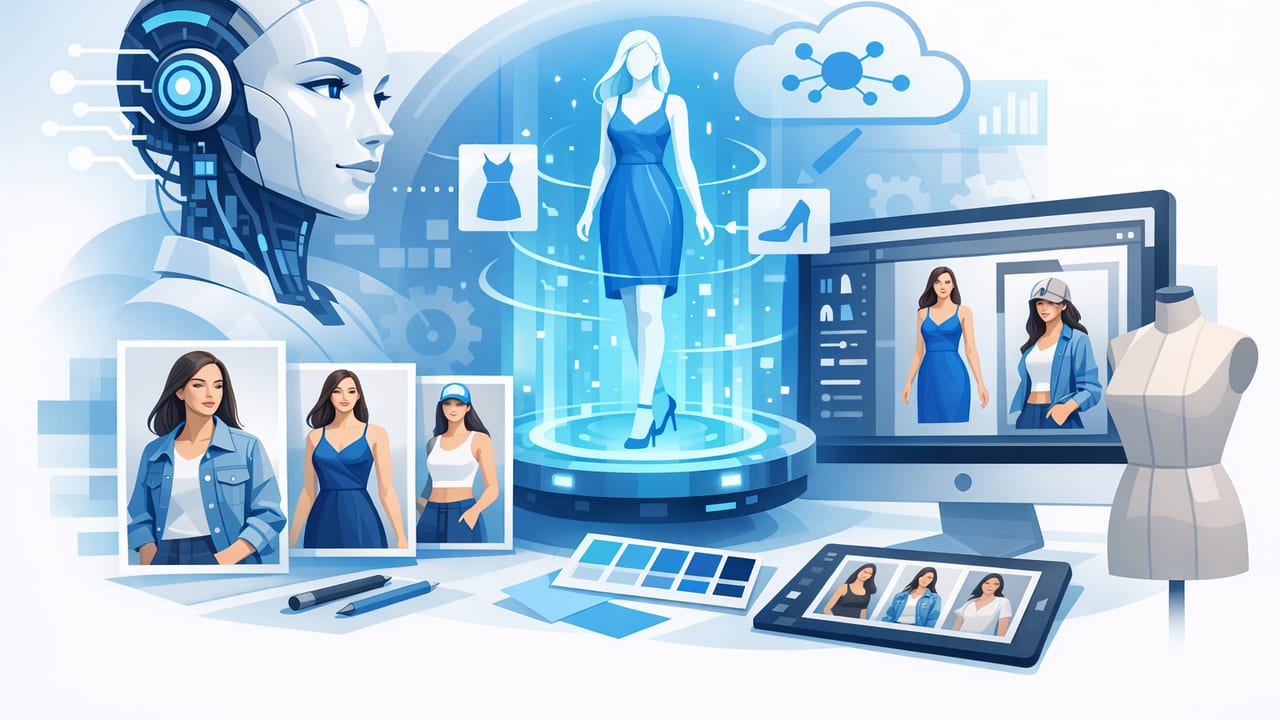
If you sell clothing online, you already know the truth: the same garment can look “meh” or premium depending on how it’s presented. Great photography is often the difference between a scroll-past and a sale. But traditional shoots take time, coordination, and budget—especially when you need multiple sizes, colorways, or weekly drops.
That’s why more sellers are exploring an ai model generator for fashion brands: a way to create model-style product images from existing garment photos, without a full studio day. Used well, it can help you scale listings faster, stay consistent across marketplaces, and test new creative directions—while still keeping the focus on accurate product representation.
This guide walks through what AI model generation is (in plain English), when it helps most, how to prepare your inputs, and a practical workflow that keeps your images looking realistic, clean, and trustworthy.
What is an AI model generator (and what it isn’t)?
An AI model generator for fashion brands is a tool that can produce a model-worn image of a garment using a source photo (often a flat lay, on-hanger shot, or ghost mannequin image). The goal is to create a photo that looks like a professional e-commerce model shot—clean lighting, clear fit, and minimal distractions.
What it is:
- A way to create consistent “wearing” images from product photos.
- A speed boost for launching new listings and replenishing bestsellers.
- A method to test different styling directions (pose, background, crop) without reshoots.
What it isn’t:
- A replacement for accurate garment details (fabric texture, color, and construction still matter).
- A free pass to misrepresent fit or proportions.
- A one-click miracle—inputs and consistency still drive results.
Think of AI model generation as “presentation help,” not “product invention.” The best results still start with good source photos.
Why brands and resellers use AI model images
1) Faster listing throughput
If you’re managing dozens (or hundreds) of SKUs, time is everything. AI-based editing and model generation can shorten the path from “new arrival” to “live listing,” especially when you already have flat lays or on-hanger photos.
2) More consistent storefronts
Consistency sells: similar framing, clean backgrounds, and predictable lighting help shoppers compare items quickly. An AI workflow can reduce variation that happens when different team members shoot on different days.
3) Better fit visualization
Many shoppers want to see how a piece hangs on a body—particularly for dresses, jackets, wide-leg pants, and anything drapey. Model-style images can answer “How will this look on?” more effectively than a flat lay alone.
4) Lower production friction
Traditional shoots require scheduling talent, prepping samples, steaming, styling, and retouching. AI won’t eliminate production, but it can reduce repeat work for basics, restocks, or marketplace-specific crops.
AI model images vs. traditional options (quick comparison)
| Approach | Best for | Pros | Watch-outs |
|---|---|---|---|
| Traditional model shoot | Hero products, campaigns, lookbooks | Highest authenticity, brand story | Time + cost, scheduling, retouching backlog |
| Mannequin / ghost mannequin | Clear silhouette, construction details | Great for fit and shape, clean catalog look | Can feel less “lifestyle,” setup takes effort |
| Flat lay / on-hanger | Fast intake, casual resale listings | Simple workflow, low setup | Harder to judge drape and length |
| AI model generator | Scaling e-commerce images, testing, marketplaces | Speed, consistency, flexible outputs | Needs good inputs; must avoid misleading fit/color |
The best inputs for an AI model generator (so results look real)
AI output quality is heavily dependent on the starting photo. If you want believable model shots, start with images that are:
- Well-lit: soft, even lighting reduces harsh shadows that confuse cutouts.
- Wrinkle-minimized: wrinkles read as “cheap” on marketplaces and can distort the generated drape.
- Clear edges: the garment outline should be easy to detect (avoid busy backgrounds).
- True-to-color: use consistent white balance so buyers aren’t surprised when it arrives.
Flat lay, on-hanger, or ghost mannequin—what’s best?
Each can work, but here’s a practical rule:
- Flat lay is best for tees, knits, and simple silhouettes.
- On-hanger is great for blouses, dresses, jackets—anything where vertical drape matters.
- Ghost mannequin is ideal when you want a “premium catalog” feel with clean structure (necklines, shoulders, sleeves).
A simple workflow for model-ready e-commerce photos
This workflow is designed for small brands and resellers who want speed without sacrificing trust. You can adapt it for Poshmark, eBay, Shopify, or any marketplace.
Step 1: Capture a clean base photo
- Use a plain wall or backdrop (white, light gray, or neutral).
- Keep the camera square to the garment to avoid warping.
- Take one “hero” angle and 2–4 detail shots (tag, fabric texture, flaws if resale).
Step 2: Fix presentation first (wrinkles, lint, symmetry)
Before you generate model images, get the garment looking its best. Smooth presentation improves perceived value and makes AI results cleaner.
- Steam/flatten in real life when possible.
- Digitally reduce wrinkles and small distractions.
- Center the garment and align shoulders/waistband.
Step 3: Remove the background for consistency
Background removal helps you standardize your catalog. It also makes it easier to place the item into new scenes (white background for marketplaces, lifestyle for ads, etc.).
Step 4: Create a ghost mannequin version (optional but powerful)
If your category benefits from structure—outerwear, dresses, button-ups—ghost mannequin styling often creates the cleanest “product-first” look. It can also serve as a strong base for AI model generation because the silhouette is clear.
Step 5: Generate the model image (then sanity-check it)
When you use an ai model generator for fashion brands, don’t just accept the first output. Review it like a shopper would:
- Fit accuracy: Does the waist, length, and sleeve placement look plausible?
- Logo/print integrity: Are graphics sharp and undistorted?
- Seams and edges: Are there weird warps, missing hems, or doubled outlines?
- Hands/skin artifacts: If hands are visible, look for unnatural fingers or shadows.
Step 6: Export variants for each platform
Create a small set of “final crops” so you can list everywhere quickly:
- Square (1:1): common for marketplaces and grids.
- Vertical (4:5): great for mobile-first feeds.
- Wide (16:9): useful for banners and some ads.
Quality control checklist (keeps AI images trustworthy)
AI can help you scale, but trust wins long-term. Use this quick checklist before posting:
- Color match: Compare to your original photo under neutral light.
- Texture match: Knit, denim, and leather should still look like themselves.
- Size/measurement clarity: Keep measurements in the description so shoppers aren’t relying solely on visuals.
- No “invented” details: If AI adds pockets, buttons, or extra seams, regenerate or choose a different base image.
- Disclose when appropriate: If your platform or policy requires it, add a short note that images are AI-assisted.
Practical tips to get more realistic AI model results
Use fewer variables per item
Consistency improves believability. If you change background, pose, lighting, and body angle all at once, results can look “off.” Start with one consistent style and expand later.
Start with basics and bestsellers
Plain tees, sweaters, and straightforward dresses often render more naturally than complex layered looks (scarves, heavy accessories, intricate lace). Once your workflow is stable, move into harder categories.
Keep a “style guide” for your catalog
Even small teams benefit from a simple guide: preferred crops, background color, shadow style, and export sizes. This keeps your storefront cohesive even if photos are generated at different times.
Use consistent file naming (saves hours later)
A basic naming convention makes it easier to find images across platforms. Here’s a simple template you can copy:
brand_sku_color_view_version.jpg
Example:
riverdenim_1423_indigo_model_v1.jpg
riverdenim_1423_indigo_flatlay_v1.jpg
riverdenim_1423_indigo_detailtag_v1.jpg
Where AI model images fit in a balanced photo strategy
For many sellers, the best approach is a mix:
- AI model images for consistent, scalable “wearing” shots across many SKUs.
- Ghost mannequin or flat lay for accurate construction and detail clarity.
- Occasional traditional shoots for launches, ads, and brand storytelling.
This gives you the speed of AI with the credibility of product-forward images—without forcing every item into a single format.
Common mistakes to avoid
- Relying on AI to fix bad lighting: muddy photos create muddy outputs.
- Over-smoothing: removing all texture can make garments look plastic and less premium.
- Ignoring platform rules: some marketplaces care about disclosure or prohibit certain manipulations.
- Misleading fit: if the generated image suggests a different cut than the real item, returns go up.
Final takeaway
An ai model generator for fashion brands can be a practical way to create model-style images quickly—especially when paired with strong basics like wrinkle reduction, background removal, and consistent crops. The winning formula is simple: start with clean inputs, keep your style consistent, and quality-check every output like your reputation depends on it (because it does).
If you’re building a streamlined iPhone workflow for clothing photos, apps like Clothing Studio can help with quick presentation fixes (like unwrinkling, background removal, and ghost mannequin) before you generate and publish your final listing images.
